
3D Character Breakout From Social Media Profile — Sora 2
Create a hyper-realistic 3D illustration of a character breaking out of a social media profile interface with cinematic lighting and dynamic effects.
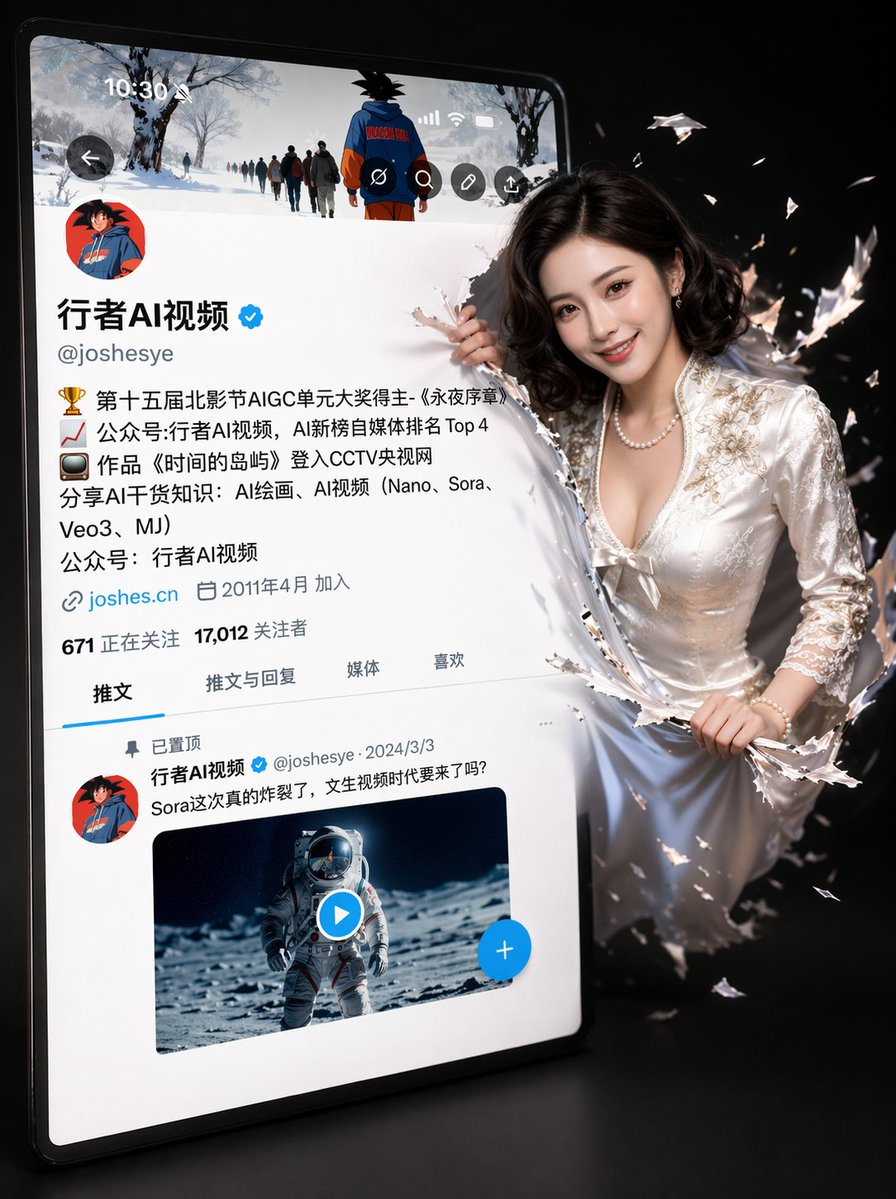
A hyper-realistic 3D illustration depicting a slightly tilted Twitter/X profile interface with a simple black background. The original avatar (cartoon girl avatar) remains unchanged. The profile interface is identical to Image 2, with the username 'argusername: Aigirl', a verification badge, a detailed bio, follower count, and a tweet column. On the right side of the screen, a argcharacter description: Image 1. Her features are the same as the original (no changes to the face), but she now has a bright, natural smile, lively eyes, and soft, translucent skin. Half of her body is breaking free from the screen, jumping out with a dynamic 3D effect. The ripples caused by breaking free from the screen are shaking violently. The lighting uses soft studio lighting with cinematic shadows and depth of field. Ultra-fine 4K resolution, a blend of realistic imagery and Pixar style, clear and sharp, popular on ArtStation. Important notes: - Do not change the avatar (DP) - Keep the X interface layout and text style unchanged - Retain the girl's original facial features - Only adjust the expression to a natural smile
حول هذا الموجّه
Create a hyper-realistic 3D illustration of a character breaking out of a social media profile interface with cinematic lighting and dynamic effects. Use it as a الفن المفاهيمي starting point for GPT Image 2: keep the visual structure and style constraints intact, then swap in your own subject, brand, or scene.
Common directions include gptimage2api prompts, gptimage2api, and zh. Treat these tags as creative cues; the prompt structure and preview image are the more useful guide.
Start by replacing username and character description, then keep the camera, composition, and material cues in the same order. This makes the output easier to compare across variations.
كيفية استخدام هذا الموجّه
- Copy the full prompt text.
- Select a capable AI image or video model like Sora 2.
- Customize the variables
{username}and{character description}to match your desired character and profile. - Generate the image and review the output for adherence to the prompt's specific UI and character constraints.
- Adjust wording or regenerate if needed to refine the 3D breakout effect.


