
GPT Image 2موجّه AI
Hyperrealistic Boeing 747 Cockpit — Sora 2 Prompt
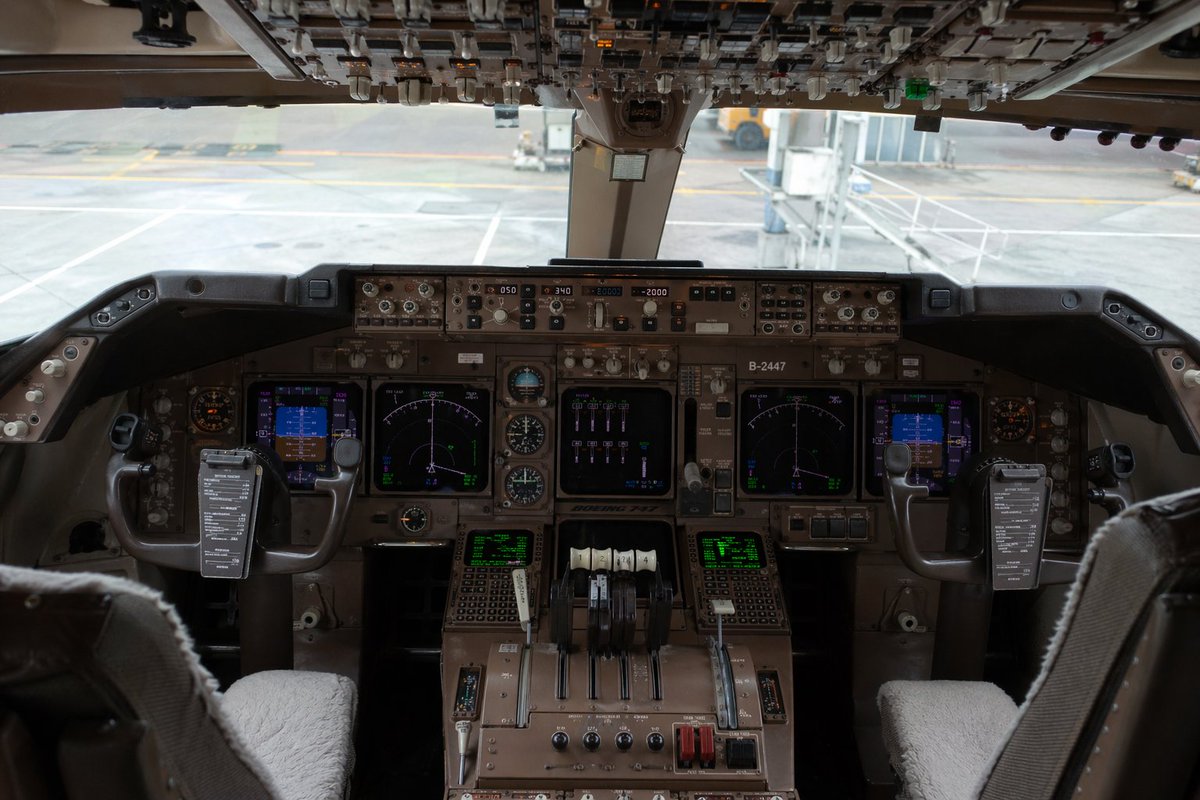
This prompt creates a hyperrealistic Boeing 747 cockpit view with detailed avionics, ideal for aviation art and simulations.
الموجّه · EN
超写实内部摄影作品,展示了 argaircraft model: 波音 747 驾驶舱。视角位于两个飞行员座椅后方中间,构图居中且完全对称,完整呈现了主仪表板、中央操纵台、双控制杆以及顶部边缘的头顶开关面板。驾驶舱内无人,前景可见两个飞行员座椅,座椅配有浅灰色或米白色的羊皮座套,每个控制杆上都夹着一块深色矩形检查清单或电子笔记项目。主面板上密布着外观逼真的航空电子设备、模拟表盘、自动驾驶控制器、无线电面板,总计 6 个发光显示屏:2 个大型中央导航显示屏、左右两侧各 1 个较小的蓝色调飞行显示屏,以及中央操纵台下方的 2 个绿色文字/数据屏幕。中央包含 4 个油门杆,以及额外的襟翼和系统操纵杆、旋转旋钮、带防护罩的开关,以及宽体客机驾驶舱典型的风化棕灰色金属表面。头顶面板应布满成排的开关、拨动开关和指示灯,部分处于阴影中但细节清晰。透过前挡风玻璃,显示虚化处理的机场登机口场景,包括浅色混凝土停机坪、地面标记,以及连接或靠近飞机的乘客登机桥。光线为来自外部的自然日光,驾驶舱内光线柔和,具有逼真的阴影、玻璃屏幕上的轻微反射以及纪录片风格的色彩分级。强调极致细节、写实感、真实的航空工程复杂性,以及与真实照片无异的画质。使用全画幅相机拍摄,平视视角,24–28mm 广角镜头,仪表板全景深,高动态范围,无人物,无夸张的风格化处理,非插画风格。
حول هذا الموجّه
This prompt creates a hyperrealistic Boeing 747 cockpit view with detailed avionics, ideal for aviation art and simulations. Use it as a الفن المفاهيمي starting point for GPT Image 2: keep the visual structure and style constraints intact, then swap in your own subject, brand, or scene.
Start by replacing aircraft model, then keep the camera, composition, and material cues in the same order. This makes the output easier to compare across variations.
كيفية استخدام هذا الموجّه
- Copy the prompt text below.
- Choose an AI image generator like DALL·E 3, Midjourney v6, or Stable Diffusion with a photorealistic model.
- Optionally replace the
aircraft modelargument (default: Boeing 747) with any other aircraft, e.g., "Airbus A380". - Generate the image. For best results, use a 1:1 or 3:2 aspect ratio and high-quality settings.
- Refine by adjusting the lighting or camera angle if the platform supports inpainting or remixing.


