
GPT Image 2موجّه AI
Cosmic AI Art App Screenshot — Realistic UI Prompt
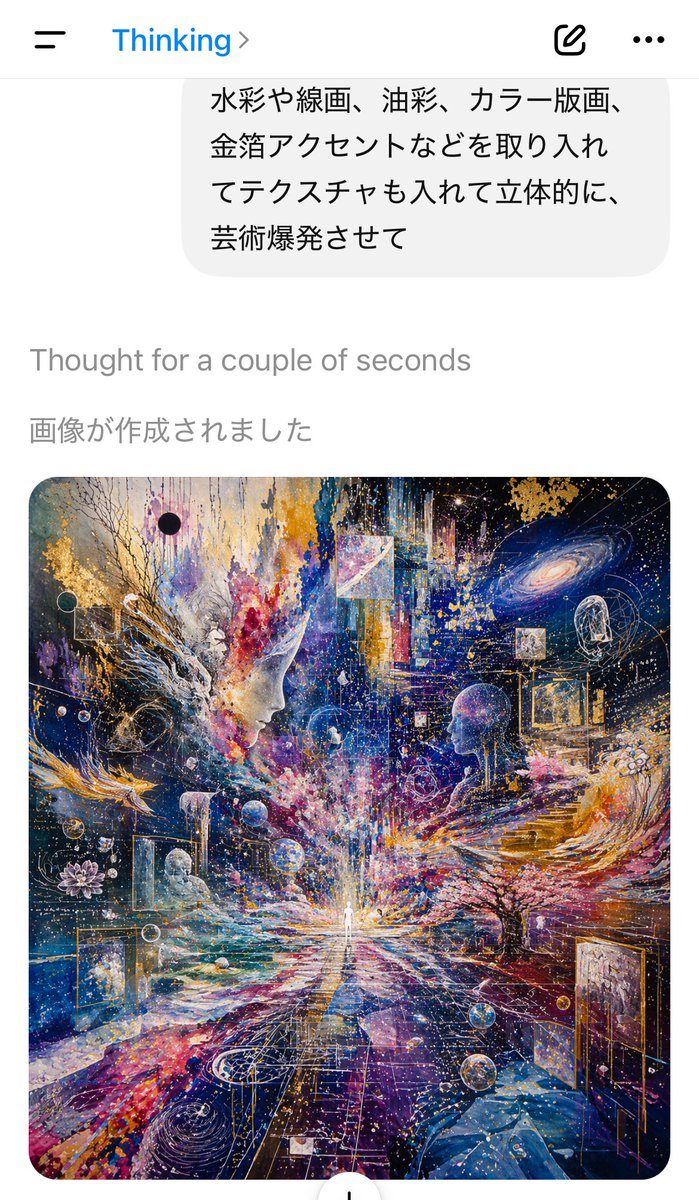
Easily create a photorealistic AI chat app screenshot with a breathtaking cosmic art piece to promote your AI model's image generation capabilities.
الموجّه · EN
一张处于浅色模式下的 AI 聊天应用界面垂直手机截图,展示了图像刚刚生成完成的瞬间。最上方是一个简洁的移动应用标题栏,左侧为汉堡菜单图标,中间是蓝色的标题“Thinking”及其右侧的箭头图标,右侧为撰写图标和三点菜单。下方是浅灰色用户消息气泡的底部,其中包含 4 行日语文本:“水彩や線画、油彩、カラー版画、 金箔アクセントなどを取り入れ てテクスチャも入れて立体的に、 芸術爆発させて”。在气泡下方,白色背景上显示灰色的系统状态行“Thought for a couple of seconds”,随后是深灰色的日语行“画像が作成されました”。在其下方,居中显示一张占据屏幕下半部分大部分区域的大型圆角生成艺术预览图。艺术作品本身是一幅超精细的宇宙视觉拼贴画,采用方形构图:一个微小的发光人形站在底部中心位置的消失点,向外辐射光芒;两个巨大的半透明人像侧脸从左右中景向内侧对视;旋转的星系、恒星、星云、行星、漂浮的几何框架、透明球体、金箔碎片、线条艺术、喷溅颜料和分层纹理充斥着整个画面。采用深靛蓝、群青、紫罗兰、洋红、白色和发光金色的戏剧性调色板,结合了水彩、油画、版画、墨线和金属箔装饰,呈现出爆发性的绘画能量。画面中包含树枝状形态、右侧抽象的建筑台阶、左侧类似莲花的图案、嵌入空间中的多个微型场景,以及向中心人物汇聚的密集发光粒子轨迹。整体截图应呈现出真实的 iPhone 应用拍摄质感,除艺术作品外,界面简洁极简,生成的图像作为视觉焦点。
حول هذا الموجّه
Easily create a photorealistic AI chat app screenshot with a breathtaking cosmic art piece to promote your AI model's image generation capabilities. Use it as a الفن المفاهيمي starting point for GPT Image 2: keep the visual structure and style constraints intact, then swap in your own subject, brand, or scene.
Start with small changes to subject, scene, camera, and color, then generate a few variations to compare composition and detail without turning the page copy into keyword stuffing.
كيفية استخدام هذا الموجّه
- Copy the prompt text provided.
- Paste it into an advanced AI image generator (e.g., DALL·E 3, Midjourney, Stable Diffusion).
- Optionally specify your desired smartphone model or UI language (e.g., “iPhone 14 Pro”, “Android dark mode”).
- Generate the image and download the result.
- Use the screenshot for demos, social media, or product mockups.


