
GPT Image 2موجّه AI
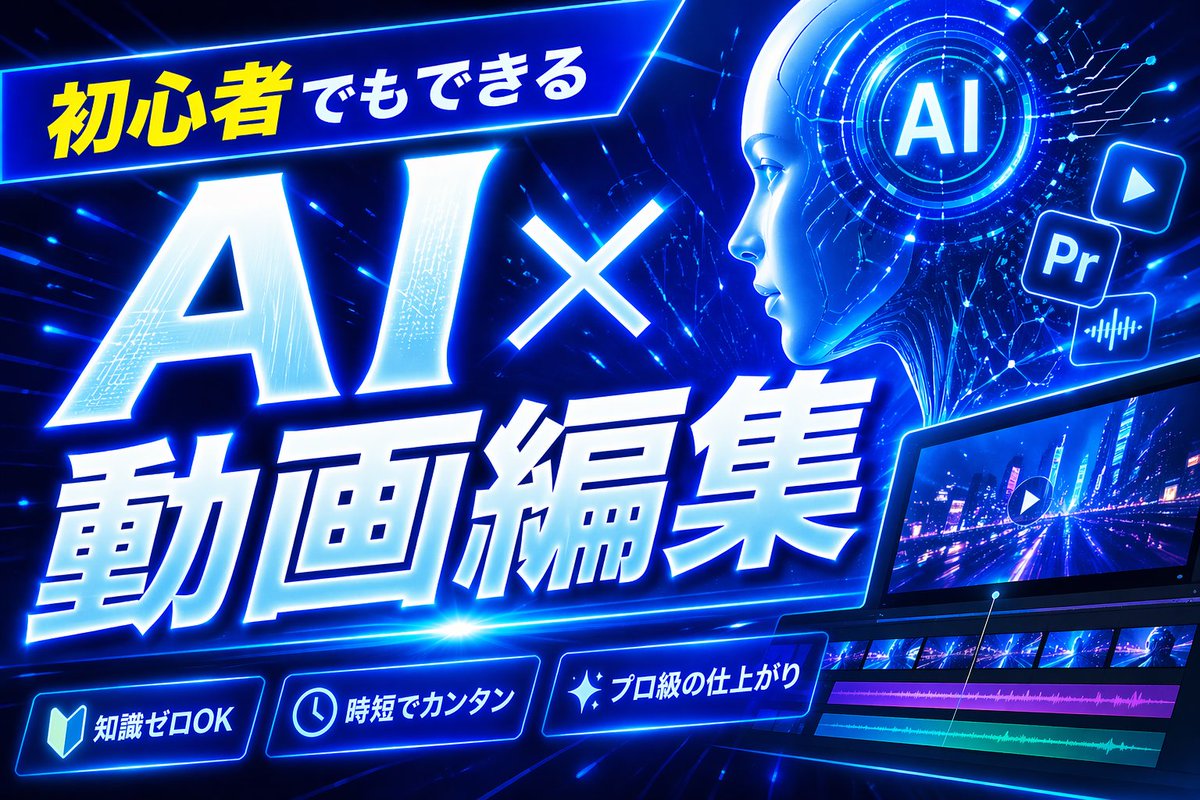
Neon Cyberpunk YouTube Thumbnail — AI Video Editing Tutorial
Generate a bold cyberpunk thumbnail with neon blue circuits, HUD elements, and video editing icons to maximize click-through rates for your AI tutorial.
الموجّه · EN
制作一张大胆的日式 YouTube 缩略图,主题为 argheadline text: 初心者でもできる AI×動画編集,采用未来感霓虹蓝赛博朋克风格。使用 16:9 宽屏构图,背景为深电蓝色,布满发光的电路线条、数字条纹、镜头光晕和高能量的动态效果。在左上角放置一个倾斜的发光横幅,包含日文文本 argtop banner text: 初心者でもできる,其中第一部分为亮黄色,其余部分为白色。主标题应占据左侧和中心位置:巨大的白色发光文字“AI×”位于更大的白色发光文字“動画編集”上方,带有厚实的蓝色霓虹外发光、轻微的前倾斜动态感、斜面 3D 阴影和强烈的透视效果。在右上角,添加一个圆形全息界面,中心带有字母 argai badge text: AI,周围环绕着同心圆和微小的 HUD 标记。在其附近,包含 3 个浮动的应用风格图标:一个播放按钮图标、一个方形“Pr”图标和一个音频波形图标,全部呈现蓝色发光效果。在右下角,展示一个时尚的倾斜视频剪辑监视器,显示霓虹城市夜景道路场景,并覆盖有播放符号;在预览下方,包含一个时间轴,显示 4 个可见轨道:2 行视频缩略图和 2 条彩色音频条,分别为洋红色和青绿色。在底部,添加 3 个发光的圆形功能徽章,带有图标和日文文本:带有“知識ゼロOK”的书本图标、带有“時短でカンタン”的时钟图标以及带有“プロ級の仕上がり”的闪光图标。在顶部中心偏右处添加一个高大的纯蓝色垂直矩形作为占位块。整体设计应具有动态感、高对比度、精致感和科技感,并针对现代 AI 和视频剪辑教程缩略图的最高点击率进行了优化。
حول هذا الموجّه
Generate a bold cyberpunk thumbnail with neon blue circuits, HUD elements, and video editing icons to maximize click-through rates for your AI tutorial. Use it as a الفن المفاهيمي starting point for GPT Image 2: keep the visual structure and style constraints intact, then swap in your own subject, brand, or scene.
Start by replacing headline text, top banner text, and ai badge text, then keep the camera, composition, and material cues in the same order. This makes the output easier to compare across variations.
كيفية استخدام هذا الموجّه
- Copy the entire prompt text.
- Paste it into an image generation model like DALL·E 3, Midjourney, or Stable Diffusion.
- Replace bracketed
{argument}variables (e.g., headline text, banner text) with your own Japanese or custom content. - Generate the image. For best results, use a model that supports detailed scene composition and text rendering.
- If needed, tweak phrases like "futuristic neon blue" or "dynamic effects" to fine-tune the style.


