
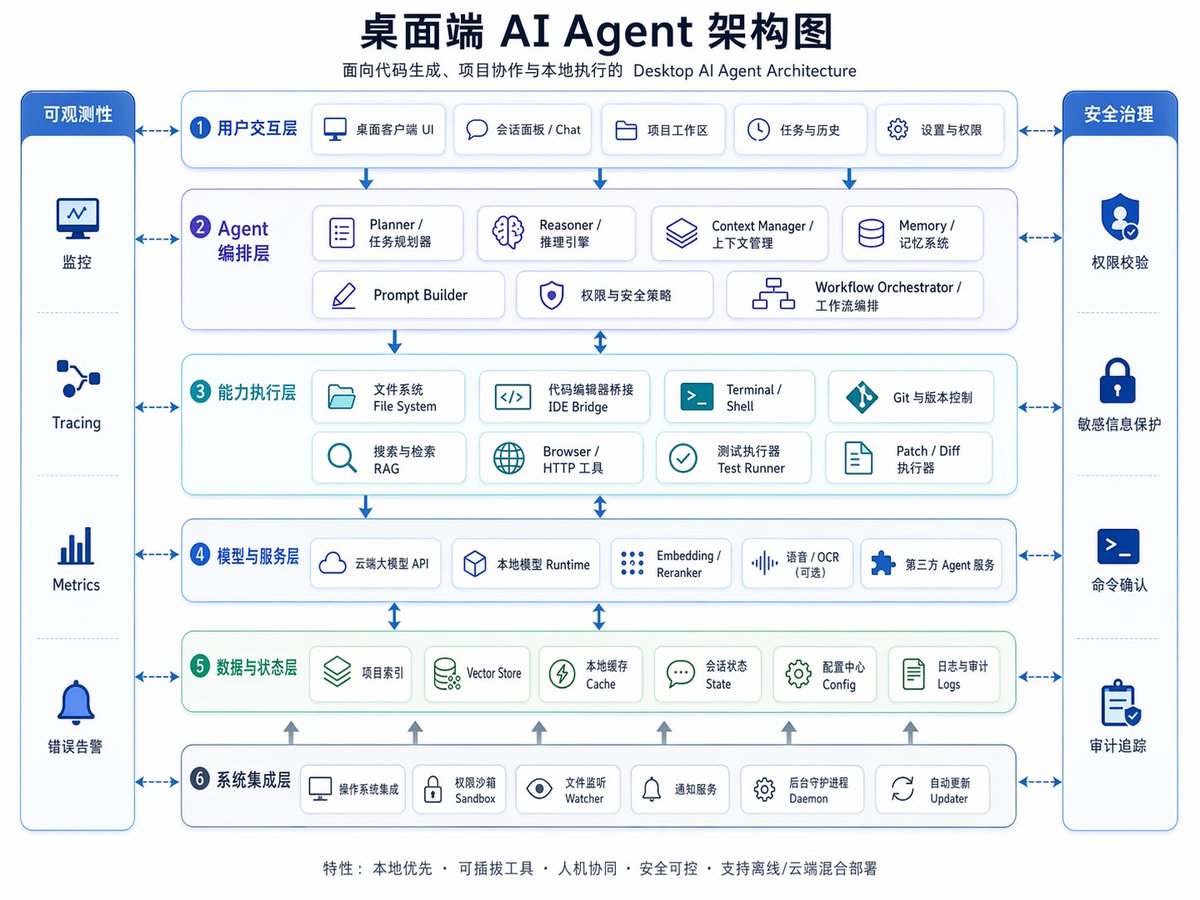
Desktop AI Agent Architecture — Bilingual Infographic
Create a professional bilingual architecture diagram for desktop AI agents, complete with layers, icons, and styling. Ideal for enterprise presentations.
حول هذا الموجّه
Create a professional bilingual architecture diagram for desktop AI agents, complete with layers, icons, and styling. Ideal for enterprise presentations. Use it as a الفن المفاهيمي starting point for GPT Image 2: keep the visual structure and style constraints intact, then swap in your own subject, brand, or scene.
This prompt is organized as structured JSON with fields such as type, topic, subtitle, style, layout, and rendering. Keeping that hierarchy helps the model separate the subject, layout, interface elements, and detail constraints.
Start with small changes to subject, scene, camera, and color, then generate a few variations to compare composition and detail without turning the page copy into keyword stuffing.
كيفية استخدام هذا الموجّه
- Copy the prompt and open an AI image generator like DALL·E 3, Midjourney, or Sora.
- Edit the
{argument name="headline text"}placeholder to set your diagram title, or modify section labels directly. - Paste the full prompt and generate the image. Ensure the model supports detailed infographics.
- Review the output; tweak colors, sections, or text for your use case.
- Use the diagram in presentations, documentation, or planning.


