
Editorial Portrait 2x2 Grid — Sora 2 Prompt
Create a stunning 2x2 portrait grid with macro eye detail, multiple angles, and ultra-realistic skin for professional editorial results.
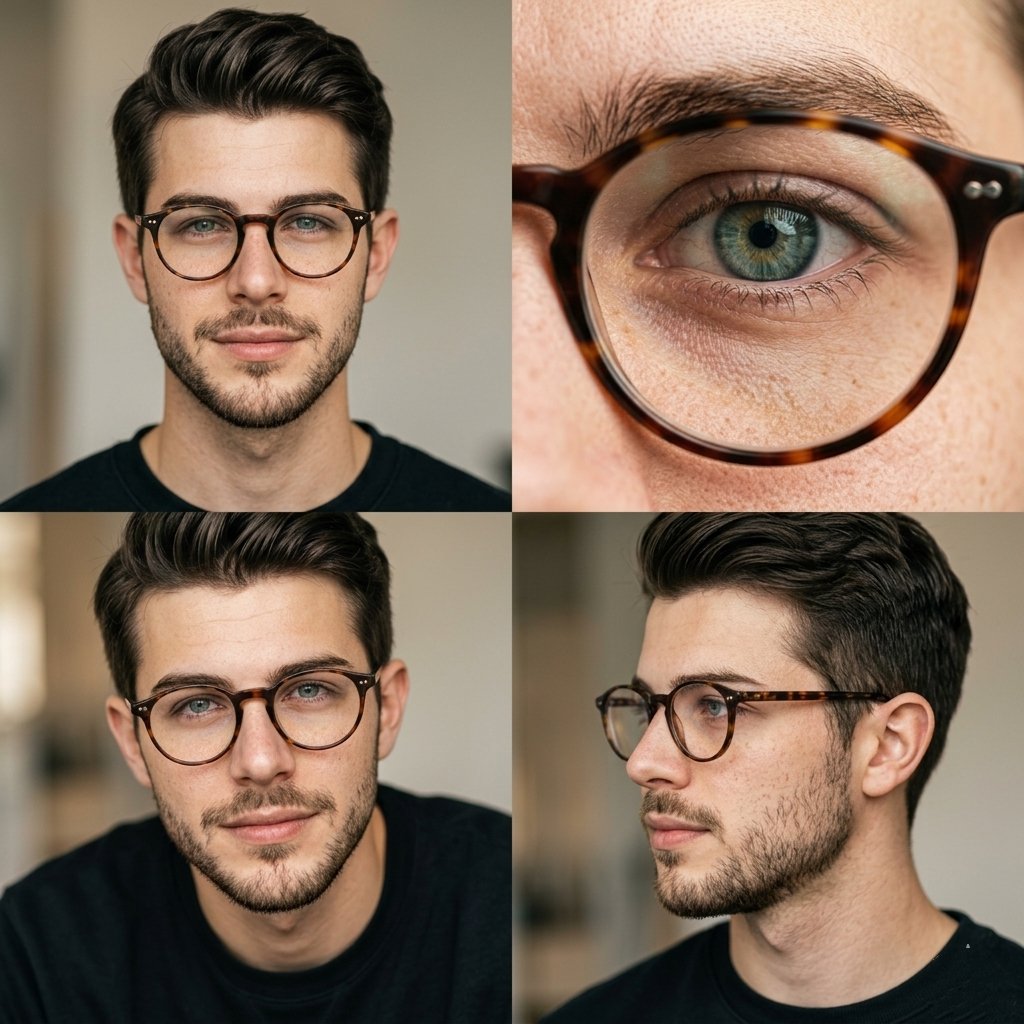
Editorial portrait photography arranged in a 2x2 grid layout featuring the same argsubject: man with argaccessory: round tortoiseshell glasses, natural look, light beard, argbackground: soft neutral background.
Top-left: front-facing portrait with direct eye contact, calm expression.
Top-right: extreme macro close-up of eye behind glasses, ultra-detailed iris and skin texture.
Bottom-left: slightly lower angle portrait, subtle expression, soft shadows.
Bottom-right: side profile portrait, natural pose, looking away.
Soft diffused natural lighting, warm neutral tones, shallow depth of field, ultra-realistic skin texture with visible pores and freckles, minimal retouching, 85mm lens, high-end editorial photography style, clean composition, 4K
حول هذا الموجّه
Create a stunning 2x2 portrait grid with macro eye detail, multiple angles, and ultra-realistic skin for professional editorial results. Use it as a الفن المفاهيمي starting point for GPT Image 2: keep the visual structure and style constraints intact, then swap in your own subject, brand, or scene.
Common directions include gptimage2api prompts, gptimage2api, and zh. Treat these tags as creative cues; the prompt structure and preview image are the more useful guide.
Start by replacing subject, accessory, and background, then keep the camera, composition, and material cues in the same order. This makes the output easier to compare across variations.
كيفية استخدام هذا الموجّه
- Copy the entire prompt text from the page.
- Open your preferred AI image generator (Sora 2, Midjourney, DALL·E, etc.).
- Paste the prompt and customize variables like
{subject},{accessory}, and{background}to match your vision. - Generate the image and review the grid output.
- Adjust lighting or angle keywords if needed and regenerate for variations.


