
GPT Image 2موجّه AI
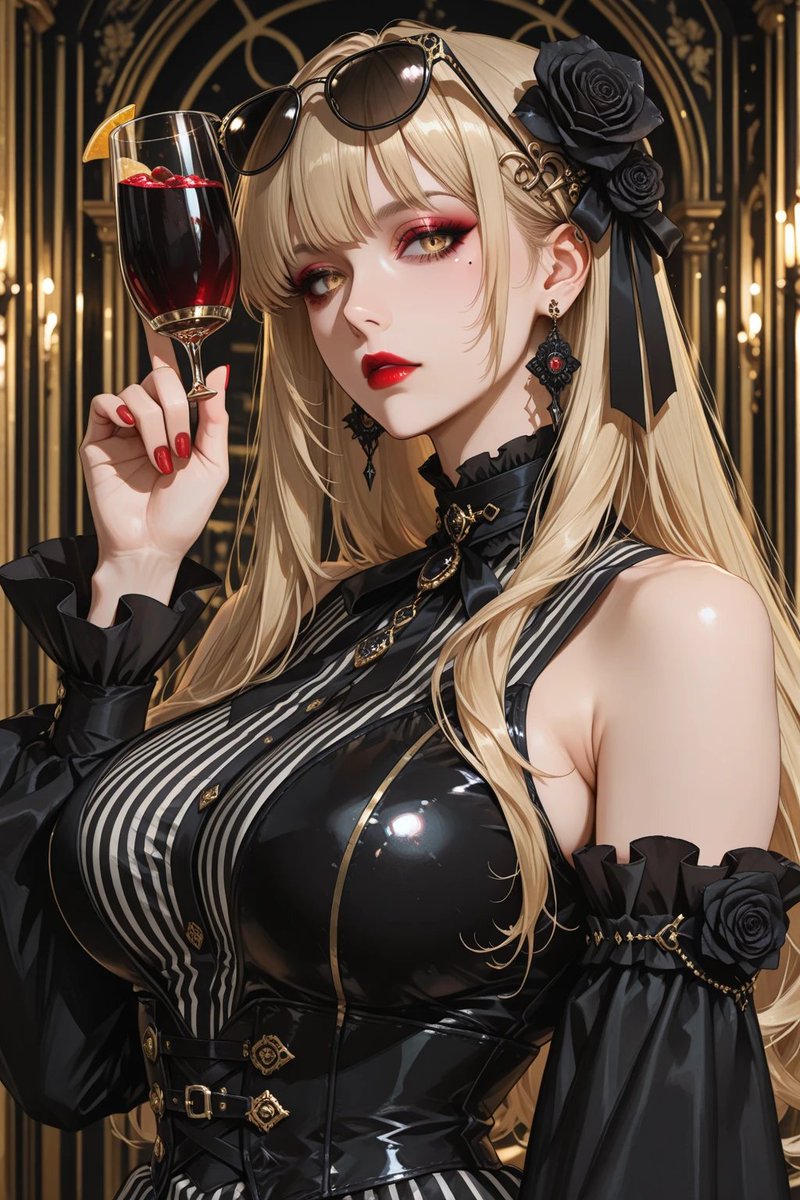
Gothic Blonde Anime Portrait — Red Wine & Black Latex
Create a glamorous vertical anime portrait of an elegant gothic blonde holding red wine in a luxurious black-and-gold setting.
1 / 4
الموجّه · EN
Create a highly detailed vertical anime-style luxury portrait of an elegant gothic blonde woman in an opulent art-deco bar or cathedral-like lounge with black-and-gold arches and warm candlelike lights in the background. She has very long flowing arghair color: platinum blonde hair, black sunglasses resting on top of her head, an ornate black rose hair accessory with ribbons on the right side, and dangling black-and-red gemstone earrings. Her face is intentionally covered by a large centered opaque square censor block in muted taupe beige. She raises a tall wine glass filled with deep red sangria or red wine, garnished with an orange slice and small red berries, held delicately with glossy red manicured nails. Dress her in a dramatic glossy black latex gothic outfit: sleeveless fitted corset bodice with high shine reflections, vertical black-and-white striped front panel, gold trim, small gold buttons, belts and ornate clasps at the waist, a black ribbon choker with gold pendant, and separate puffed black off-shoulder sleeves with ruffled cuffs, gold chain accents, and black rose decorations. Emphasize a glamorous mature feminine silhouette, polished skin highlights, intricate accessories, dark romantic fashion, rich gold detailing, cinematic lighting, shallow depth of field, crisp linework, high contrast, luxurious atmosphere, and ultra-detailed anime illustration quality. Use a portrait composition, close upper-body framing, with the wine glass near the upper left and the character turned slightly to the side.
حول هذا الموجّه
Create a glamorous vertical anime portrait of an elegant gothic blonde holding red wine in a luxurious black-and-gold setting. Use it as a الفن المفاهيمي starting point for GPT Image 2: keep the visual structure and style constraints intact, then swap in your own subject, brand, or scene.
Start by replacing hair color, then keep the camera, composition, and material cues in the same order. This makes the output easier to compare across variations.
كيفية استخدام هذا الموجّه
- Copy the full prompt text and paste it into your chosen AI image generator.
- Select a model optimized for anime or illustration styles, such as Sora 2, Midjourney, or Stable Diffusion.
- Customize the
{hair color}variable to match your desired look—platinum blonde, raven black, crimson red, etc. - Adjust any additional details like the outfit trim, background style, or wine garnish to your preference.
- Generate the image in a vertical 9:16 or portrait aspect ratio for best results.


