
GPT Image 2موجّه AI
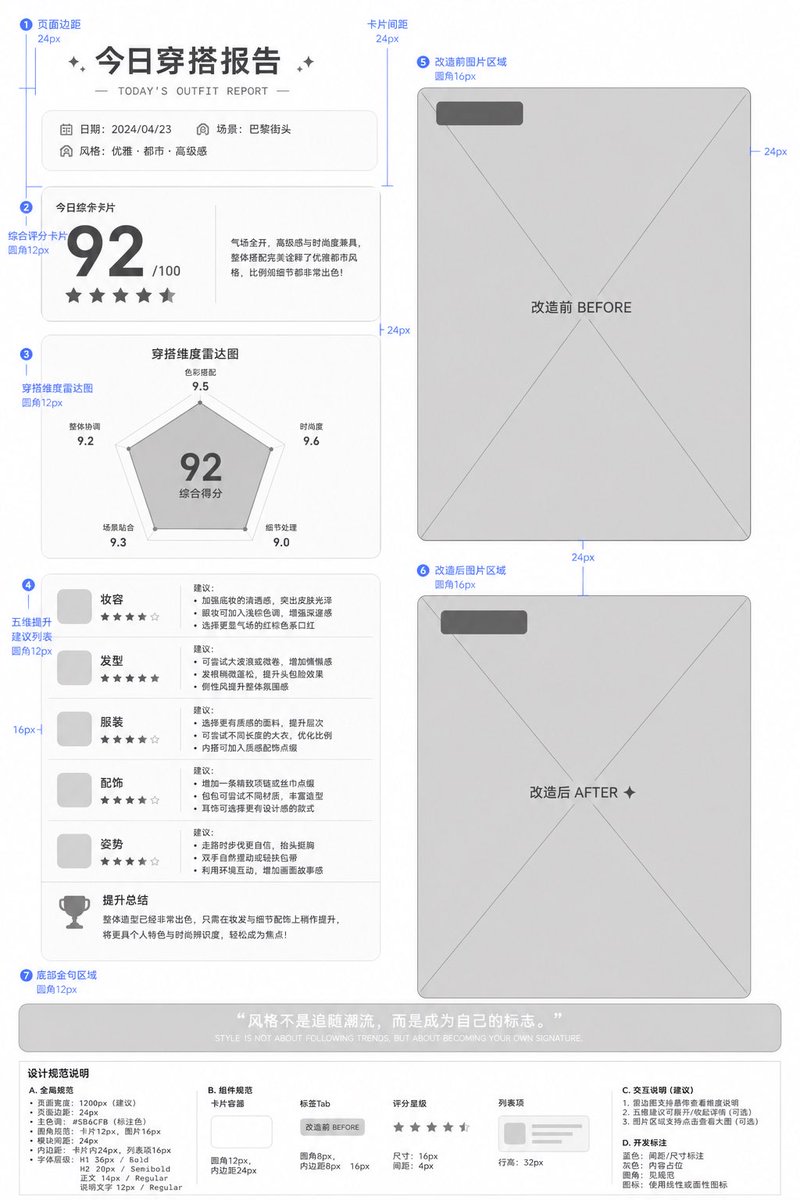
Deliverable Lo-Fi UI Prototype — Spacing & Layout Annotations
Create professional, annotated low-fidelity UI prototypes from reference images with precise spacing, grouping, and control labels for clear team delivery.
الموجّه · EN
Based on the image, generate a low-fidelity prototype for UI design delivery, using color blocks and basic controls as indicators, such as argplaceholder: gray blocks replacing images. Clearly label spacing, grouping, rounded corners, and other data, accompanied by corresponding descriptions. It needs to clearly meet professional delivery standards.
حول هذا الموجّه
Create professional, annotated low-fidelity UI prototypes from reference images with precise spacing, grouping, and control labels for clear team delivery. Use it as a الفن المفاهيمي starting point for GPT Image 2: keep the visual structure and style constraints intact, then swap in your own subject, brand, or scene.
Start by replacing placeholder, then keep the camera, composition, and material cues in the same order. This makes the output easier to compare across variations.
كيفية استخدام هذا الموجّه
- Copy this prompt into your preferred AI image generation tool (e.g., Sora 2, Midjourney, or DALL·E).
- Upload or paste your reference UI image to serve as the basis for the lo-fi prototype.
- Adjust the
{placeholder}variable to specify what should replace image blocks (e.g., gray blocks, hatched areas, or labeled rectangles). - Generate the output and review the annotated layout for spacing values, rounded corner radii, grouping labels, and control indicators.
- Export or share the prototype directly with your design or development team as a clear handoff artifact.


