
GPT Image 2موجّه AI
Minecraft Voxel Coast & Real Traveler — Sora 2 Prompt
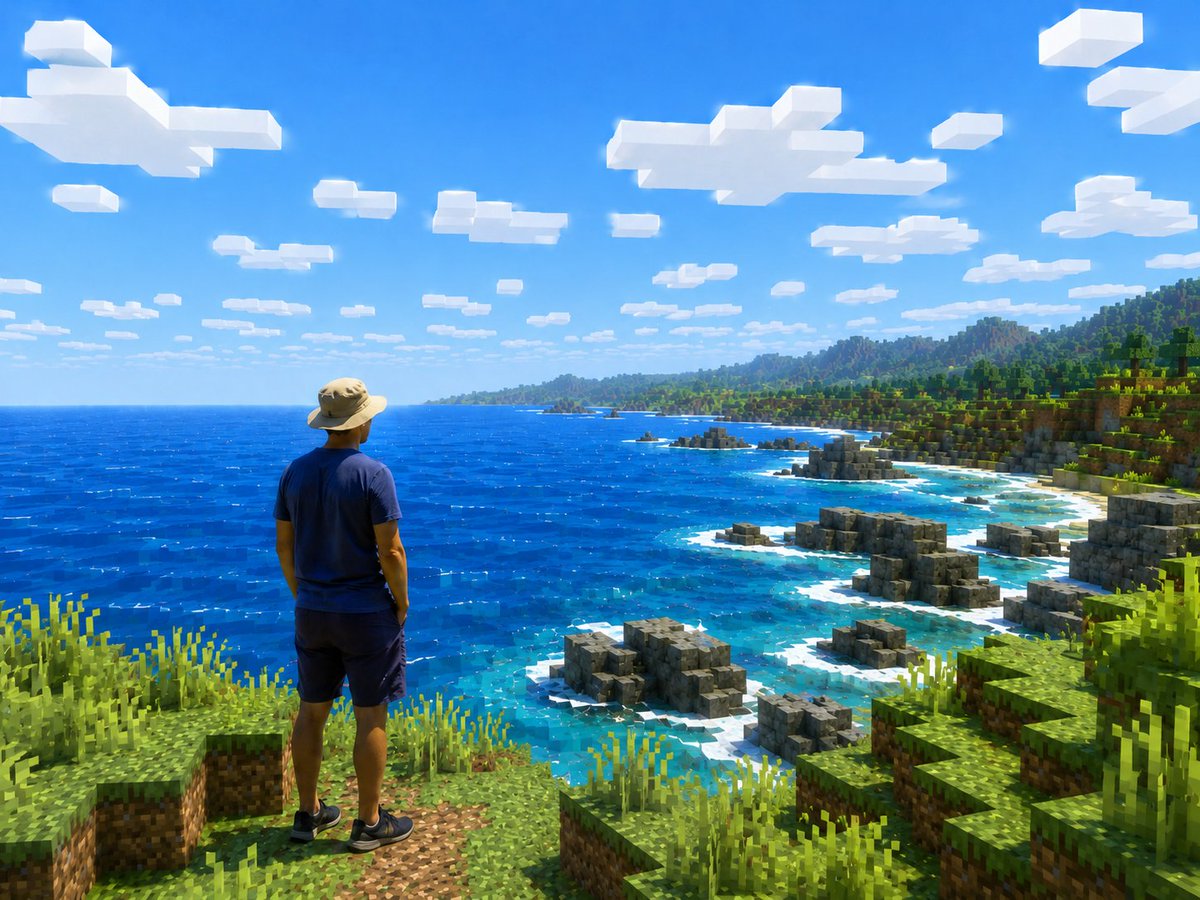
Create a stunning, mixed-reality screenshot blending a realistic traveler with a vibrant, shader-like Minecraft coastal landscape for surreal travel or game edits.
الموجّه · EN
创作一张将写实旅行照片转化为 Minecraft 风格开放世界截图的构图。画面中展示一个从背后拍摄的人物,站在左下角前景的一处草地方块悬崖边,眺望着广阔明亮的蓝色海洋和崎岖的体素海岸线。人物应保持写实且自然,身穿 argoutfit: 一顶棕褐色宽檐徒步帽、海军蓝 T 恤、深色短裤和黑色运动鞋,姿态放松,双手垂在身体两侧,面向风景。整个环境必须渲染为类似 Minecraft 的立方体方块:前景是方形的草地和泥土岩架,高大的像素化草丛,岸边阶梯状的灰色岩石结构,岩石周围是带有白色浪花的绿松石色浅水区,深钴蓝色的海洋延伸至地平线,远处是带有丘陵和山脉的绿色方块森林海岸线。使用 argscene location: 俯瞰海洋的热带海岸悬崖 作为背景。天空是明亮清澈的蓝色,上半部分散布着许多平坦的矩形白色体素云,正午阳光强烈,色彩饱和,阴影清晰,对比度高。摄像机角度为从人物后上方拍摄的广角风景视角,强调规模感和冒险感,如同升级版高分辨率 Minecraft 着色器包与真人混合的截图。保持人物在解剖学上的真实性,不要方块化,而所有地形、水边、岩石、植物、云朵和远处的山脉均基于体素/方块。无文字,无 UI,无水印。
حول هذا الموجّه
Create a stunning, mixed-reality screenshot blending a realistic traveler with a vibrant, shader-like Minecraft coastal landscape for surreal travel or game edits. Use it as a الفن المفاهيمي starting point for GPT Image 2: keep the visual structure and style constraints intact, then swap in your own subject, brand, or scene.
Start by replacing outfit and scene location, then keep the camera, composition, and material cues in the same order. This makes the output easier to compare across variations.
كيفية استخدام هذا الموجّه
- Copy the entire prompt text. 2. Select your preferred AI image/video model (e.g., Sora 2, Midjourney). 3. Optionally customize the variables like
{outfit}and{scene location}. 4. Generate the image to create your unique mixed-reality Minecraft world.


