
GPT Image 2موجّه AI
MS Paint Doodle Meme Portrait — Sora 2 Prompt
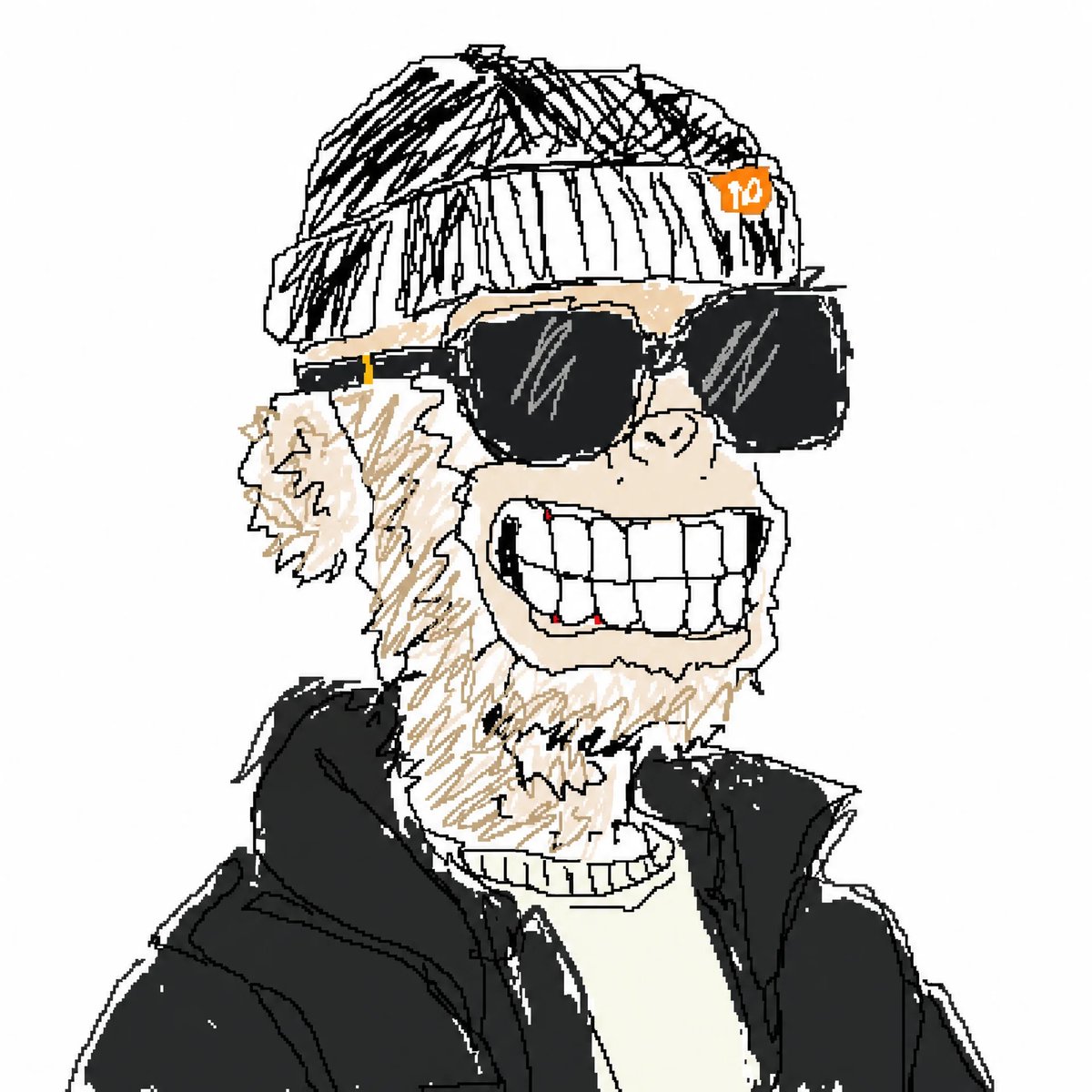
Generate a charmingly ugly, childlike doodle portrait of a laughing beanie guy perfect for viral meme art.
الموجّه · EN
一幅稚气未脱、笔触粗糙的数字涂鸦肖像,背景为纯浅灰色,构图为胸部以上的居中特写。画中是一位滑稽的成年男子,留着凌乱的浅金色胡茬,深色头发大部分被一顶灰色罗纹针织帽遮住。针织帽右侧别着一枚小小的橙色圆形徽章,里面写着白色数字“10”。他戴着一副超大号黑色粗框墨镜,完全遮住了眼睛。他的脸上露着夸张的露齿大笑,超大的方形白牙占据了下半张脸的大部分,线条画得笨拙且不均匀,牙龈处还有几处细小的红色标记。鼻子画得简单且卡通,左侧耳朵突出。他穿着一件厚实的黑色夹克,内搭米白色或奶油色毛衣。画风刻意追求凌乱、业余、像小孩子涂鸦般的质感:锯齿状的黑色轮廓、粗糙的线条、不协调的比例、幼稚的解剖结构、极少的阴影、随意的填充颜色,呈现出一种手绘 MS Paint 或廉价平板电脑草图的感觉。保持构图简洁、幽默,并带有一种迷人的“丑萌”感,就像一个画得很烂的病毒式表情包头像。
حول هذا الموجّه
Generate a charmingly ugly, childlike doodle portrait of a laughing beanie guy perfect for viral meme art. Use it as a الفن المفاهيمي starting point for GPT Image 2: keep the visual structure and style constraints intact, then swap in your own subject, brand, or scene.
Start with small changes to subject, scene, camera, and color, then generate a few variations to compare composition and detail without turning the page copy into keyword stuffing.
كيفية استخدام هذا الموجّه
- Copy the Prompt — Paste the full prompt text into your AI image generator.
- Choose a Model — Select Sora 2, DALL·E 3, or Midjourney for best results.
- Tweak Variables — Swap details like hat color, accessory text, or clothing to personalize.
- Generate & Iterate — Run the prompt and regenerate until you get that perfect "so-bad-it's-good" aesthetic.


