
Official Character Reference Sheet — Sora 2 Prompt
Generate detailed character reference sheets with three-view drawings, facial expressions, and color palette in an official illustration style.
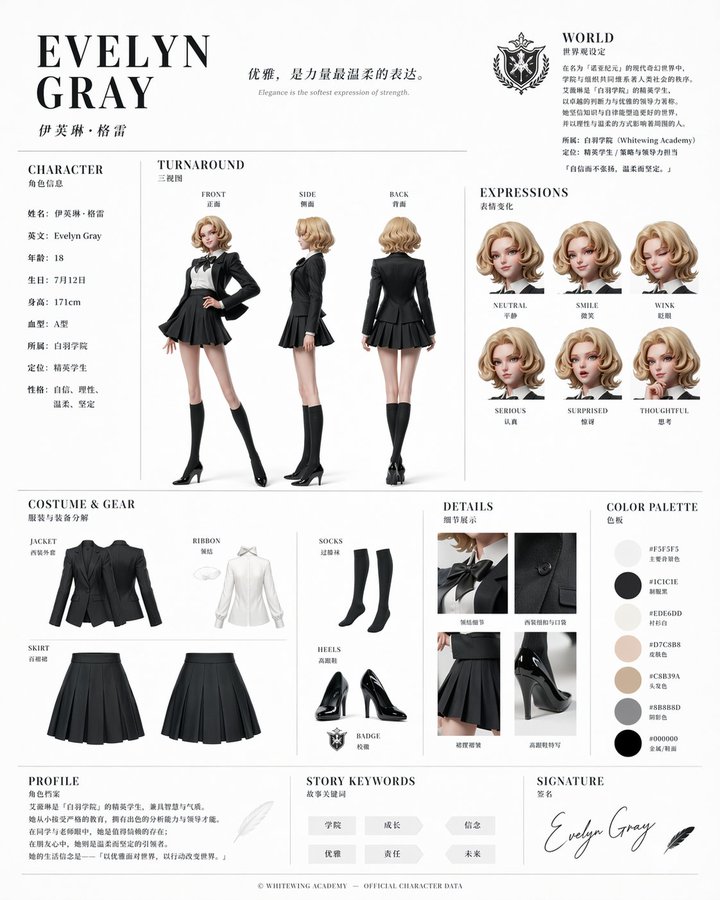
Based on this character and background, please create a character reference sheet similar to official setting materials. - Includes three-view drawings: front view, side view, and back view - Add variations of the character's facial expressions - Break down and display detailed parts of the clothing and equipment - Add a color palette - Include a brief explanation of the worldview setting - Overall, use an organized layout (white background, illustration style)
حول هذا الموجّه
Generate detailed character reference sheets with three-view drawings, facial expressions, and color palette in an official illustration style. Use it as a الفن المفاهيمي starting point for GPT Image 2: keep the visual structure and style constraints intact, then swap in your own subject, brand, or scene.
Common directions include character & consistency. Treat these tags as creative cues; the prompt structure and preview image are the more useful guide.
Start with small changes to subject, scene, camera, and color, then generate a few variations to compare composition and detail without turning the page copy into keyword stuffing.
كيفية استخدام هذا الموجّه
- Copy the prompt text provided.
- Paste it into an AI image generator like DALL·E, Midjourney, or Stable Diffusion.
- Replace placeholder character and background details with your own.
- Adjust settings (aspect ratio, style) as needed, then generate.
- Review and iterate by tweaking the prompt or generating variations.


