
Poster-to-Trailer Cinematic Visual — Sora 2 Prompt
Transform any movie poster into a dramatic, widescreen trailer keyframe with cinematic lighting, film grain, and anamorphic lens effects.
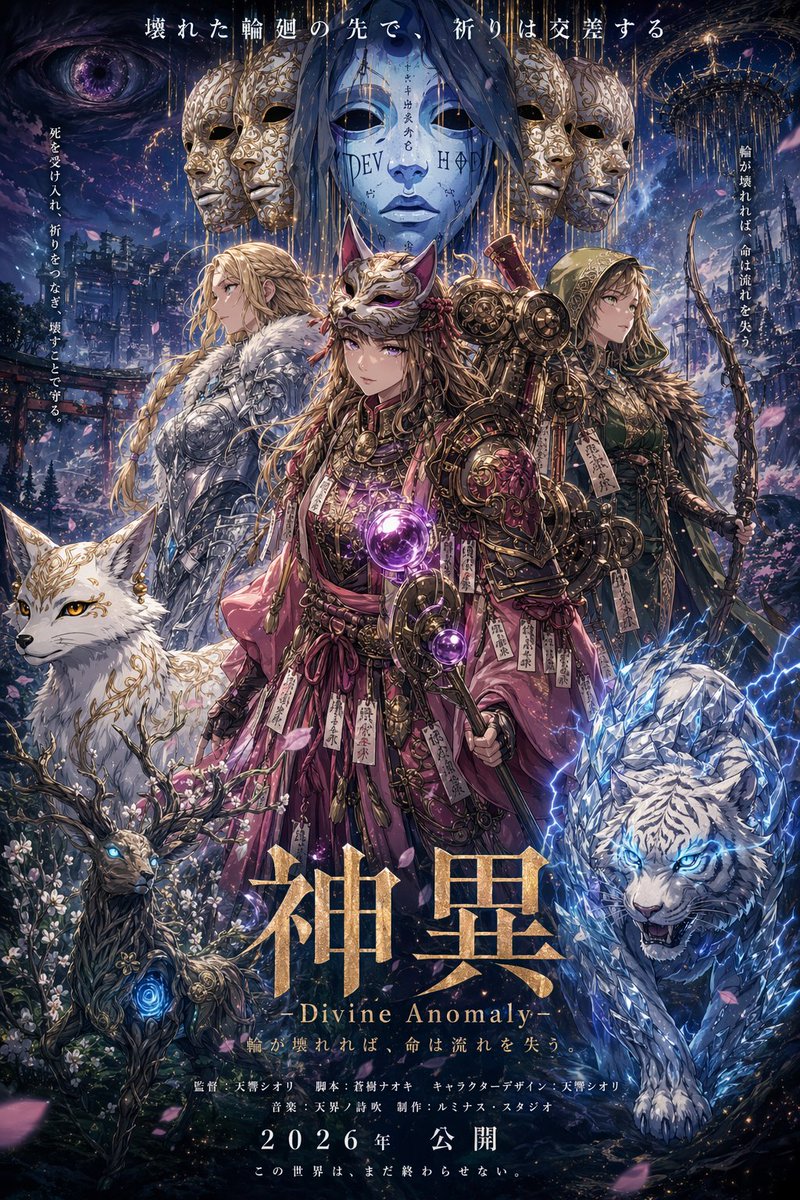
Look at this poster, imagine it yourself, and create a trailer-style visual for it. Extrapolate the world, characters, and narrative from the poster's visual cues, then compose a cinematic key frame that could serve as a movie trailer screenshot 鈥?complete with dramatic lighting, action or emotional peak moment, widescreen composition, and the epic scale that trailer moments demand. Include subtle film grain and anamorphic lens effects.
حول هذا الموجّه
Transform any movie poster into a dramatic, widescreen trailer keyframe with cinematic lighting, film grain, and anamorphic lens effects. Use it as a الفن المفاهيمي starting point for GPT Image 2: keep the visual structure and style constraints intact, then swap in your own subject, brand, or scene.
Common directions include community showcase, intermediate, concept art, and cinematic. Treat these tags as creative cues; the prompt structure and preview image are the more useful guide.
Start with small changes to subject, scene, camera, and color, then generate a few variations to compare composition and detail without turning the page copy into keyword stuffing.
كيفية استخدام هذا الموجّه
- Copy the full prompt text above.
- Open Sora, Runway Gen-3, or another AI video generator.
- Upload your poster image and paste the prompt as the instruction.
- Adjust model settings for widescreen composition, film grain, and anamorphic effects if available.
- Generate and iterate to capture the perfect cinematic trailer moment.


