
GPT Image 2موجّه AI
Old Photo Restoration & Colorization — Sora 2 Prompt
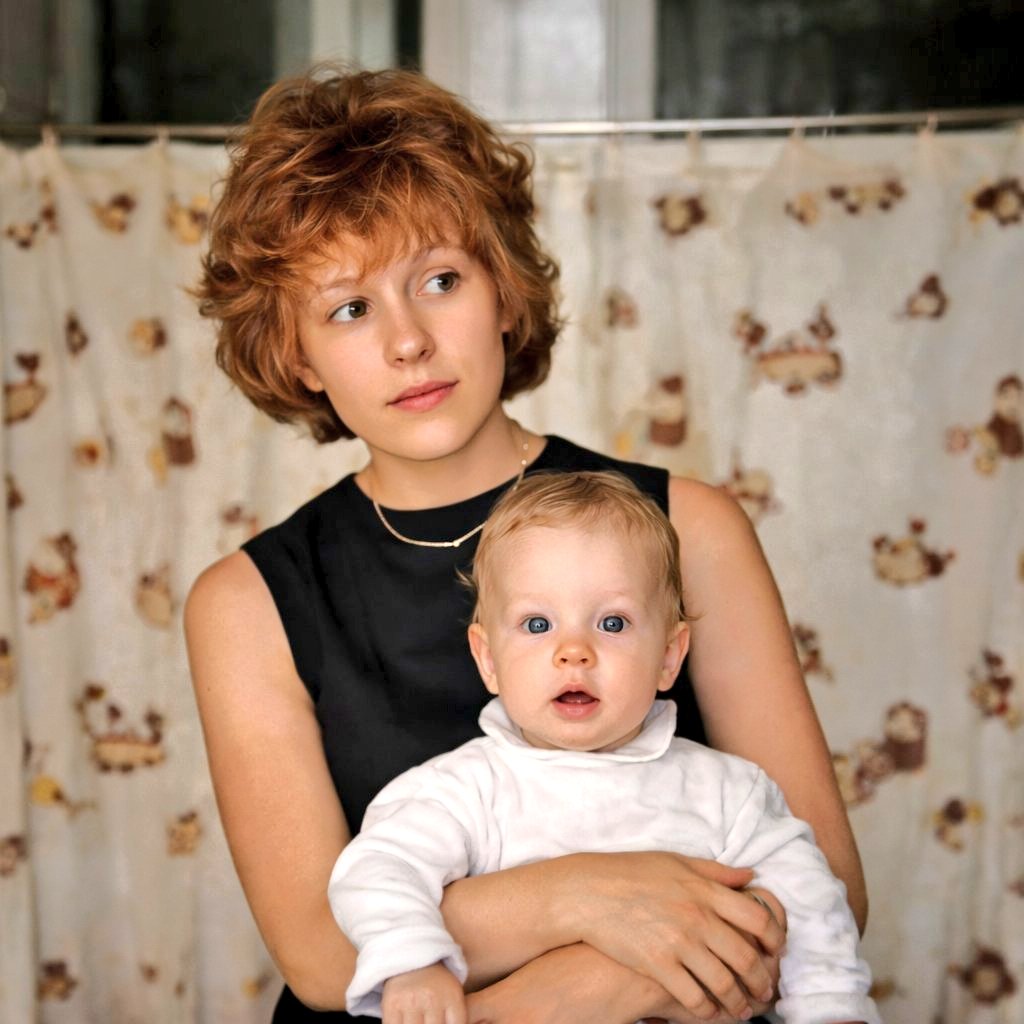
Restore a damaged family photo into a sharp, colorized, and realistic 4K portrait while preserving the original composition and warmth.
الموجّه · EN
使用 REFERENCE_0,将这张受损的旧家庭照片修复为清晰、高分辨率的现代扫描件。在保留原始构图、姿势、取景和背景幕布的同时,去除严重的划痕、污渍、褪色、撕裂和表面损伤。重构逼真的自然肤色,锐化细节,并以真实的室内暖色调为图像上色。保持抱婴儿女性的姿势不变,还原黑色无袖连衣裙、婴儿的浅色服装、红棕色头发以及精致的项链。保持相同的肖像裁剪比例和摄影真实感,呈现出如同原始照片经过专业修复并以 4K 分辨率重制后的效果。
حول هذا الموجّه
Restore a damaged family photo into a sharp, colorized, and realistic 4K portrait while preserving the original composition and warmth. Use it as a الفن المفاهيمي starting point for GPT Image 2: keep the visual structure and style constraints intact, then swap in your own subject, brand, or scene.
Start with small changes to subject, scene, camera, and color, then generate a few variations to compare composition and detail without turning the page copy into keyword stuffing.
كيفية استخدام هذا الموجّه
- Copy this prompt and its reference image.
- Select a compatible model like Sora 2 or another image generation AI.
- Tweak specific details such as 'black sleeveless dress' or 'auburn hair' to match your photo.
- Generate the image and refine the prompt if needed for a perfect restoration.


