
GPT Image 2موجّه AI
Pop Art Streetwear Fashion Photography — Sora 2 Prompt
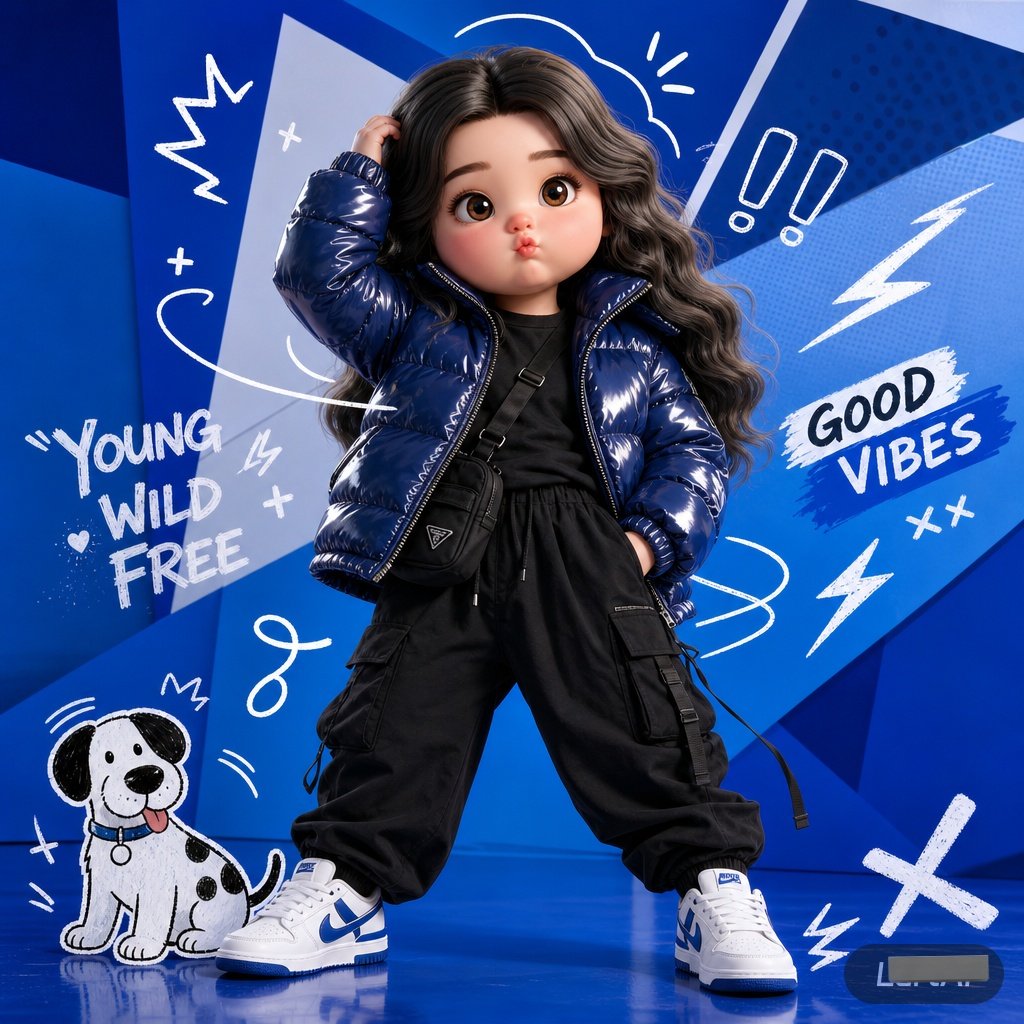
Create a vibrant, pop-art inspired fashion editorial photo featuring a model in bold streetwear with playful 2D graffiti graphics.
الموجّه · EN
一张全身时尚社论场景,背景为充满活力的 argbackground color: 电光蓝 工作室背景,并叠加了分层的几何蓝色形状。构图呈现出年轻、充满活力的波普艺术美学,将写实的街头服饰摄影与趣味十足的 2D 图形涂鸦融为一体。人物以自信的宽腿姿势站立,一只手随意地触碰头发/头部,面向镜头。服装以一件亮面的 argjacket type: 藏青色羽绒服 为核心,内搭简约深色 T 恤,下身穿着黑色工装裤,搭配一个小巧的黑色斜挎机能包和带有蓝色点缀的白色运动鞋。手绘的白色涂鸦散布在场景周围,包括卡通风格的动态漩涡、闪电、感叹号、加号,以及左下角的一只可爱的 arganimal: 卡通狗。干净的工作室灯光,高对比度,潮流都市时尚广告风格,动态构图,清晰的阴影,现代街头服饰美学,趣味图形设计融合,高度细节化,专业时尚摄影。
حول هذا الموجّه
Create a vibrant, pop-art inspired fashion editorial photo featuring a model in bold streetwear with playful 2D graffiti graphics. Use it as a الفن المفاهيمي starting point for GPT Image 2: keep the visual structure and style constraints intact, then swap in your own subject, brand, or scene.
Start by replacing background color, jacket type, and animal, then keep the camera, composition, and material cues in the same order. This makes the output easier to compare across variations.
كيفية استخدام هذا الموجّه
- Copy the prompt and paste it into your chosen AI image generator, like Sora 2.
- Select your preferred model and resolution settings.
- Customize the variables (e.g., background color, jacket type, animal) to match your vision.
- Generate the image and review the output.
- Refine the prompt or variables as needed for a more polished result.


