
GPT Image 2موجّه AI
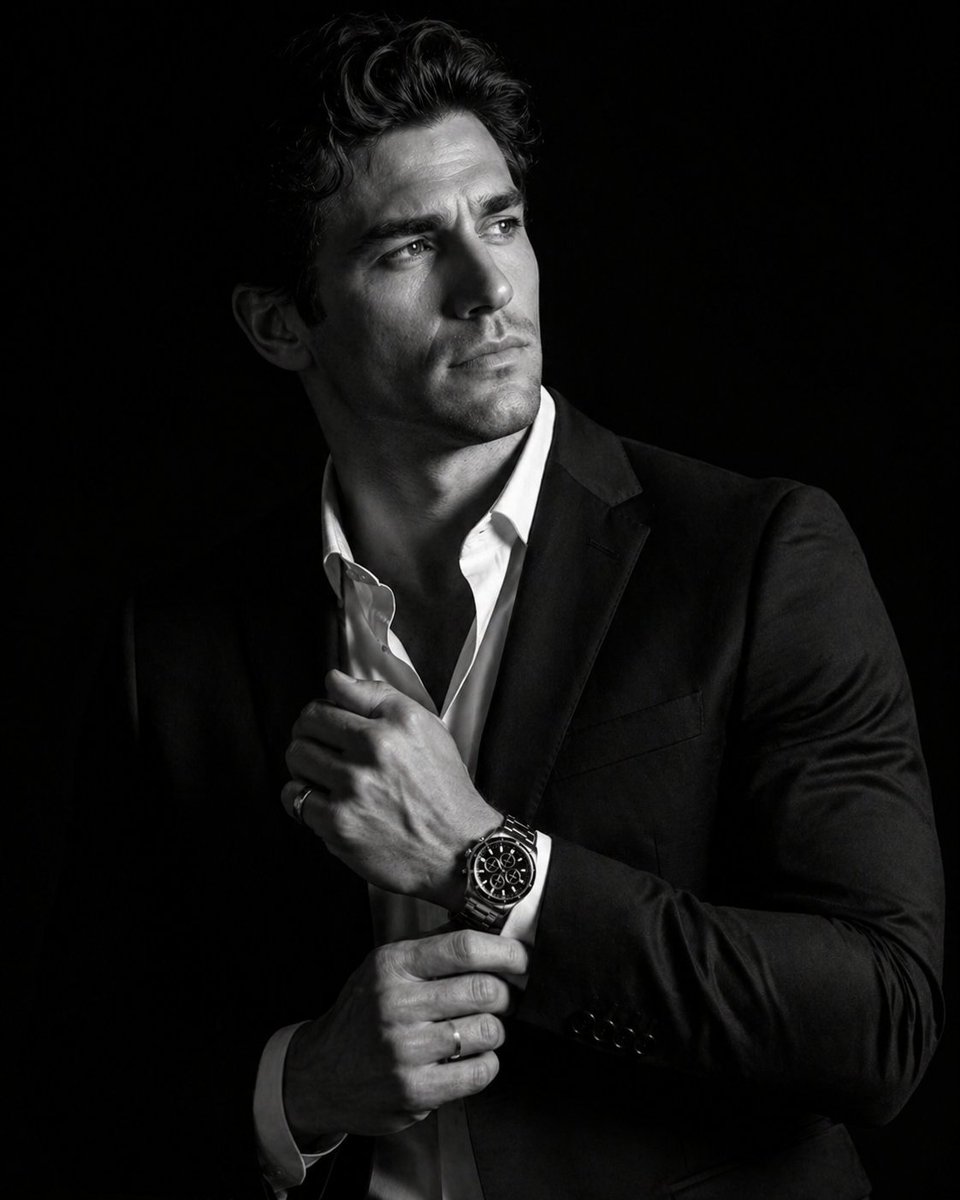
Cinematic Black & White Portrait — 8K Sora 2 Prompt
Generate a hyper-realistic 8K cinematic portrait with dramatic lighting, focusing on a man in a tailored suit and a luxury silver chronograph watch.
الموجّه · EN
一张高端 8K 电影感 argcolor style: 黑白 肖像,主角为一名 argsubject: 男士,身着 argclothing: 剪裁利落的专业西装,神情专注且冷峻,视线看向镜头外。他以四分之三侧面站立,背景为纯粹的深黑色。男士留着打理过的深色波浪发型,面部剃须干净,展现出精致且自然的皮肤纹理。他穿着深色定制西装外套,内搭领口微敞的挺括白衬衫。双手置于胸前:右手正在调整左手袖口,清晰地展示出一款细节丰富的奢华银色计时腕表,表盘为黑色。光影效果极具戏剧性和方向感,在面部侧缘、西装翻领以及腕表和戒指的金属光泽上形成了高对比度的亮部。超写实细节捕捉了每一根发丝、西装面料的纹理,以及双眼中锐利且栩栩如生的光泽。
حول هذا الموجّه
Generate a hyper-realistic 8K cinematic portrait with dramatic lighting, focusing on a man in a tailored suit and a luxury silver chronograph watch. Use it as a الفن المفاهيمي starting point for GPT Image 2: keep the visual structure and style constraints intact, then swap in your own subject, brand, or scene.
Start by replacing color style, subject, and clothing, then keep the camera, composition, and material cues in the same order. This makes the output easier to compare across variations.
كيفية استخدام هذا الموجّه
- Copy the Prompt: Copy the entire prompt text from this page.
- Choose a Model: Select Sora 2 or your preferred video/image generation model in your AI platform.
- Customize Variables: Replace the bracketed
{argument}sections (e.g.,{subject},{color style}) with your specific details to personalize the subject, clothing, and style. - Generate: Paste the customized prompt into your AI model's input field and run the generation. Adjust settings like aspect ratio if needed for best results.


