
GPT Image 2موجّه AI
Tactical Command Map Scene — Sora 2 Prompt
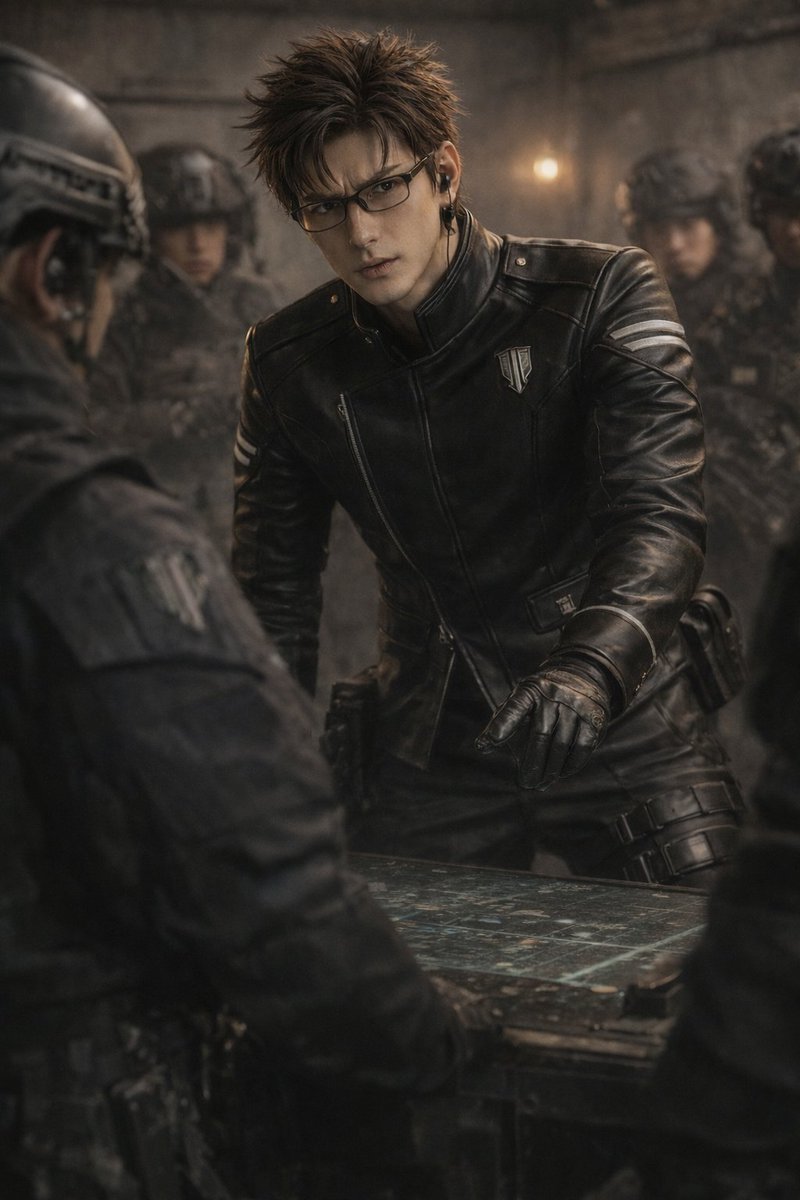
Generate a stunning photorealistic tactical command scene with dramatic lighting, deep depth of field, and gritty bunker atmosphere, perfect for cinematic storytelling.
الموجّه · EN
一张电影级、照片级逼真的镜头,主角是 argcharacter appearance: 一位留着深棕色刺猬头、戴着长方形眼镜的帅气年轻人,身穿 argoutfit: 带有高领、银色胸章和白色臂章的黑色皮质战术夹克,并佩戴黑色皮手套和耳机。他正 argaction: 身体前倾,专注地俯瞰着桌上发光的战术地图,右手指向地图。场景设定在 argsetting: 光线昏暗、充满粗粝感的混凝土指挥掩体 中。在模糊的背景中,argbackground characters: 几名身穿全套黑色战术装备并佩戴头盔的士兵 肃立待命。画面左前景可见另一位身穿黑色制服的人的肩膀,构成了画面的框架。图像呈现出暗调、忧郁的灯光效果,具有浅景深和高分辨率的粗粝质感。
حول هذا الموجّه
Generate a stunning photorealistic tactical command scene with dramatic lighting, deep depth of field, and gritty bunker atmosphere, perfect for cinematic storytelling. Use it as a الفن المفاهيمي starting point for GPT Image 2: keep the visual structure and style constraints intact, then swap in your own subject, brand, or scene.
Start by replacing character appearance, outfit, action, and setting, then keep the camera, composition, and material cues in the same order. This makes the output easier to compare across variations.
كيفية استخدام هذا الموجّه
- Copy the prompt text from the page.
- Choose an AI image model like Sora, Midjourney, or DALL-E.
- Customize variables such as character appearance, outfit, action, setting, and background characters.
- Paste the prompt and generate your image.
- Review the output and tweak details to refine the scene.


