
GPT Image 2موجّه AI
Vintage Collage Portrait — Edit-Style Multi-Scene AI Prompt
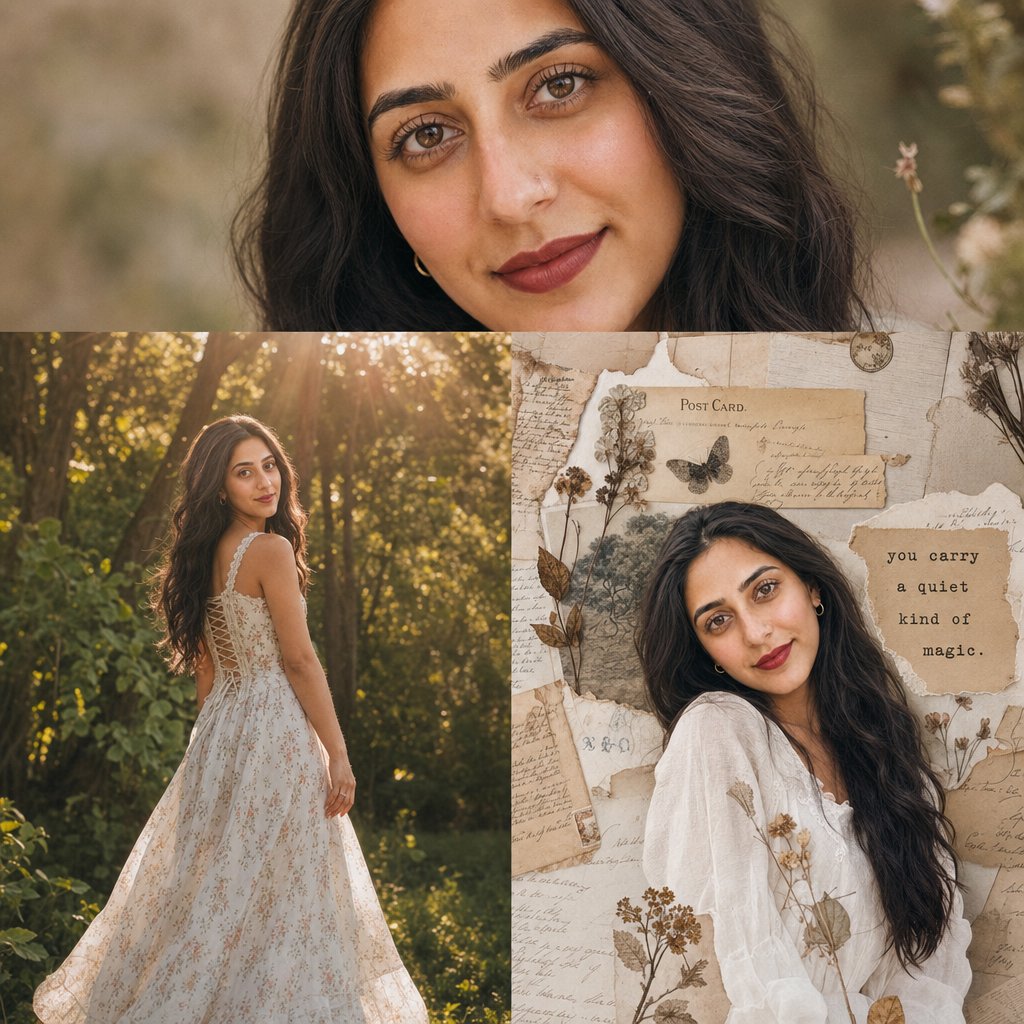
Generate a stunning, multi-layered editorial portrait combining close-up beauty, a sunlit forest scene, and a nostalgic collage background with handwritten text.
الموجّه · EN
极致特写:一位女性,面带柔和的玫瑰色腮红,肌肤质感水润,哑光深红色双唇,波浪状深色秀发轻轻勾勒出面部轮廓。中部:全身照,女性身着 argoutfit: 白色碎花露背束腰连衣裙,站在 argsetting: 阳光明媚的森林 中,温暖的黄金时刻光线穿透树木,柔和的镜头光晕增添了梦幻氛围。底部:女性倚靠在 argbackground texture: 由复古明信片和手写信件组成的拼贴画 上。采用牙雕风格的纸张纹理、撕裂的纸张边缘、压制的干花,以及微妙的打字机字体叠加,文字内容为“you carry a quiet kind of magic”。柔和的大地色调,怀旧美学,柔和的电影级景深,85mm 肖像镜头质感,超精细,8K 分辨率,胶片摄影风格,细腻的胶片颗粒感。
حول هذا الموجّه
Generate a stunning, multi-layered editorial portrait combining close-up beauty, a sunlit forest scene, and a nostalgic collage background with handwritten text. Use it as a الفن المفاهيمي starting point for GPT Image 2: keep the visual structure and style constraints intact, then swap in your own subject, brand, or scene.
Start by replacing outfit, setting, and background texture, then keep the camera, composition, and material cues in the same order. This makes the output easier to compare across variations.
كيفية استخدام هذا الموجّه
- Copy the entire prompt text.
- Select an AI image generator like Sora 2.
- Paste the prompt and customize the
{outfit},{setting}, and{background texture}variables to match your vision. - Generate the image and review the results.
- For variations, adjust the variables or the final descriptive keywords (e.g., film grain, color tones).


