
GPT Image 2موجّه AI
Desktop Layout Organizer Infographic — Sora 2 Prompt
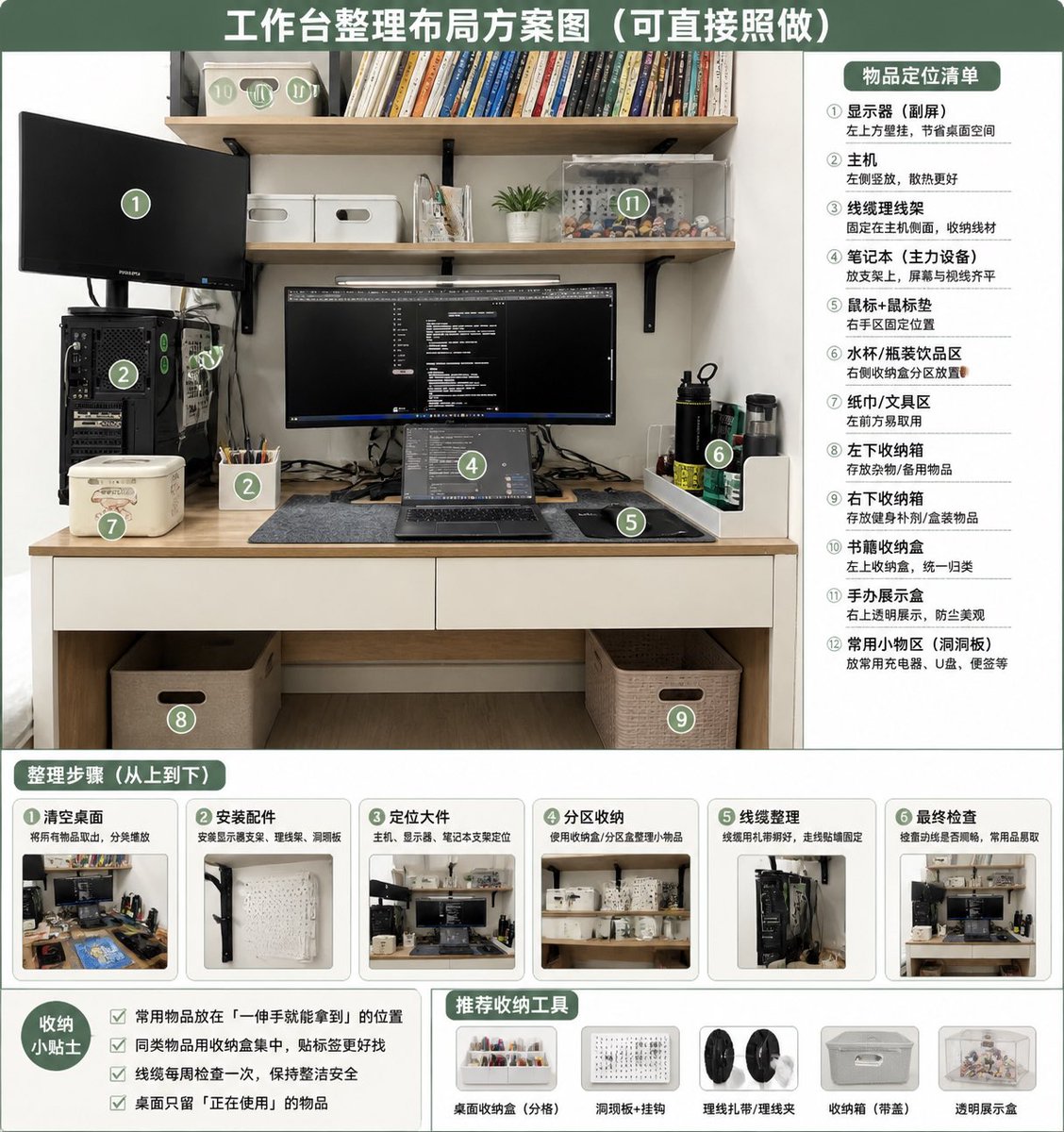
Turn a messy desk photo into a clean, numbered organizational guide with zones, steps, tips, and product icons for a functional workspace.
الموجّه · EN
以 REFERENCE_0 作为源照片,制作一张整洁、写实的“整理后”桌面布局方案信息图。保持原有的书桌、搁板、显示器/笔记本电脑设置、主机位置及整体房间视角,但需整理工作区:理顺线缆,清理桌面,将物品放入明确的收纳区,添加配套的收纳盒/篮、洞洞板/配件区、笔筒、书本收纳盒、透明展示盒以及专用的水杯/纸巾/小工具区域。采用绿白配色的教学海报风格,顶部设置大标题:argheadline text: 工作台整理布局方案图(可直接照做)。在整理后的照片上叠加 12 个绿色圆形编号标记,并在右侧面板添加标题 argright panel title: 物品定位清单,列出 12 个明确的区域:① 显示器 / 副屏,② 主机,③ 线缆管理,④ 笔记本电脑工作区,⑤ 鼠标垫 / 鼠标区,⑥ 水杯 / 水瓶区,⑦ 纸巾 / 工具区,⑧ 左侧桌下收纳盒,⑨ 右侧桌下收纳盒,⑩ 书本收纳盒,⑪ 手办展示区,⑫ 常用小物件区 / 洞洞板。底部添加标题为 argsteps title: 整理步骤(从上到下) 的板块,包含 6 张步骤卡片,每张卡片配有小型的整理前后对比缩略图及简短的中文标签:① 清理桌面,② 安装配件,③ 放置大件物品,④ 分区收纳,⑤ 线缆管理,⑥ 最终检查。左下角添加标题为 argtips title: 收纳小贴士 的提示框,包含 4 条复选框建议:将常用物品放在单手可及处、同类物品归类放置、每周检查线缆、桌面上仅保留当前使用的物品。底部中/右侧添加标题为 argtools title: 推荐收纳工具 的推荐栏,包含 5 个产品图标:桌面收纳托盘、洞洞板 + 挂钩、理线带 / 理线夹、带手柄收纳盒、透明展示盒。整体设计需整洁、实用、明亮且具备直接的可操作性,如同基于原照片生成的家庭办公整理指南。
حول هذا الموجّه
Turn a messy desk photo into a clean, numbered organizational guide with zones, steps, tips, and product icons for a functional workspace. Use it as a الفن المفاهيمي starting point for GPT Image 2: keep the visual structure and style constraints intact, then swap in your own subject, brand, or scene.
Start by replacing headline text, right panel title, steps title, and tips title, then keep the camera, composition, and material cues in the same order. This makes the output easier to compare across variations.
كيفية استخدام هذا الموجّه
- Copy this prompt and paste it into your chosen AI image generator.
- Select a model that supports detailed text and infographic layouts (e.g., Sora 2, DALL-E 3).
- Replace
REFERENCE_0with your actual desk photo URL or upload. - Customize the variable text fields like the headline or panel titles if desired.
- Generate the image and review the 12 numbered zones, steps, and tips for accuracy.


