
GPT Image 2موجّه AI
Spherical City Miniworld — Sora 2 Prompt
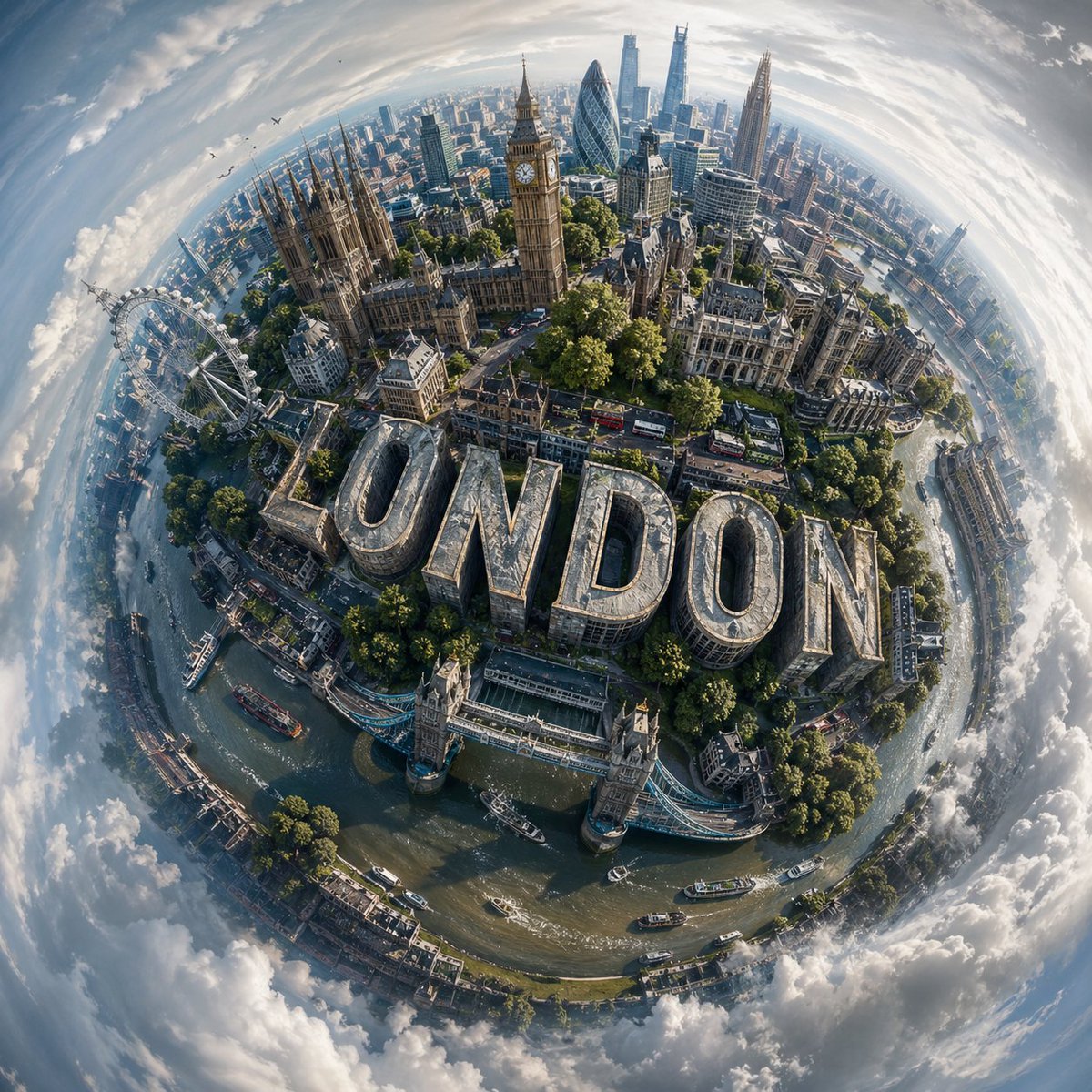
Generate a photorealistic 3D spherical miniworld of any city, combining landmarks with integrated 3D typography for a cinematic effect.
1 / 2
الموجّه · EN
设计一个视觉效果惊人的“微缩世界”构图,展示 argcity name: CITY NAME,将该城市最具辨识度的地标和建筑元素有机地环绕在一个紧凑的球状地形上,营造出一个自给自足的城市星球的错觉。 将天际线和环境融合,使其自然地随表面弯曲,形成一个连贯的球形构图,而非平面的全景图。视角应呈现出高空俯瞰感,并带有轻微的角度,仿佛从漂浮的空中视角拍摄,增强深度感和空间畸变效果。 融入醒目的现代 3D 字体,拼写出“argtext: CITY NAME”,并将其无缝嵌入城市景观中;例如,将其整合到街道、屋顶或地形中,使其看起来像是环境结构的一部分。
在轻微阴天的柔和日光下照亮场景,利用漫射光在建筑物、植被和道路上营造出微妙的阴影和逼真的高光。
用广阔的大气天空环绕这个微缩星球,天空平滑过渡到抽象的漩涡状云层,增添梦幻感,同时不喧宾夺主。 使用专为 arglocation: CITY NAME 定制的平衡且逼真的配色方案,以自然绿、天空蓝和稳重的建筑色调为主,同时保持色彩的鲜艳度和清晰度。 以超高细节的写实风格渲染最终图像,强调纹理的准确性、深度和环境真实感,并呈现出精致的电影级质感。
حول هذا الموجّه
Generate a photorealistic 3D spherical miniworld of any city, combining landmarks with integrated 3D typography for a cinematic effect. Use it as a الفن المفاهيمي starting point for GPT Image 2: keep the visual structure and style constraints intact, then swap in your own subject, brand, or scene.
Start by replacing city name, text, and location, then keep the camera, composition, and material cues in the same order. This makes the output easier to compare across variations.
كيفية استخدام هذا الموجّه
- Copy the prompt text above.
- Open a compatible image generator like Sora 2, Midjourney, or DALL-E.
- Replace {city name} and {text} with your desired city and display text (e.g., "New York" and "NYC").
- Adjust lighting and palette words if needed to match your vision.
- Generate the image and refine as necessary.


