
GPT Image 2موجّه AI
3D Isometric Crowd Queue Poster — Seedance 2.0 Prompt
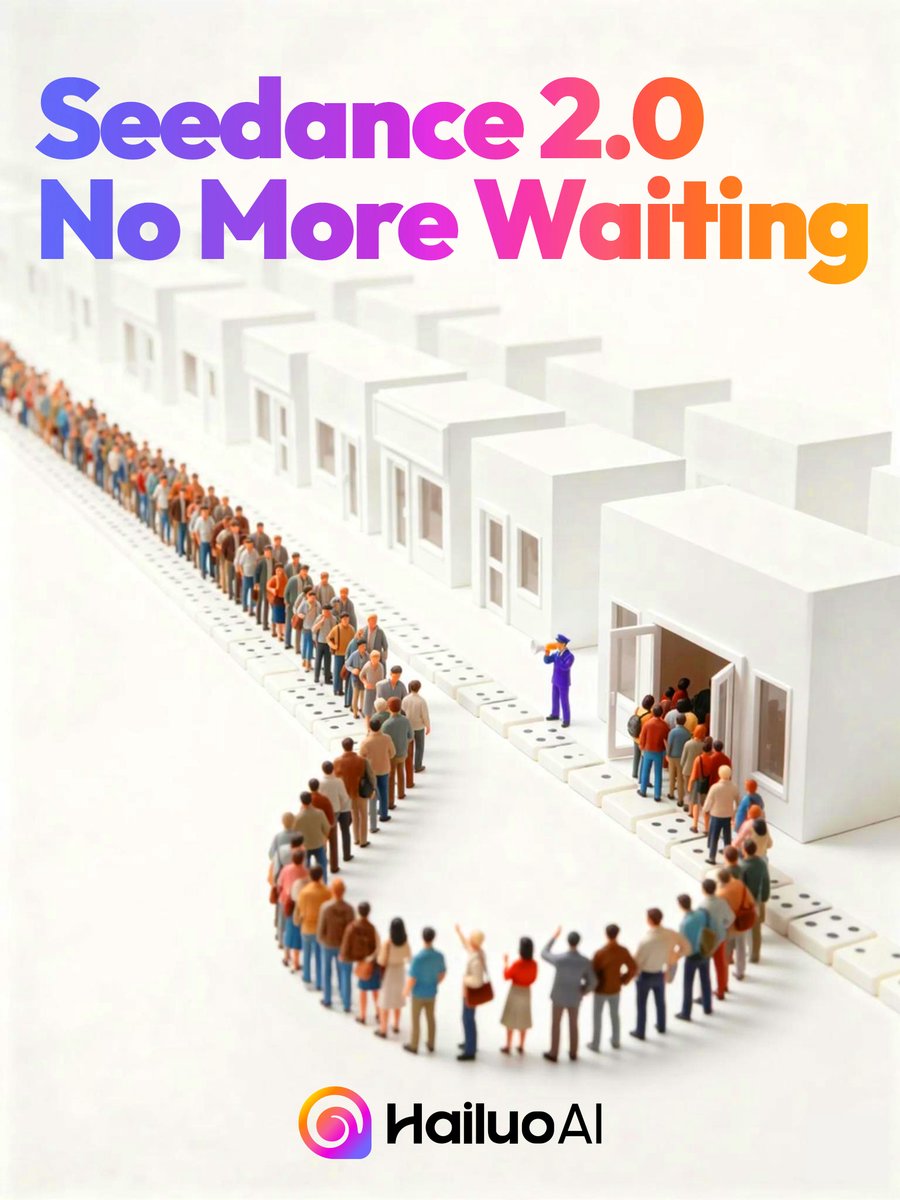
Generate a premium 3D isometric poster with a colorful gradient headline, a miniature waiting-line scene, and clean tech-ad branding.
الموجّه · EN
Create a clean vertical promotional poster in a bright minimalist 3D isometric style on a warm off-white background. At the top, place a large bold rounded sans-serif headline reading argheadline text: Seedance 2.0 No More Waiting, split across two lines, with a smooth gradient from blue and violet on the left through magenta to orange on the right. Below the headline, show a stylized miniature scene of a long queue of exactly 96 tiny diverse people waiting in line, forming a wide U-shaped curve that starts near the lower center foreground, bends to the right, and continues diagonally far into the left background. The people should wear casual clothing in muted oranges, blues, tans, browns, whites, and grays, with toy-like proportions and shallow depth of field so distant figures become softly blurred. Along the queue are exactly 14 simple white cubic booth-like buildings with flat roofs, small rectangular windows, and open doors, receding in perspective from the lower right foreground to the upper left background; the closest booth on the right has a small group entering. Place exactly 1 purple-uniformed staff member near the middle-right doorway, gesturing toward the entrance as if directing the crowd. Use soft studio lighting, gentle shadows, a premium tech-advertising look, lots of white space, and a subtle tilt-shift miniature effect. At the bottom center, place the argbrand name: HailuoAI logo: a colorful circular spiral icon in pink, orange, purple, and blue followed by black modern wordmark text.
حول هذا الموجّه
Generate a premium 3D isometric poster with a colorful gradient headline, a miniature waiting-line scene, and clean tech-ad branding. Use it as a الفن المفاهيمي starting point for GPT Image 2: keep the visual structure and style constraints intact, then swap in your own subject, brand, or scene.
Start by replacing headline text and brand name, then keep the camera, composition, and material cues in the same order. This makes the output easier to compare across variations.
كيفية استخدام هذا الموجّه
- Copy the full prompt text from the prompt page.
- Paste it into your preferred AI image generator that supports detailed scene prompts (e.g. Midjourney, DALL·E 3, Ideogram).
- Edit the
{headline}and{brand name}variables to match your own campaign message and logo. - Adjust queue length, booth count, or color palette if you need a different scene scale or mood.
- Generate at a vertical 2:3 or 9:16 aspect ratio for best results, then upscale for print or social use.


