
GPT Image 2Prompt AI
Pixar-Style 3D Character Design — Sora 2 Prompt
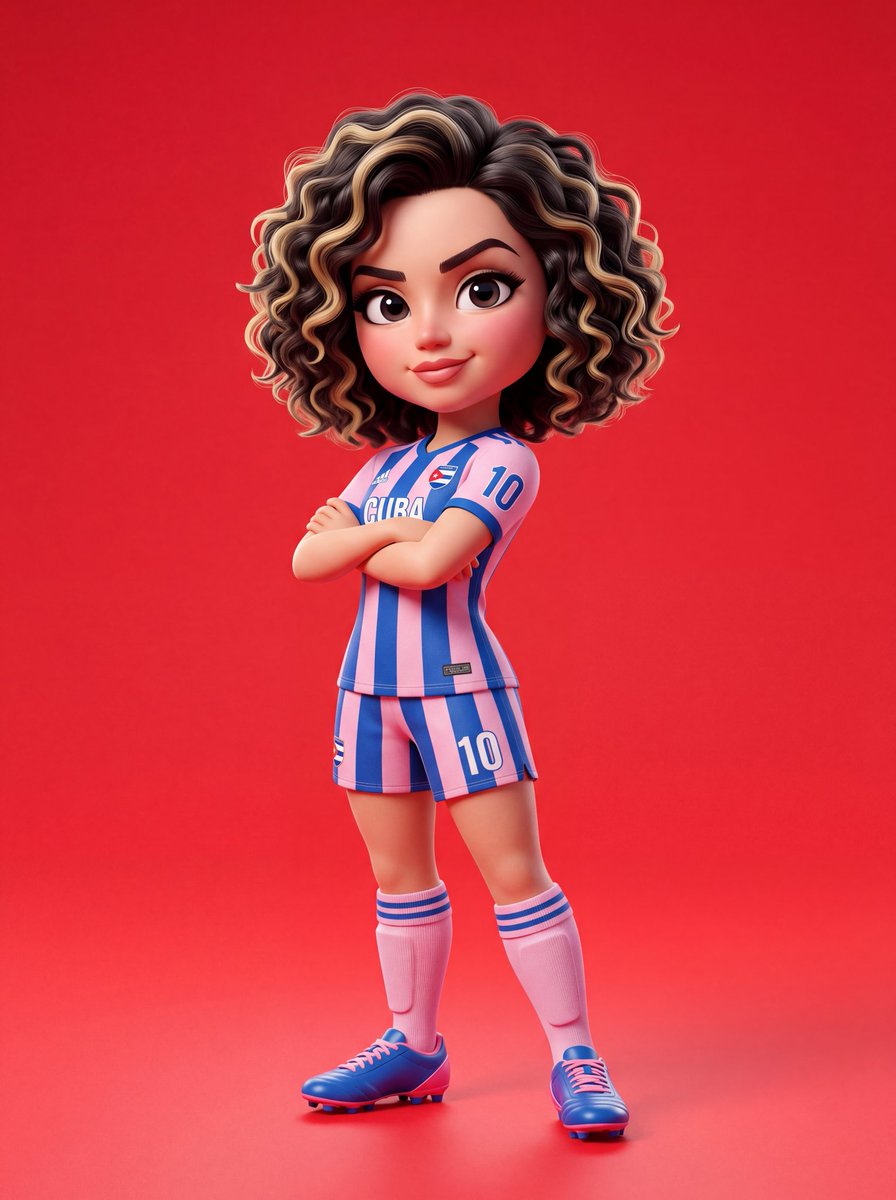
Create a bold, stylized cartoon character with exaggerated proportions, studio lighting, and vibrant colors in the signature Pixar 3D style.
1 / 2
PROMPT · EN
{ "prompt_type": "3D_character_design", "style": { "rendering": "argrendering style: 皮克斯风格", "dimension": "3D", "aesthetic": "卡通", "quality": "超高分辨率", "lighting": "柔和摄影棚灯光", "depth": "电影级景深" }, "subject": { "type": "角色", "based_on": "argcharacter name: Sadie Sink", "design_approach": "具有夸张比例的风格化卡通" }, "character_anatomy": { "head": { "size": "头部较大,与身体比例夸张", "skin": "光滑,有光泽的质感", "eyes": { "size": "大而富有表现力", "style": "卡通夸张风格" }, "eyebrows": "锐利,轮廓分明", "hair": { "length": "短发", "texture": "卷发", "color": "自然底色配金色挑染" } }, "body": { "proportions": "夸张的卡通风格", "build": "运动型" } }, "outfit": { "jersey": { "type": "argoutfit type: 足球衫", "pattern": "条纹", "colors": ["粉色", "红色"], "fit": "标准运动剪裁" }, "shorts": { "type": "足球短裤", "colors": ["粉色", "红色"], "pattern": "与上衣配套" }, "socks": { "height": "及膝袜", "colors": ["粉色", "红色"] }, "footwear": { "type": "钉鞋", "style": "足球钉鞋" } }, "pose": { "body_position": "站立", "arms": "双臂交叉于胸前", "tilt": "身体轻微倾斜", "attitude": "自信", "expression": { "mouth": "浅浅的微笑", "overall_mood": "自信且酷" } }, "composition": { "framing": "全身照", "alignment": "居中", "background": { "type": "纯色", "color": "亮红色" } }, "textures_and_materials": { "skin": "光滑,有光泽", "fabric": "色彩鲜艳,渲染清晰", "overall_finish": "有光泽且阴影干净" }, "lighting": { "type": "摄影棚", "quality": "柔和", "shadows": "干净,细腻", "highlights": "柔和且带有光泽反射" }, "technical_specs": { "resolution": "超高分辨率", "style_reference": "皮克斯 / 专业 3D 角色设计", "color_palette": ["粉色", "红色", "金色", "亮红色背景"], "detail_level": "高度详细", "professional_grade": true }
}
Informazioni su questo prompt
Create a bold, stylized cartoon character with exaggerated proportions, studio lighting, and vibrant colors in the signature Pixar 3D style. Use it as a Concept Art starting point for GPT Image 2: keep the visual structure and style constraints intact, then swap in your own subject, brand, or scene.
Start by replacing rendering style, character name, and outfit type, then keep the camera, composition, and material cues in the same order. This makes the output easier to compare across variations.
Come usare questo prompt
- Copy the full JSON prompt from the page.
- Choose an AI model like Sora 2 that supports structured prompts.
- Edit the variables (e.g.,
character name,outfit type,rendering style) to customize your character. - Paste the adjusted prompt into your AI model and generate.
- Refine by adjusting pose, colors, or lighting until you get the perfect result.


