
GPT Image 2Prompt AI

4-Panel Anime Romance Comic Strip Generator

Generate a customizable 4-panel anime comic strip with dialogue bubbles featuring a couple in a scenic sunset setting.
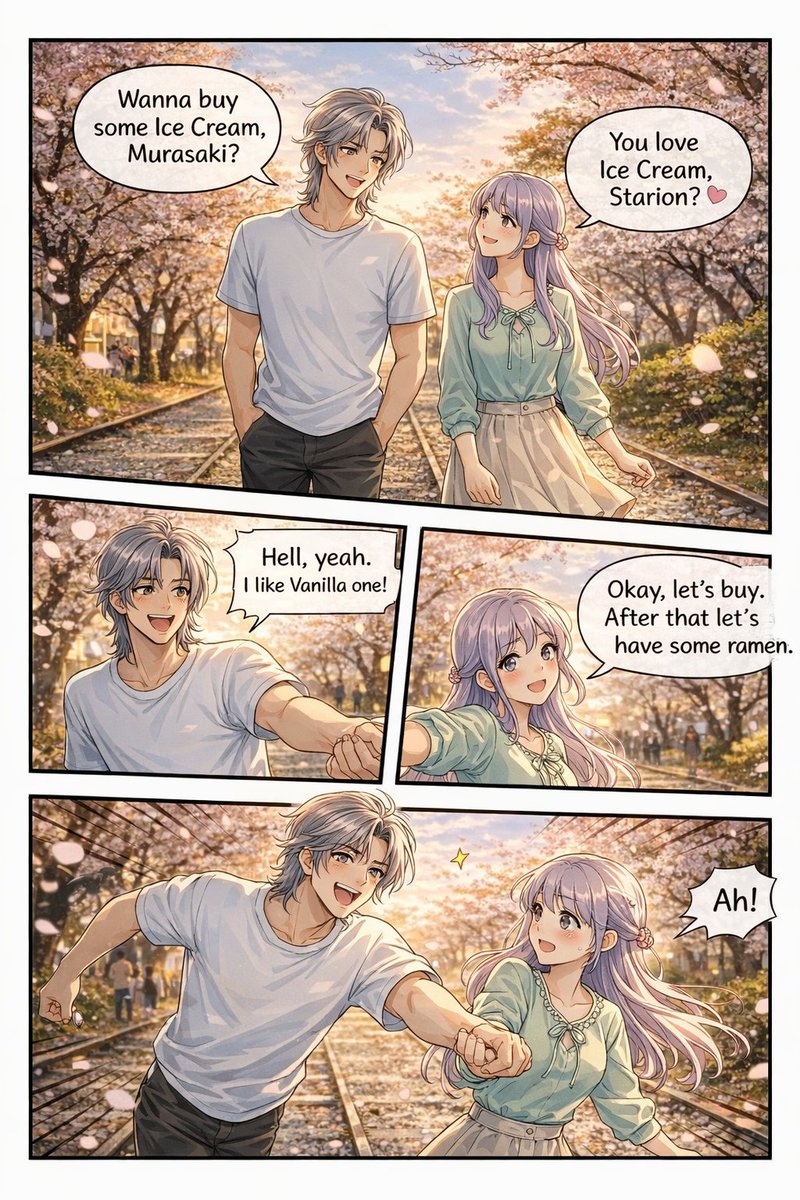
4-Panel Anime Romance Comic Strip Generator
PROMPT · EN
type
4-panel anime comic strip
art_style
detailed anime illustration, warm sunset lighting, visual novel CG quality
setting
{argument name="setting" default="cherry blossom lined path with train tracks at sunset"}
characters
male
name
{argument name="male character name" default="Starion"}
appearance
silver messy hair, white t-shirt, dark pants
female
name
{argument name="female character name" default="Murasaki"}
appearance
long light purple hair, light green blouse with bow, beige skirt
layout
total_panels
4
total_speech_bubbles
5
panels
item 1
position
top, full width
action
walking together on the tracks
bubbles
item 1
Wanna buy some Ice Cream, Murasaki?
item 2
You love Ice Cream, Starion? 🩷
item 2
position
middle left
action
male smiling enthusiastically, reaching hand out
bubbles
item 1
{argument name="male dialogue" default="Hell, yeah. I like Vanilla one!"}
item 3
position
middle right
action
female smiling, holding his hand
bubbles
item 1
{argument name="female dialogue" default="Okay, let's buy. After that let's have some ramen."}
item 4
position
bottom, full width
action
running forward on the tracks, holding hands, male excited, female surprised
bubbles
item 1
Ah!

Informazioni su questo prompt

Generate a customizable 4-panel anime comic strip with dialogue bubbles featuring a couple in a scenic sunset setting. Use it as a Concept Art starting point for GPT Image 2: keep the visual structure and style constraints intact, then swap in your own subject, brand, or scene.

This prompt is organized as structured JSON with fields such as type, art style, setting, characters, and layout. Keeping that hierarchy helps the model separate the subject, layout, interface elements, and detail constraints.

Start with small changes to subject, scene, camera, and color, then generate a few variations to compare composition and detail without turning the page copy into keyword stuffing.

Come usare questo prompt

  1. Copy the prompt code from the page.
  2. Paste it into your chosen AI model's text input field.
  3. Edit the default variable values (like character names and dialogue) to personalize your story.
  4. Generate the image and review the 4-panel layout with speech bubbles.

FAQ

Altro da GPT Image 2

Vedi tutto

Crea più velocemente con i prompt Sora2Hub.

Usa pagine prompt curate come ingressi ricercabili e passa subito alla generazione con il contesto modello corretto.

Esplora prompt

