
Athleisure Street Style Paparazzi Shot — Sora 2 Prompt
Create a photorealistic, candid street style image of a woman in stylish activewear, perfect for lifestyle and fashion content.
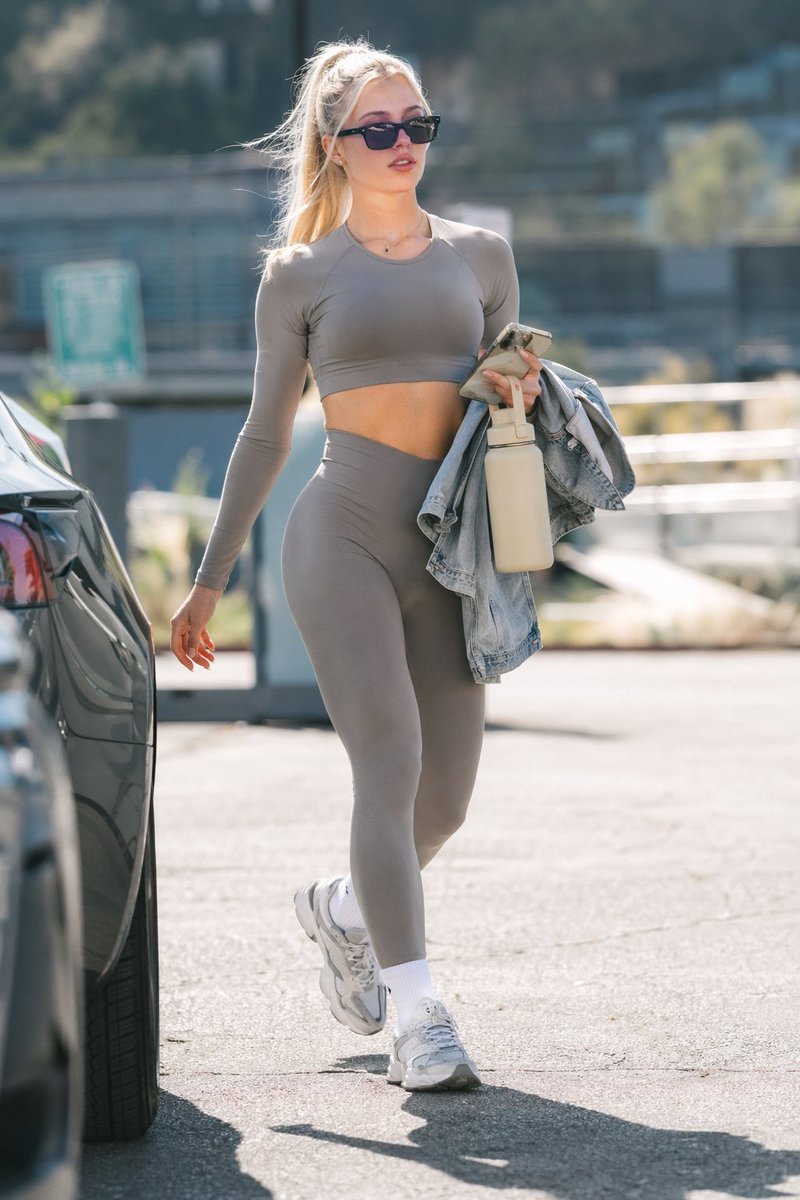
A photorealistic street style paparazzi shot of a young woman walking through a argsetting: sunny parking lot. She has arghair color and style: blonde hair in a high ponytail and is wearing argaccessory: black rectangular sunglasses. Her outfit consists of a matching argactivewear color: grey long-sleeve crop top and high-waisted leggings, paired with chunky white sneakers and white crew socks. Over her left arm, she carries a light blue denim jacket, while holding a argheld item: beige insulated water bottle and a smartphone in the same hand. The background is blurred with a shallow depth of field, showing the rear of a dark car on the left and out-of-focus buildings and trees in the distance, capturing a casual, candid athleisure aesthetic in bright daylight.
Informazioni su questo prompt
Create a photorealistic, candid street style image of a woman in stylish activewear, perfect for lifestyle and fashion content. Use it as a Concept Art starting point for GPT Image 2: keep the visual structure and style constraints intact, then swap in your own subject, brand, or scene.
Common directions include gptimage2api prompts, gptimage2api, and en. Treat these tags as creative cues; the prompt structure and preview image are the more useful guide.
Start by replacing setting, hair color and style, accessory, and activewear color, then keep the camera, composition, and material cues in the same order. This makes the output easier to compare across variations.
Come usare questo prompt
- Copy the entire prompt from the site. 2. Select your preferred AI image model (e.g., Sora 2). 3. Customize the variables in the curly braces
{}to change the setting, hair, accessories, or outfit color. 4. Generate the image to get a professional-looking, candid-style photo.


