
GPT Image 2Prompt AI
Candid Convenience Store Checkout — Sora 2 Prompt
Generate a photorealistic candid convenience-store handoff scene with customizable customer type for lifestyle visuals.
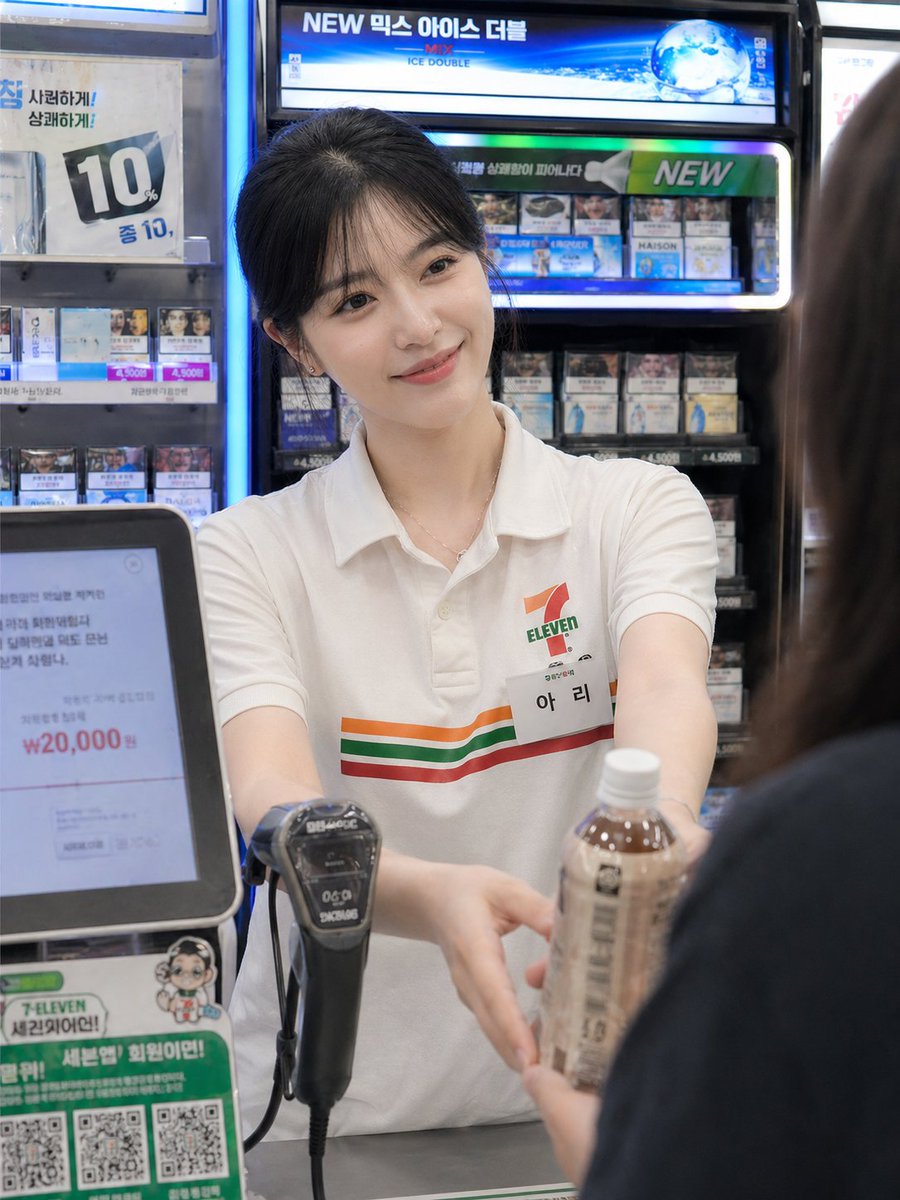
PROMPT · EN
Using the provided reference image as the base, regenerate it as a photorealistic candid convenience-store checkout moment. Keep the same employee, uniform, counter setting, and blurred/anonymized face treatment, but change the action so the employee is facing forward and extending both hands to pass a bottled drink to argcustomer type: a female customer. Add the customer only as an out-of-focus foreground figure on the right, seen from behind/side, partially blocking the frame. Make the composition feel like an unposed smartphone snapshot: imperfect framing, slight handheld motion blur, natural skin tones, camera noise, shallow depth of field, and realistic fluorescent convenience-store lighting. Keep the Korean convenience-store signage and cigarette display atmosphere in the background, with the POS screen and barcode scanner visible near the counter.
Informazioni su questo prompt
Generate a photorealistic candid convenience-store handoff scene with customizable customer type for lifestyle visuals. Use it as a Concept Art starting point for GPT Image 2: keep the visual structure and style constraints intact, then swap in your own subject, brand, or scene.
Start by replacing customer type, then keep the camera, composition, and material cues in the same order. This makes the output easier to compare across variations.
Come usare questo prompt
- Copy the entire prompt text. 2. Paste it into your Sora 2-compatible AI image generator. 3. Replace the default customer type (e.g., female customer) with your preferred description. 4. Upload your reference image of a store employee. 5. Generate and adjust framing or lighting details if needed.


