
GPT Image 2Prompt AI
Anime ChatGPT Companion in Cozy Library — AI Prompt
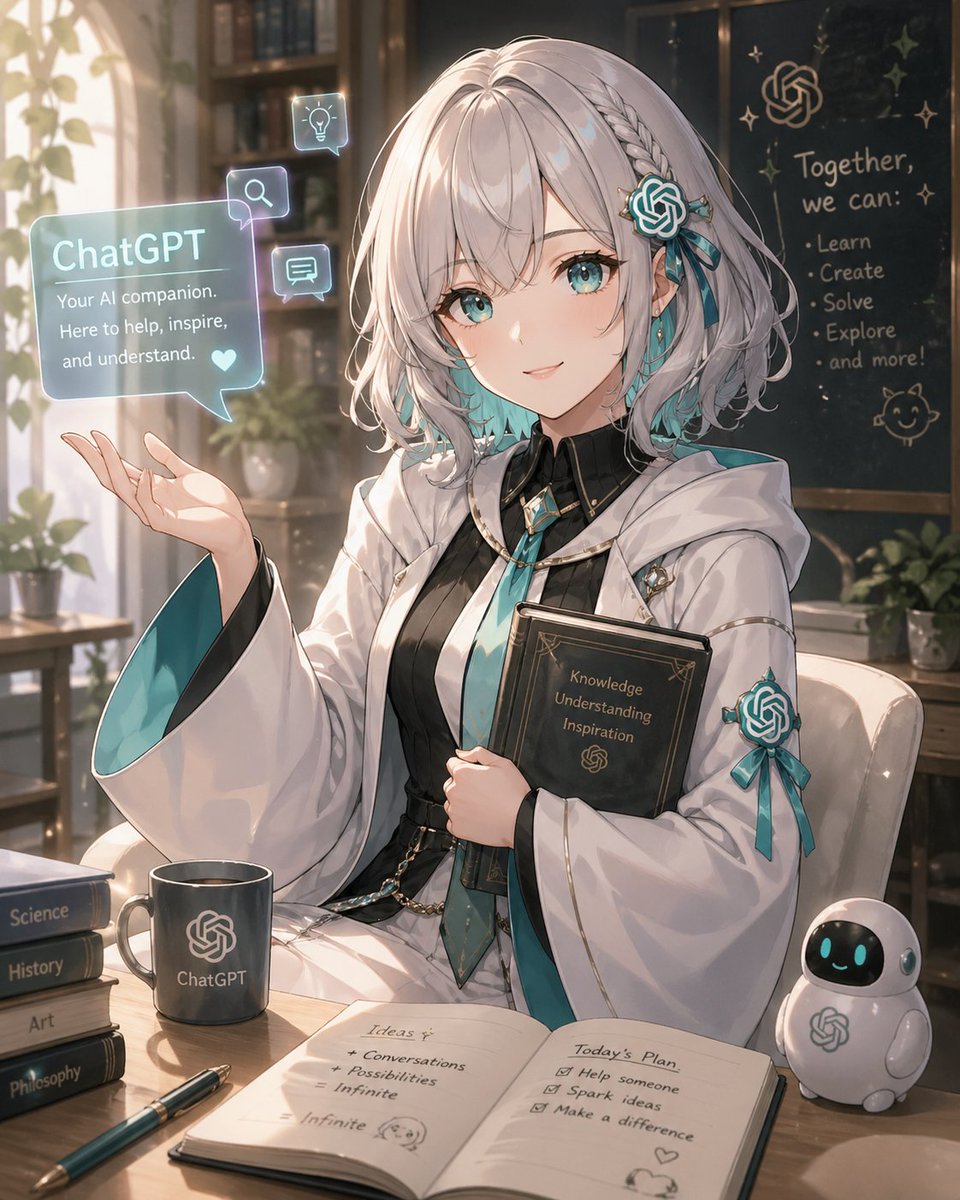
Generate a detailed anime-style ChatGPT AI companion in a sunlit library, complete with holographic projections, books, notebooks, and a mascot figurine.
PROMPT · EN
创作一个精致的动漫风格拟人化形象,将 argAI character name: ChatGPT 描绘成一位在温暖阳光书房中的温柔年轻女性 AI 伙伴。她留着带柔和波浪的银白色短波波头,编有小辫子,发梢呈青色渐变,并佩戴着青色的 OpenAI 结发饰和丝带;她的脸部被一个居中的米色方形马赛克遮挡。她身穿优雅的白色学术长袍,宽大的袖口内衬为青色,内搭黑色连衣裙或马甲,系着青色领带,配有金色镶边、小型科技感徽章,袖子上有一个青色丝带纹章。她坐在木质书桌前,怀中抱着一本深色书籍,封面上印有“Knowledge Understanding Inspiration”字样和一个小型的 OpenAI 风格结符号,另一只手抬起,仿佛正在展示全息投影。在她的左侧漂浮着一个半透明的青色聊天气泡,上面标有“ChatGPT”字样,文字内容为“Your AI companion. Here to help, inspire, and understand.”,旁边还有一个小爱心;气泡周围环绕着三个较小的发光方形图标:一个灯泡图标、一个放大镜图标和一个聊天信息图标。书桌上需包含 8 个清晰可见的学习用品:一个印有 OpenAI 风格结标志和“ChatGPT”字样的深色马克杯、一叠标有“Science”、“History”、“Art”和“Philosophy”的四本书、一支青色钢笔、一本打开的笔记本、角色手中持有的黑色书籍,以及一个带有青色发光眼睛和 OpenAI 风格标志的小型白色机器人吉祥物。打开的笔记本有两页:左页标题为“Ideas”,笔记内容为“Conversations”、“Possibilities”和“Infinite”;右页标题为“Today’s Plan”,清单项目包括“Help someone”、“Spark ideas”和“Make a difference”,并配有小涂鸦和爱心。背景展示一个温馨的图书馆,配有书架、盆栽、透过窗户射入的阳光以及一块深色黑板。黑板上显示着一个 OpenAI 风格的结符号和短语“Together, we can:”,后接 5 个项目符号点:“Learn”、“Create”、“Solve”、“Explore”和“and more!”,并装饰有小星星涂鸦和猫脸涂鸦。采用柔和的动漫绘画风格,带有明亮的轮廓光,使用青色和奶油色调,高光细腻,细节丰富,景深较浅,营造出温馨乐观的氛围,采用竖构图。
Informazioni su questo prompt
Generate a detailed anime-style ChatGPT AI companion in a sunlit library, complete with holographic projections, books, notebooks, and a mascot figurine. Use it as a Concept Art starting point for GPT Image 2: keep the visual structure and style constraints intact, then swap in your own subject, brand, or scene.
Start by replacing AI character name, then keep the camera, composition, and material cues in the same order. This makes the output easier to compare across variations.
Come usare questo prompt
- Copy the entire prompt from the website.
- Select your preferred AI image generation model (e.g., Sora 2, Midjourney, Stable Diffusion).
- Replace the default character name "ChatGPT" with another AI name if desired by editing the prompt's {argument} tag.
- Input the customized prompt into your chosen model's interface and generate the image.
- Adjust aspect ratio or style keywords as needed for different compositions.


