
Glossy Anime Rendering — Sora 2 Prompt
Transform flat-colored characters into stunning, high-detail anime art with dramatic lighting, metallic sheen, and a solid black background for instant portfolio impact.
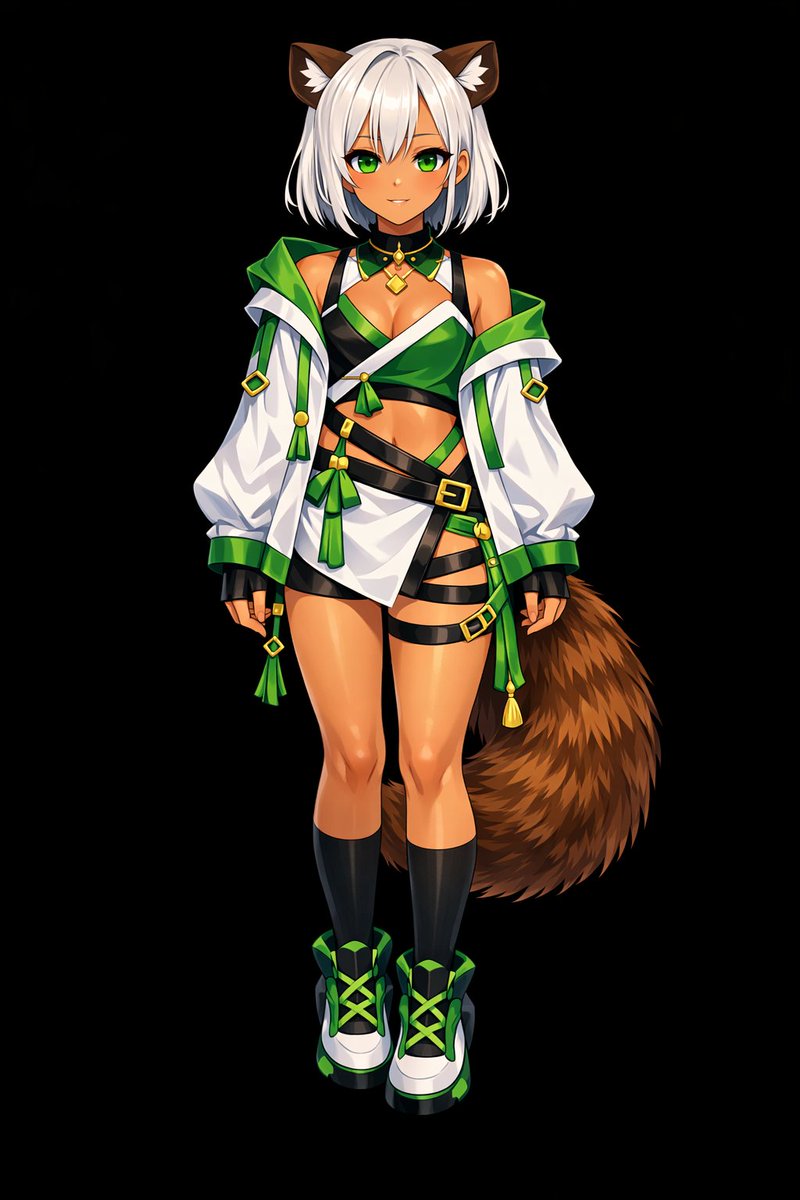
Using REFERENCE_0 as the base, transform the flat coloring into a argrendering style: highly detailed, glossy anime illustration style. Apply deep shading, dramatic lighting, and bright specular highlights, particularly on the character's skin, hair, and tail. Enhance the clothing folds and give metallic accents a realistic sheen. Change the background to argbackground color: solid black.
Informazioni su questo prompt
Transform flat-colored characters into stunning, high-detail anime art with dramatic lighting, metallic sheen, and a solid black background for instant portfolio impact. Use it as a Concept Art starting point for GPT Image 2: keep the visual structure and style constraints intact, then swap in your own subject, brand, or scene.
Common directions include gptimage2api prompts, gptimage2api, and en. Treat these tags as creative cues; the prompt structure and preview image are the more useful guide.
Start by replacing rendering style and background color, then keep the camera, composition, and material cues in the same order. This makes the output easier to compare across variations.
Come usare questo prompt
- Copy the entire prompt text into your AI model's input field.
- Select a compatible image generation model (e.g., Sora 2 or Stable Diffusion).
- Customize the "rendering style" and "background color" variables to match your vision.
- Upload your flat-colored character reference as REFERENCE_0.
- Generate the image and download your high-shine, professionally shaded creation.


