
GPT Image 2Prompt AI
Realistic iPhone Mirror Selfie — AI Portrait Prompt
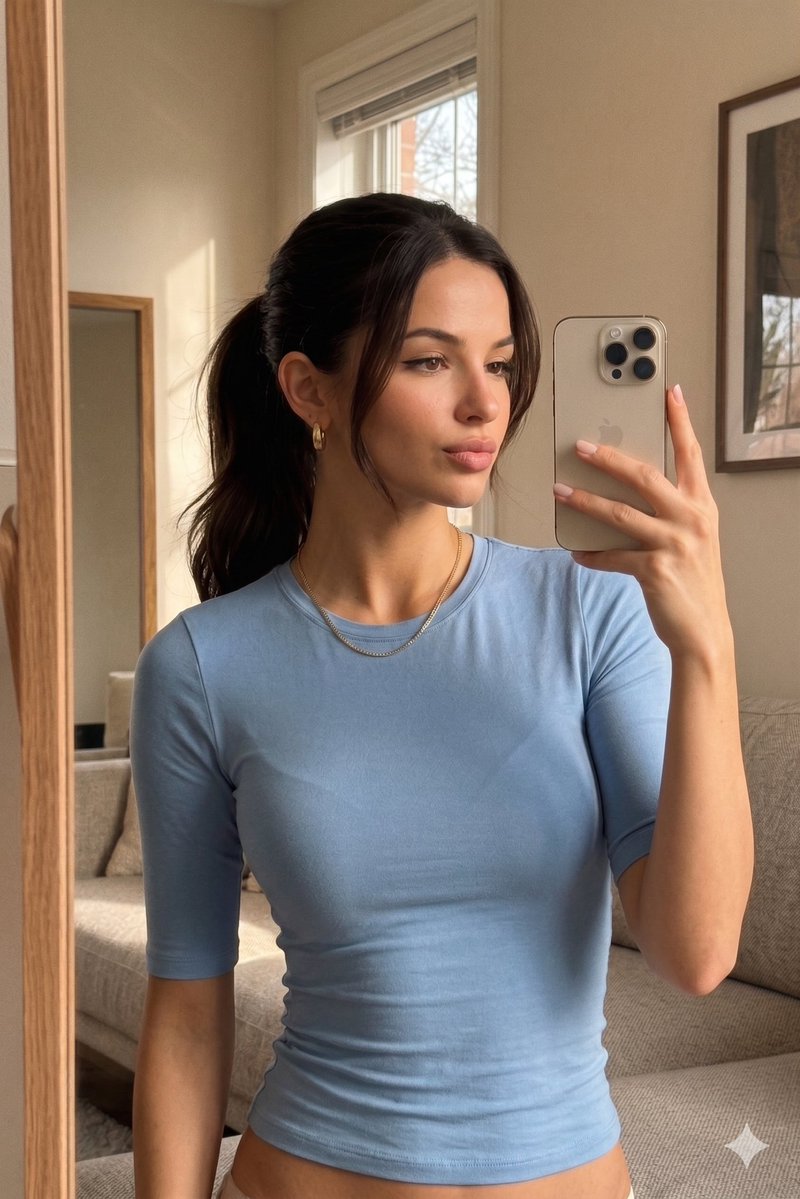
Generate a hyper-realistic, warmly-lit iPhone mirror selfie portrait of a person on a sofa, complete with soft shadows and a customizable face censor for privacy.
PROMPT · EN
创作一张超逼真的竖版 iPhone 镜面自拍,画面中 argsubject: 一位年轻女性 随意地坐在米色现代沙发上,背景是温馨且光线柔和的客厅。构图为半身像,下半身几乎完全被裁剪掉,通过画面左侧边缘的一面高大的木框镜子拍摄。她穿着一件修身的 argtop color: 浅蓝色 半袖圆领上衣,布料有细微的褶皱,佩戴着精致的金项链和小型金质圆圈耳环,指甲修剪整齐并涂有自然的淡粉色指甲油。她的 arghair color: 深棕色 头发扎成整洁的低马尾,脸颊两侧留有几缕碎发。她右手在胸前高度拿着一部米色/银色的 iPhone,手机后置三摄,角度略微向外,部分遮挡了她脸部的右侧。在她的面部中心添加一个纯色的矩形 argface censor color: 暖棕色 色块,以遮盖面部特征。房间墙壁为米色,她身后有一扇透进日光的窗户并配有百叶窗,右侧墙上挂着一幅画,背景中还有另一面镜子或画框,整体呈现出木质纹理,室内环境整洁且充满生活气息。使用柔和的自然室内日光,配合暖色调处理、柔和的阴影、浅景深、轻微的镜面反射瑕疵、细腻的噪点、逼真的皮肤质感,营造出真实的前置摄像头自拍效果。
Informazioni su questo prompt
Generate a hyper-realistic, warmly-lit iPhone mirror selfie portrait of a person on a sofa, complete with soft shadows and a customizable face censor for privacy. Use it as a Concept Art starting point for GPT Image 2: keep the visual structure and style constraints intact, then swap in your own subject, brand, or scene.
Start by replacing subject, top color, hair color, and face censor color, then keep the camera, composition, and material cues in the same order. This makes the output easier to compare across variations.
Come usare questo prompt
- Copy the entire prompt text.
- Select an advanced AI image generator like Sora 2 or Midjourney.
- Customize the variables in the curly braces (e.g.,
subject,top color,hair color,face censor color) to match your vision. - Generate the image and refine the prompt if needed.


