
JSON Color Grading UGC: Consistent Character & Product Shots
Transform any photo into a detailed JSON color grading prompt and generate on-brand UGC photos with a consistent character holding your product — perfect for e-commerce.
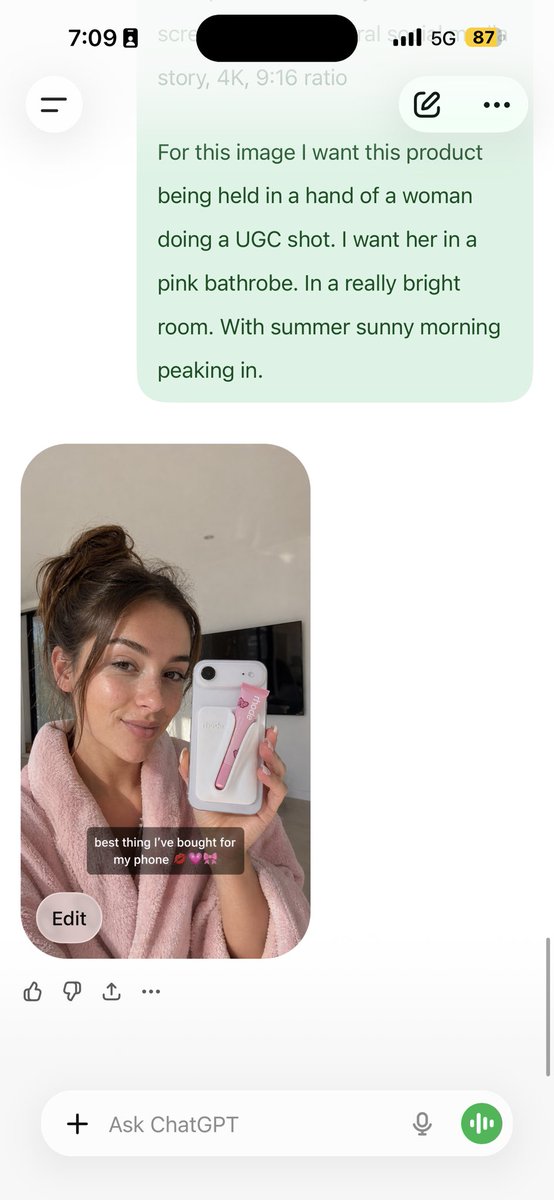
Analyze this photo and give me a detailed JSON prompt that recreates it. Break down the color grading and every exact color in the photo. Then use that JSON as a reference to generate a person holding the product. Save the generated photo as a character reference and attach it to every future generation for facial consistency. The JSON controls the lighting and color grading while the model handles the character.
Informazioni su questo prompt
Transform any photo into a detailed JSON color grading prompt and generate on-brand UGC photos with a consistent character holding your product — perfect for e-commerce. Use it as a Concept Art starting point for GPT Image 2: keep the visual structure and style constraints intact, then swap in your own subject, brand, or scene.
Common directions include portraits, advanced, portrait, and product photography. Treat these tags as creative cues; the prompt structure and preview image are the more useful guide.
Start with small changes to subject, scene, camera, and color, then generate a few variations to compare composition and detail without turning the page copy into keyword stuffing.
Come usare questo prompt
- Copy this prompt and paste it into your AI image generator (e.g., Sora 2) along with your product photo.
- Review the output JSON that breaks down the photo’s color grading and lighting into exact values.
- Create a new prompt for “a person holding [your product]” and attach the JSON as a style reference.
- Save the generated character image and upload it as a reference in future prompts for facial consistency.


