
GPT Image 2Prompt AI
Realistic Hiker in Minecraft Forest — Sora 2 Prompt
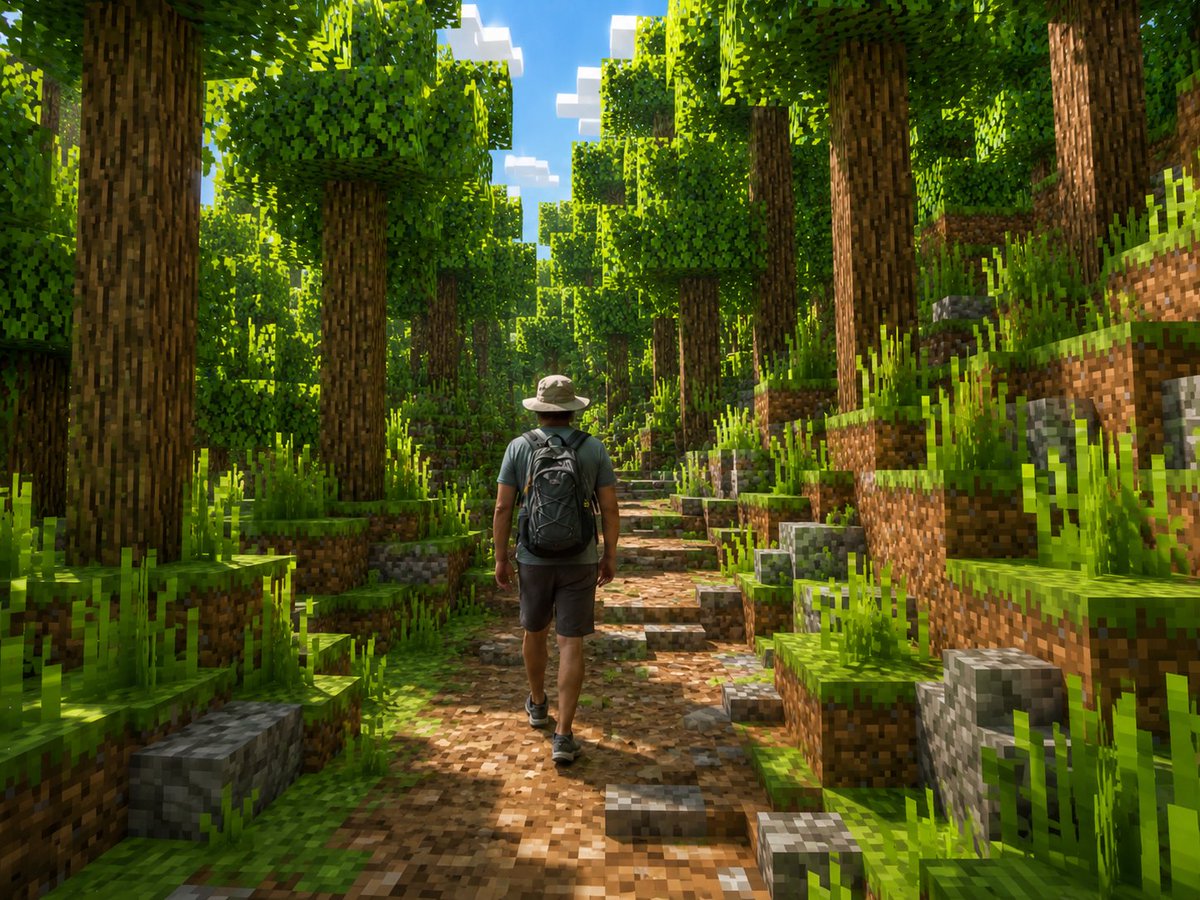
Generate a cinematic scene of a realistic hiker walking through a lush, blocky Minecraft-style forest with stunning, detailed voxel lighting.
PROMPT · EN
创作一张电影级的 Minecraft 风格截图,展示一名真实的徒步者背对镜头走在茂密的方块森林中。人物应保持写实而非体素化:一名成年男性,背影视角,头戴浅米色宽檐徒步帽,身穿低饱和度青色短袖衬衫、深灰色短裤,脚蹬黑色徒步鞋,背着一个大型黑色背包,位于泥土与石块小径上,位置略微偏左。将整个环境转化为生动的 Minecraft 世界,由立方体构成:高大的方形树干、像素化的树皮、立方体状的叶冠、两侧阶梯状的草地土坡、方块状的灰色岩石、像素化的长草,以及一条通向远方的棕色泥土与圆石小径。使用明亮的午后阳光穿过树木,形成强烈的斑驳阴影,色彩饱和的绿色,透过树冠可见带有方块状白云的蓝天,高细节,广角冒险游戏构图,体素几何结构下的写实光影,无文字,无 UI,无水印。自定义主题为 argmain subject: 成年男性徒步者,服装为 argoutfit: 米色徒步帽、低饱和度青色 T 恤、深灰色短裤、黑色背包,环境为 argenvironment: 茂密的 Minecraft 森林小径,光影为 arglighting: 明亮的午后阳光与斑驳阴影,以及相机视角为 argcamera view: 后视图,平视广角镜头。
Informazioni su questo prompt
Generate a cinematic scene of a realistic hiker walking through a lush, blocky Minecraft-style forest with stunning, detailed voxel lighting. Use it as a Concept Art starting point for GPT Image 2: keep the visual structure and style constraints intact, then swap in your own subject, brand, or scene.
Start by replacing main subject, outfit, environment, and lighting, then keep the camera, composition, and material cues in the same order. This makes the output easier to compare across variations.
Come usare questo prompt
- Copy the Prompt: Copy the entire prompt text, including all descriptive details and customization variables.
- Select Your Model: Paste the prompt into your preferred AI image generator that supports detailed scene creation (e.g., Sora, Midjourney, DALL-E 3).
- Customize Variables: Edit the variables in curly braces
{...}to change the hiker's appearance, outfit, environment, or camera angle to match your vision. - Generate & Refine: Generate the image. If needed, slightly adjust the prompt's lighting or detail keywords for a different mood.


