
GPT Image 2Prompt AI
Minecraft Bedrock Teleport Menu UI — Sora 2 Prompt
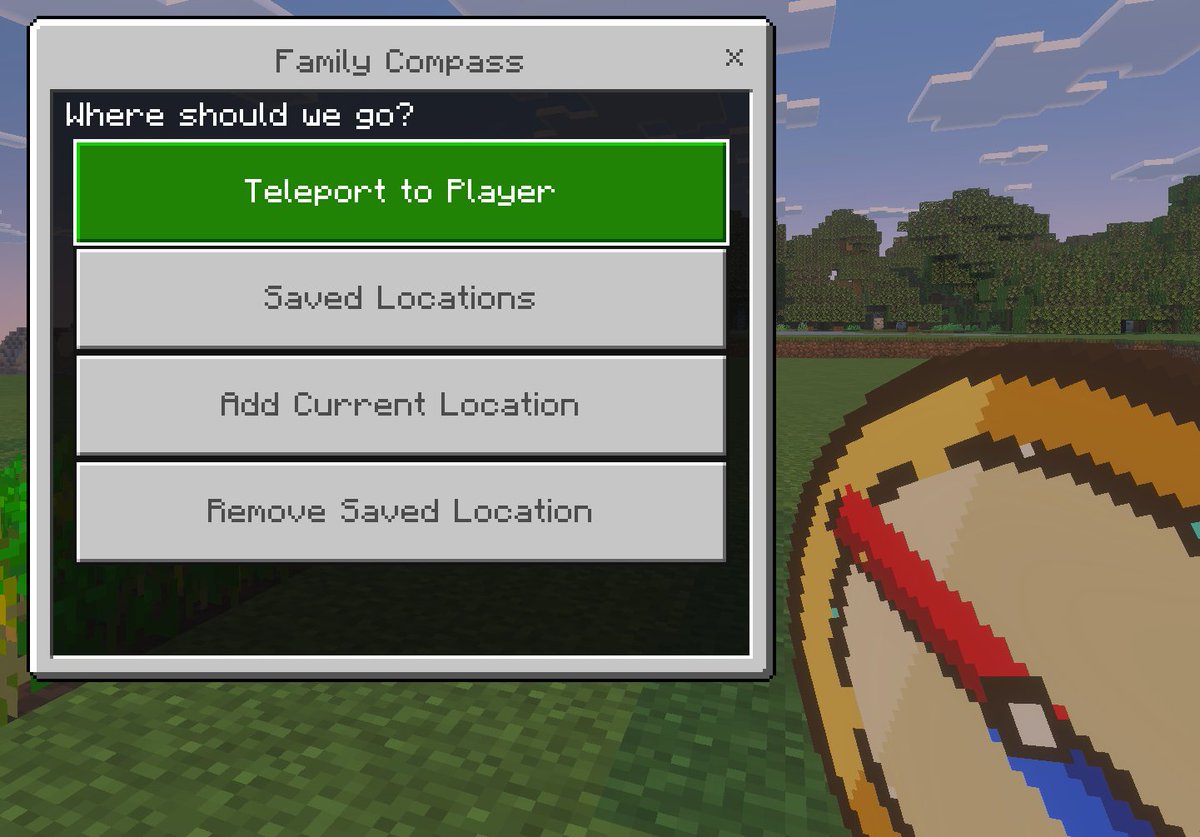
Generate a realistic Bedrock Edition screenshot with a custom teleport menu overlay and pixelated compass item, perfect for mod showcases.
PROMPT · EN
一张采用 Minecraft 基岩版视觉风格的简洁游戏内截图模型,展示了一个标题为 argwindow title: Family Compass 的自定义传送菜单叠加层。背景是明亮的 Minecraft 户外场景,前景是方块状的草地,中景是一排茂密的树木,远处是带有长方形云朵的淡蓝色天空。画面左侧是一个大型基岩版风格 UI 窗口,配有浅灰色面板、深灰色边框以及右上角的关闭按钮“X”。窗口顶部居中位置是标题文本。面板内部的深色标题栏显示提示文本 argprompt text: Where should we go?。下方垂直堆叠着 4 个间距均匀的大型水平矩形按钮。第一个按钮高亮显示为亮绿色,带有白色像素风格文本 argprimary button: Teleport to Player。接下来的 3 个按钮为浅灰色,带有中灰色像素风格文本,依次为“Saved Locations”、“Add Current Location”和“Remove Saved Location”。在右下角前景处,部分被裁剪并呈现出玩家手持的效果,是一个超大的像素艺术指南针物品,具有棕褐色表盘、金色边框和斜向下的红色指针,以厚实的 Minecraft 物品图标风格渲染。请使用地道的 Minecraft 基岩版 UI 比例、像素化字体、清晰的方块边缘、柔和的游戏内光影,以及以菜单为视觉焦点的精致游戏截图构图。
Informazioni su questo prompt
Generate a realistic Bedrock Edition screenshot with a custom teleport menu overlay and pixelated compass item, perfect for mod showcases. Use it as a Concept Art starting point for GPT Image 2: keep the visual structure and style constraints intact, then swap in your own subject, brand, or scene.
Start by replacing window title, prompt text, and primary button, then keep the camera, composition, and material cues in the same order. This makes the output easier to compare across variations.
Come usare questo prompt
- Copy the full prompt from sora2hub.com and paste it into your preferred AI image generator like Sora 2.
- Select a model that supports detailed UI and game-style rendering for best results.
- Customize the variables such as
window title,prompt text, andprimary buttontext to match your project. - Generate the image and adjust the prompt if needed to refine lighting, menu focus, or compass placement.


