
GPT Image 2Prompt AI
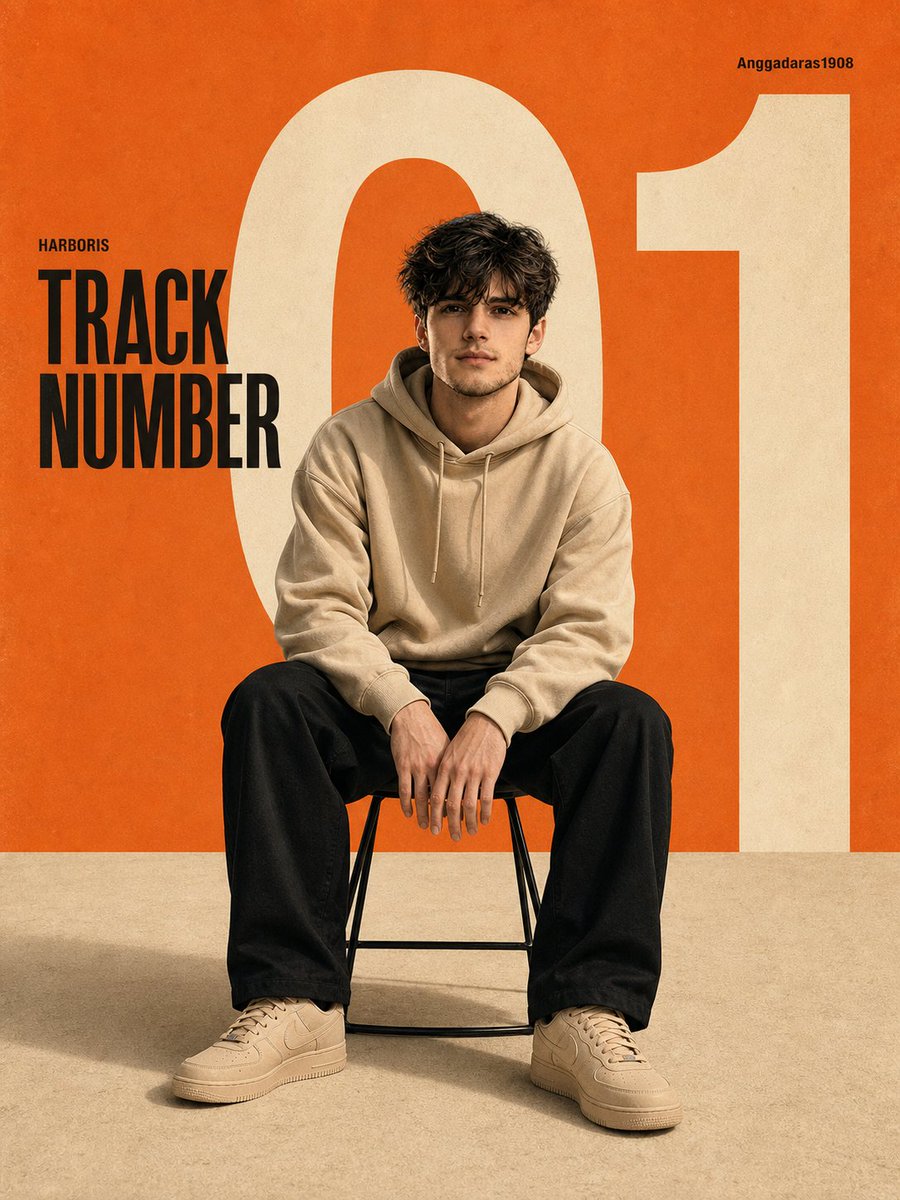
Minimalist Fashion Editorial Poster — Sora 2 Prompt
Create a professional, Swiss-style editorial poster with bold typography, soft studio lighting, and clean graphic design perfect for portfolios.
PROMPT · EN
A modern, minimalist editorial poster featuring argsubject: an Asian man sitting on a simple stool, centered in the composition. He is wearing argoutfit: a beige hoodie, loose-fitting black trousers, and beige sneakers. His pose is casual and confident, leaning slightly forward with his hands resting on his knees. Background: A clean studio setting with a bold, retro graphic design. argprimary color: Warm orange dominates the upper portion, contrasting with the soft, textured beige floor. A large, ivory-white "01" sits behind the subject, partially cropped and extending across the canvas. Text elements: - "TRACK NUMBER" in bold black sans-serif font positioned on the left side - Small caption "HARBORIS" above it - Small caption in the upper right: "Anggadaras1908" Style: Modern graphic design, editorial layout, Swiss-style typography, clean negative space, balanced composition. Lighting: Soft studio lighting, subtle shadows under the chair, a cinematic yet clean look, without harsh contrasts. Camera: Eye-level, medium-range full-body shot, centered framing, sharp focus, high resolution. Color palette: Orange, cream, off-white, black accents. Texture: Slight grain, poster paper texture, vintage print feel. --ar 9:16 --v 6 --style raw --q 2 --hd. Face and body exactly same as uploaded image. Make the aspect ratio 3:4
Informazioni su questo prompt
Create a professional, Swiss-style editorial poster with bold typography, soft studio lighting, and clean graphic design perfect for portfolios. Use it as a Concept Art starting point for GPT Image 2: keep the visual structure and style constraints intact, then swap in your own subject, brand, or scene.
Start by replacing subject, outfit, and primary color, then keep the camera, composition, and material cues in the same order. This makes the output easier to compare across variations.
Come usare questo prompt
- Copy the full prompt text from the page.
- Open your preferred AI image generator (e.g., Sora 2, Midjourney, or DALL-E).
- Replace the
{argument}variables with your own subject details, outfit, and color preferences. - Generate the image and iterate by adjusting lighting or text elements for your ideal result.


