
Before & After Makeup Comparison — AI Photo Prompt
Create a photorealistic, side-by-side makeup transformation grid for social media, featuring a privacy-shielded face and Japanese text overlays.
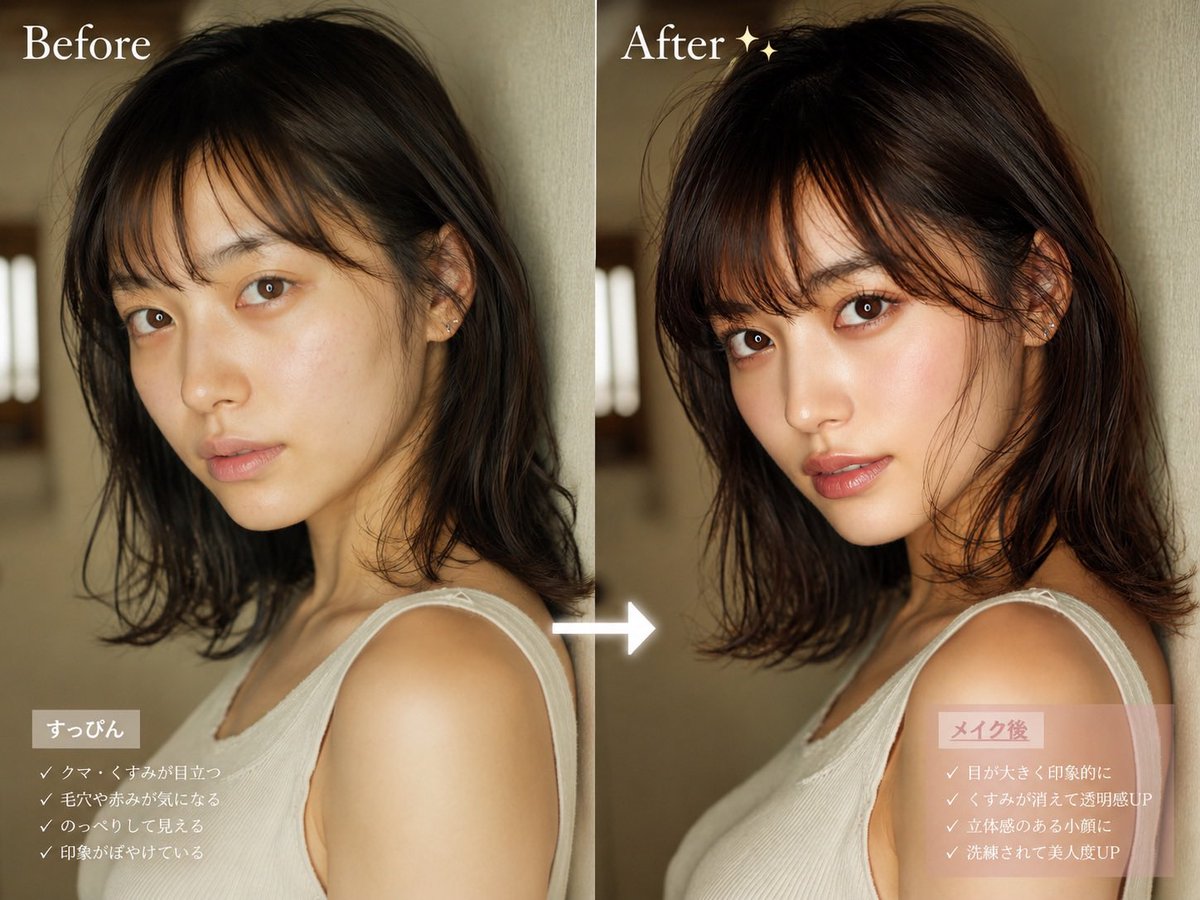
Informazioni su questo prompt
Create a photorealistic, side-by-side makeup transformation grid for social media, featuring a privacy-shielded face and Japanese text overlays. Use it as a Concept Art starting point for GPT Image 2: keep the visual structure and style constraints intact, then swap in your own subject, brand, or scene.
This prompt is organized as structured JSON with fields such as type, subject, layout, text elements, and style. Keeping that hierarchy helps the model separate the subject, layout, interface elements, and detail constraints.
Start with small changes to subject, scene, camera, and color, then generate a few variations to compare composition and detail without turning the page copy into keyword stuffing.
Come usare questo prompt
- Copy the entire JSON prompt body from the page.
- Paste it into your preferred AI image generator that supports complex prompts (like Sora 2, Midjourney, or DALL-E 3).
- Adjust the customizable arguments, such as
hair colorandtop style, to match your desired subject. - Generate the image and review the layout, ensuring the "Before" and "After" panels and overlays appear as intended.
- Download your final comparison graphic, ready for sharing.


