
GPT Image 2Prompt AI
Museum-Style Cultural Infographic — Sora 2 Prompt
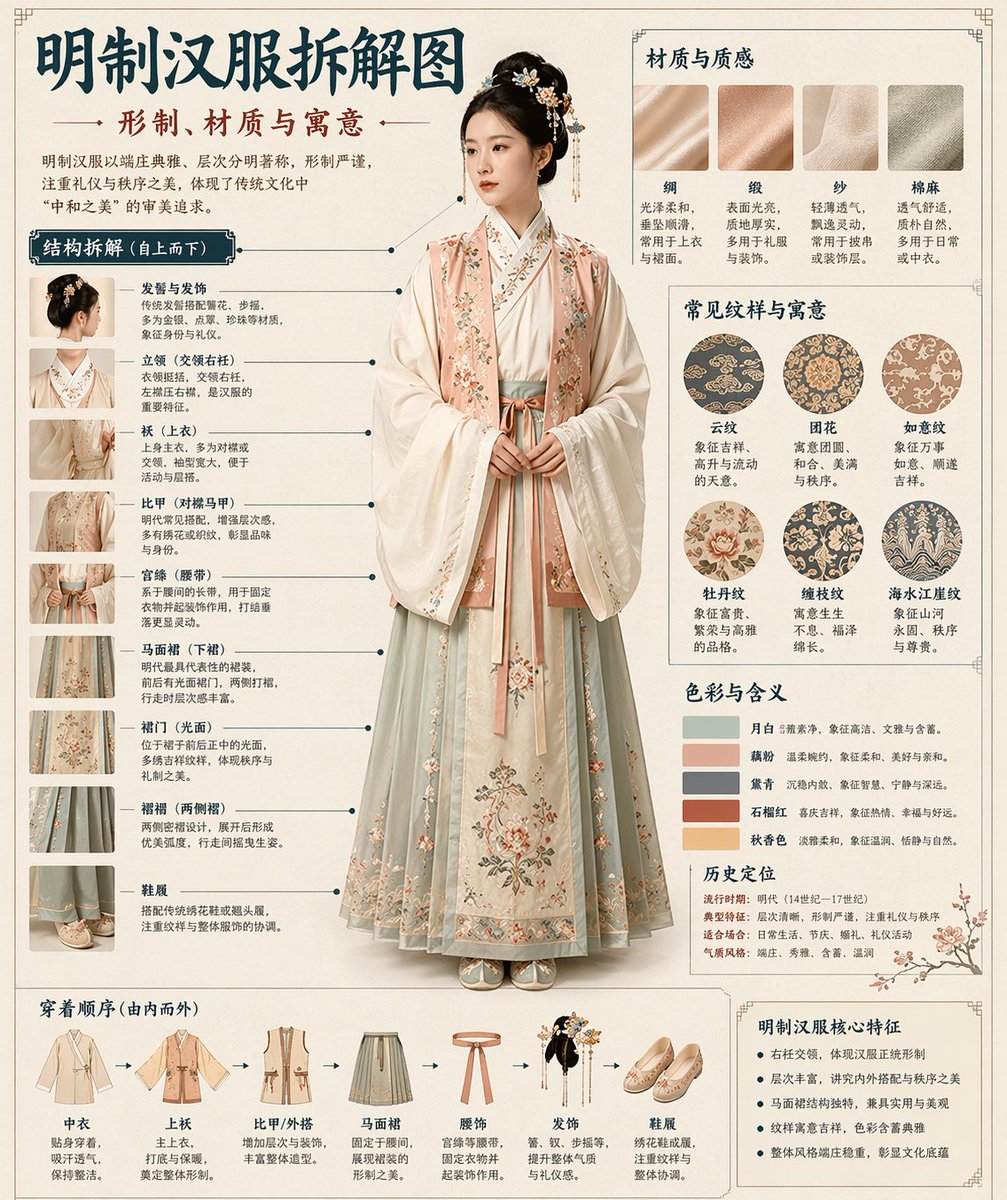
Generate a professional museum-grade infographic with annotated structure breakdown, material samples, color palettes, and cultural symbolism for traditional themes like Hanfu.
PROMPT · EN
请根据 [Theme: argtheme: 汉服] 自动生成一张“博物馆导览风格的中文拆解信息图”。 要求:整张图片必须结合写实主视觉、结构拆解、中文注释、材质描述、纹样寓意、色彩象征以及核心特征总结。你需要根据 [Theme] 自动确定最合适的主题、服饰体系、文物结构、时代风格、关键部件、材质工艺、配色方案及排版,无需用户进一步输入。 整体风格应为:国家博物馆展板、历史服饰指南或文化博物馆专题信息图,而非普通海报、古风照片、电商详情页或动漫插画。背景应使用米白、丝绸白或浅茶色等纸张质感。整体视觉效果需高端、克制、专业且具有收藏价值。 排版固定如下:
- 顶部:中文主标题 + 副标题 + 简介
- 左侧:结构拆解区,使用中文引线标注关键部件并配以局部特写
- 右上:材质/工艺/纹理区,展示真实质感样本及说明
- 右中:纹样/色彩/寓意区,展示主色调色板、纹样样本及文化解读
- 底部:穿着顺序 / 构成流程图 + 核心特征总结 如果主题适合人物展示,请使用真人全身站姿作为中心主体;如果更适合文物,则使用中心主体拆解,但需保持完整的中文信息图格式。所有文字必须为简体中文,清晰、整洁、易读,不得出现乱码或错别字。
Informazioni su questo prompt
Generate a professional museum-grade infographic with annotated structure breakdown, material samples, color palettes, and cultural symbolism for traditional themes like Hanfu. Use it as a Concept Art starting point for GPT Image 2: keep the visual structure and style constraints intact, then swap in your own subject, brand, or scene.
Start by replacing theme, then keep the camera, composition, and material cues in the same order. This makes the output easier to compare across variations.
Come usare questo prompt
- Copy the entire prompt into your AI model interface (e.g., Sora, ChatGPT, DALL-E). 2. Replace the
{theme}variable with your desired subject, such as '汉服', '青铜器', or '明代瓷器'. 3. Adjust any other variables likeargument nameto refine the specific focus area. 4. Generate the image and review the layout for accurate Chinese text, clear annotations, and proper infographic structure. 5. If needed, tweak the theme or add style modifiers (e.g., '唐代风格', '宋代纹样') and regenerate.


