
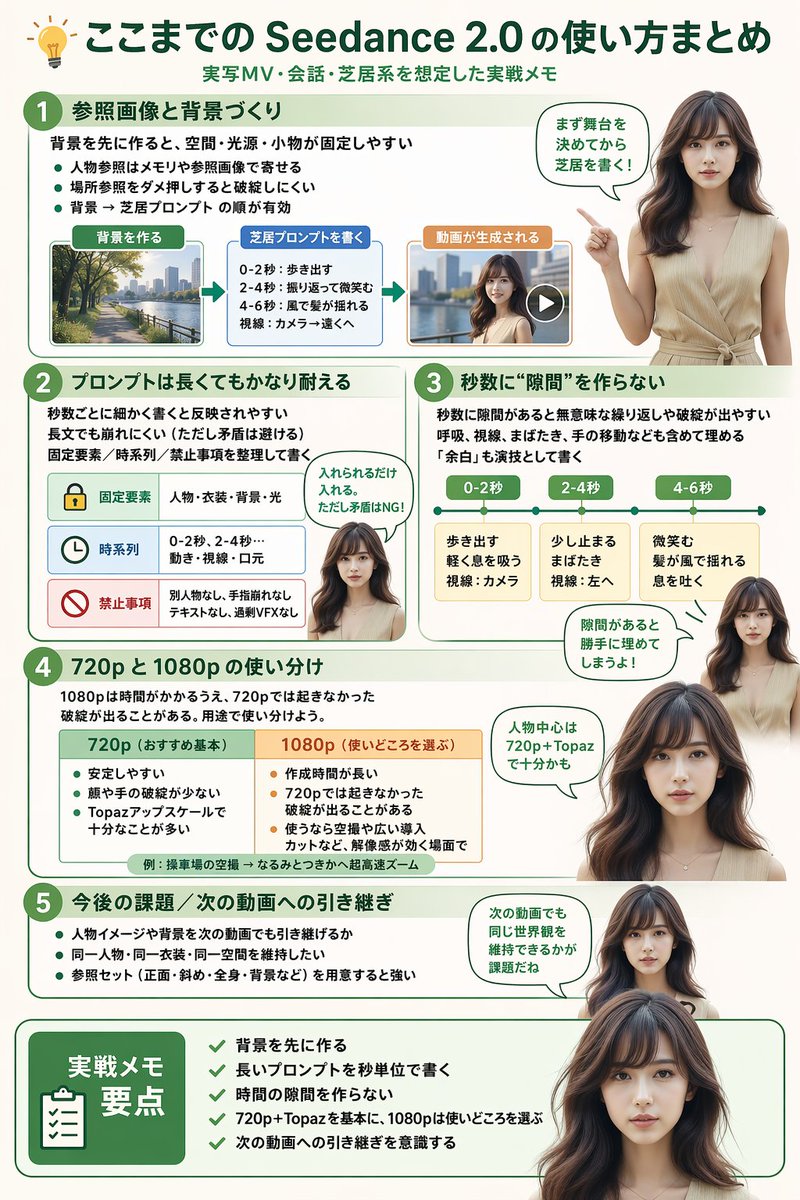
Seedance 2.0 Usage Infographic — Realistic Presenter Guide
Generate a polished infographic with a realistic Japanese presenter guiding viewers through Seedance 2.0 workflows, from reference images to output resolution tips.
Informazioni su questo prompt
Generate a polished infographic with a realistic Japanese presenter guiding viewers through Seedance 2.0 workflows, from reference images to output resolution tips. Use it as a Concept Art starting point for GPT Image 2: keep the visual structure and style constraints intact, then swap in your own subject, brand, or scene.
This prompt is organized as structured JSON with fields such as type, style, header, presenter character, total presenter cutouts, and layout. Keeping that hierarchy helps the model separate the subject, layout, interface elements, and detail constraints.
Start with small changes to subject, scene, camera, and color, then generate a few variations to compare composition and detail without turning the page copy into keyword stuffing.
Come usare questo prompt
- Copy the entire prompt into an AI image generator like Midjourney or DALL·E 3 capable of structured infographics.
- Replace the
{argument}placeholders (title, subtitle, presenter, section titles) with your custom content. - Set a portrait aspect ratio (e.g., 9:16) to accommodate the multi-section layout.
- Generate and refine if needed by adjusting prompt weights for better element alignment.


