
GPT Image 2Prompt AI
Shibuya Selfie: Realistic AI Prompt for Sora 2
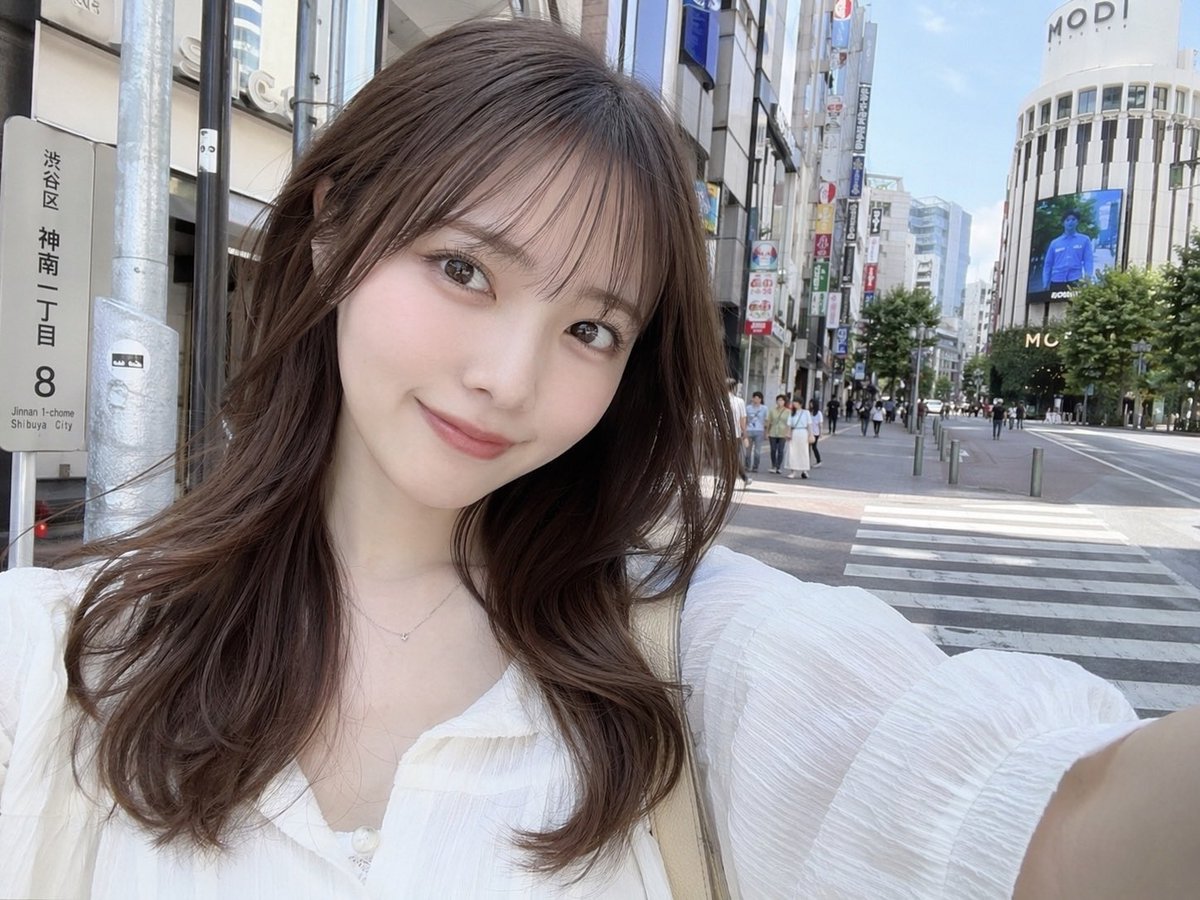
Generate a photorealistic selfie of a young Japanese woman on a sunny Shibuya street with a custom street sign — perfect for AI image generation.
PROMPT · EN
一张写实风格的自拍,主角是 argsubject description: 一位年轻日本女性,留着 arghair style: 带有空气刘海的长波浪棕色卷发。她穿着一件 argclothing: 白色质感衬衫,V 领设计,佩戴着精致的银色项链,正对着镜头温柔微笑。她手臂伸展,以典型的自拍姿势拿着相机。背景是 arglocation: 涩谷街头 明媚的白昼场景。在她的左侧,有一个逼真的日本街道地址牌,清晰地写着 "argstreet sign text: 渋谷区 神南一丁目 8"。背景中可以看到人行横道、行人、城市建筑,以及顶部写有 "MODI" 字样的醒目弧形建筑,旁边还有一个大型数字广告牌。光线自然且柔和,捕捉到了休闲、日常的都市氛围。
Informazioni su questo prompt
Generate a photorealistic selfie of a young Japanese woman on a sunny Shibuya street with a custom street sign — perfect for AI image generation. Use it as a Concept Art starting point for GPT Image 2: keep the visual structure and style constraints intact, then swap in your own subject, brand, or scene.
Start by replacing subject description, hair style, clothing, and location, then keep the camera, composition, and material cues in the same order. This makes the output easier to compare across variations.
Come usare questo prompt
- Copy the prompt text from above.
- Open your preferred AI image generator (Sora 2, DALL·E, Midjourney, etc.).
- Paste the prompt and adjust any variables (subject description, hair style, clothing, location, street sign text) as desired.
- Run the generation to get your realistic street selfie image.
- (Optional) Tweak the prompt further to refine details like lighting or composition.


