
GPT Image 2Prompt AI
Kawaii Hand-Drawn Profile Infographic Poster — Sora 2 Prompt
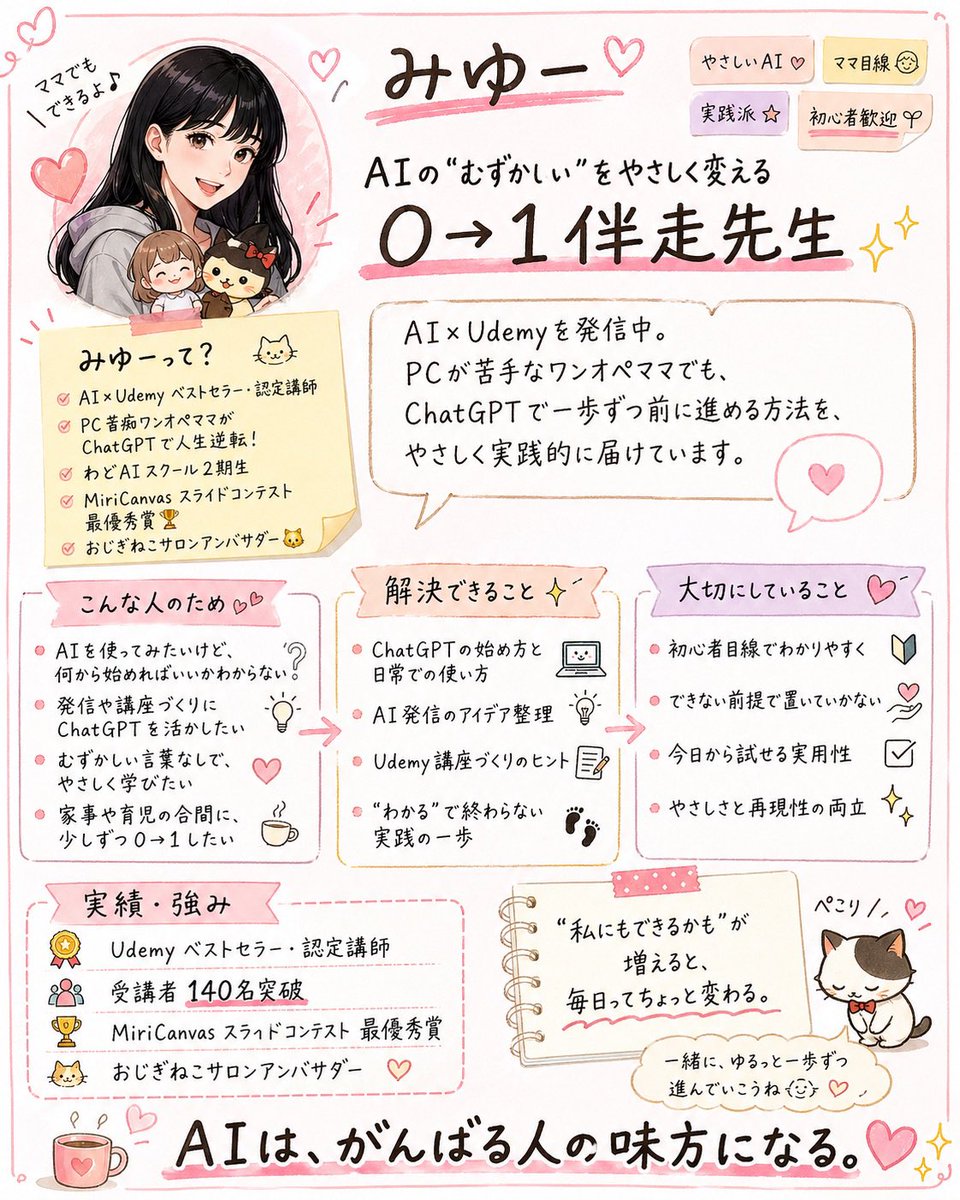
Transform an X/Twitter profile screenshot into a cute, pink-themed Japanese infographic flyer summarizing a creator's brand, audience, and achievements for social media promotion.
PROMPT · EN
使用提供的参考图,将 X/Twitter 个人资料截图转化为一张可爱的手绘日式信息图海报,总结该账号的个人品牌及服务内容。保持原有的人物形象、粉色女性化色调、AI/Udemy 主题、猫咪元素以及“140 名学员”这一关键成就;将原本的截图 UI 替换为一张插画风格的单页传单,背景为简洁的白色,配以柔和的粉色涂鸦边框、爱心、闪光点及便利贴风格。在左上角将人物重绘为亲切的漫画风格肖像,并保留参考图中的小型 Q 版伙伴。添加一个醒目的手写标题(包含账号名称)以及一个副标题,内容关于“让复杂的 AI 变得简单,帮助初学者从 0 到 1”。将内容分为 7 个清晰的板块:1) 带有短标签贴纸的顶部标题区;2) 自我介绍备忘卡;3) 对话框形式的个人简介;4) “适合人群”(包含 4 个要点);5) “可解决的问题”(包含 4 个要点);6) “核心价值”(包含 4 个要点);7) “成就与优势”(包含 4 个要点)。此外,在底部中心附近添加一张小型笔记本风格的励志语录卡,并在右下角添加一只带有姓名标签的可爱猫咪插画。在底部横跨添加一句醒目的结束语,表达“AI 支持每一位努力奋斗的人”。全文保留日语,使用清晰易读的手写字体、温暖的柔和色调,并采用适合社交媒体传播的精美排版,使其看起来既亲切实用,又对初学者友好。
Informazioni su questo prompt
Transform an X/Twitter profile screenshot into a cute, pink-themed Japanese infographic flyer summarizing a creator's brand, audience, and achievements for social media promotion. Use it as a Concept Art starting point for GPT Image 2: keep the visual structure and style constraints intact, then swap in your own subject, brand, or scene.
Start with small changes to subject, scene, camera, and color, then generate a few variations to compare composition and detail without turning the page copy into keyword stuffing.
Come usare questo prompt
- Copy the full prompt text.
- Choose a suitable AI image generator (e.g., Sora 2).
- Upload your reference screenshot and replace the placeholder 'X/Twitter个人资料截图' with your actual image description or file.
- Adjust specific details like the account name, follower count, or tagline to match your profile.
- Generate the image and refine if needed by tweaking style keywords or layout instructions.


