
GPT Image 2Prompt AI
Noir Portrait with Face Block — Sora 2 Cinematic Prompt
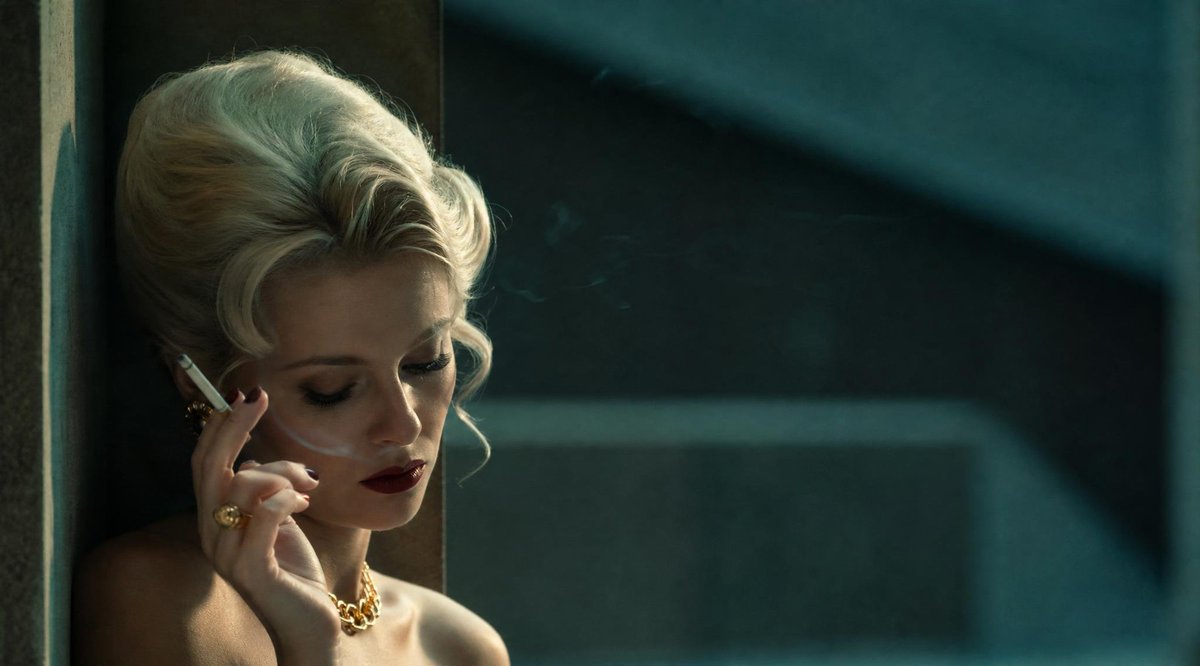
Create a moody, wide-screen film still of a glamorous woman with her face obscured by a matte block, perfect for evocative editorial-style imagery.
1 / 4
PROMPT · EN
创作一张宽银幕电影剧照,画面主体为一位迷人的 argcharacter description: 留着 1960 年代蓬松发型的白金发色女性,她倚靠在昏暗室内的墙边,位于画面左侧三分之一处,右侧留有大面积负空间。她裸露双肩,佩戴着粗犷的金色首饰,包括 2 件清晰可见的配饰:一条金链项链和一枚大金戒指;她手持 1 支点燃的白色香烟置于脸颊旁,有淡淡的烟雾向上飘散。她的面部被 1 个哑光棕色的方形遮挡块刻意遮盖,遮挡块位于面部中心,覆盖了眼睛、鼻子和嘴巴,但保留了头发、手部、肩膀和首饰的可见度。采用忧郁的青金色调,低调的窗户定向光,柔和的雾气,深邃的阴影,浅景深,逼真的皮肤和头发纹理,复古黑色电影魅力,35mm 变形宽银幕电影质感,细腻的胶片颗粒,自然的镜头柔光,背景为带有模糊水平和对角线形状的深色建筑,无文字,无水印。
Informazioni su questo prompt
Create a moody, wide-screen film still of a glamorous woman with her face obscured by a matte block, perfect for evocative editorial-style imagery. Use it as a Concept Art starting point for GPT Image 2: keep the visual structure and style constraints intact, then swap in your own subject, brand, or scene.
Start by replacing character description, then keep the camera, composition, and material cues in the same order. This makes the output easier to compare across variations.
Come usare questo prompt
- Copy the entire prompt text.
- Choose a compatible video or image generation model (e.g., Sora 2).
- Customize the
{character description}variable to change the subject's appearance. - Paste the prompt and generate your image.
- Review and adjust lighting or color parameters if needed.


