
GPT Image 2Prompt AI
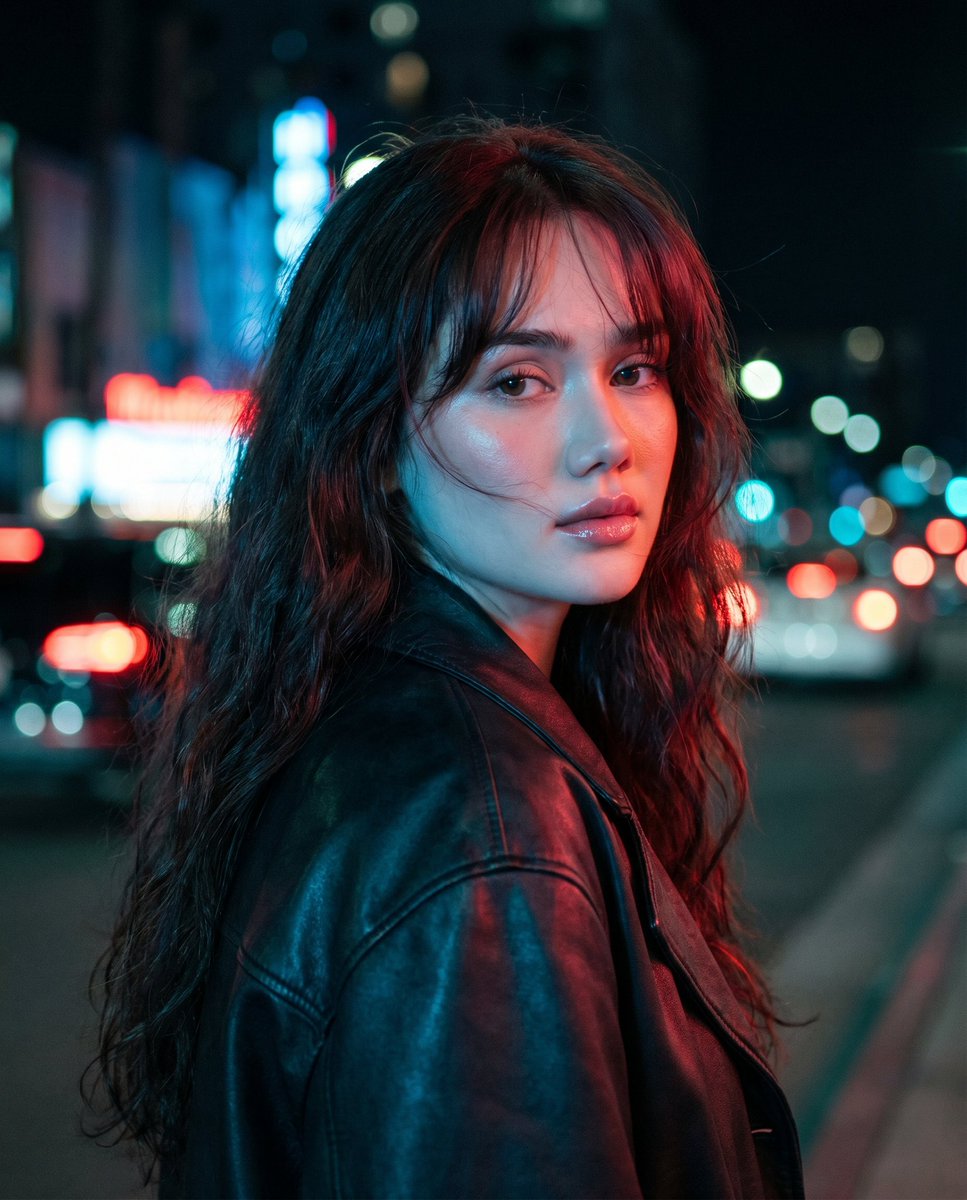
Neon Noir Portrait: Cinematic Split-Lighting Sora 2 Prompt
Create a stunning, moody cinematic portrait of a woman under dramatic red and cyan city lights, complete with a shallow depth of field and film grain.
PROMPT · EN
电影感特写肖像,一位年轻女性站在夜晚的城市街道上,采用垂直构图,取景范围从躯干中部向上。身体背对镜头,回眸看向相机,表情柔和而强烈。留着长长的 arghair color: 深棕色 波浪卷发,质感蓬松,带有凌乱的刘海,略显风吹感。自然水润妆容,极简风格,身穿一件超大号的 argjacket material and color: 黑色皮夹克。忧郁的城市背景,模糊的霓虹灯招牌、路灯、车头灯和尾灯呈现出绚丽的散景效果,营造出繁华市中心的氛围。非中心构图,主体位于画面左侧中心,街道向右侧延伸。戏剧性的分色光影,一侧头发和夹克上带有冷青蓝色光,另一侧带有暖红洋红色光,呈现出青红色的电影级调色。高对比度,浅景深,细腻的胶片颗粒感,高光处带有轻微光晕,写实摄影风格,如同使用 Sony A7S III 搭配 85mm 镜头拍摄。
Informazioni su questo prompt
Create a stunning, moody cinematic portrait of a woman under dramatic red and cyan city lights, complete with a shallow depth of field and film grain. Use it as a Concept Art starting point for GPT Image 2: keep the visual structure and style constraints intact, then swap in your own subject, brand, or scene.
Start by replacing hair color and jacket material and color, then keep the camera, composition, and material cues in the same order. This makes the output easier to compare across variations.
Come usare questo prompt
- Copy the full prompt text from the page.
- Open your preferred AI image generator (e.g., Sora 2, Midjourney, DALL-E 3).
- Paste the prompt into the text field and adjust the
{argument}variables for hair color and jacket style to your preference. - Generate the image and review the cinematic, split-lit result.


