
GPT Image 2Prompt AI
Technical Blueprint Infographic — Sora 2 Prompt
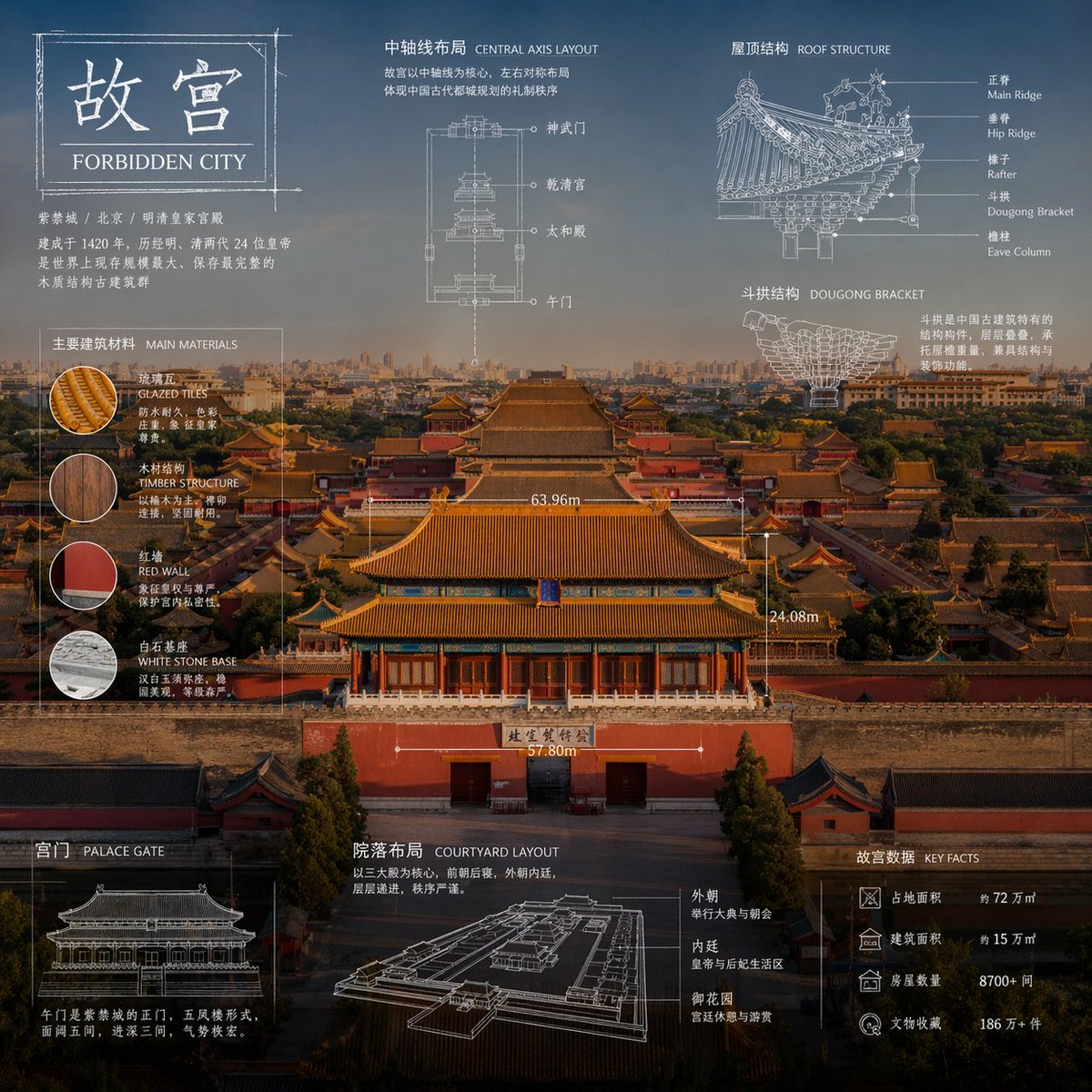
Generate stunning technical infographics that blend photorealistic object shots with blueprint-style overlays, annotations, and elegant design for professional visuals.
PROMPT · EN
"关于 argsubject: subject 的高级技术信息图。以专业且写实的全新摄影视角重新诠释该主题,画面保持简洁明亮,并配以更合适且美观的背景。保留物品的真实照片质感,而非插画形式。添加技术蓝图风格的叠加层,包含白色线条、箭头、尺寸标注、标签以及零件、材质、尺寸和功能的小型示意图。整体风格清晰、优雅且富有信息量。在左上角放置一个草图框,并标注文字 'arglabel: OBJECT'。比例为 1:1。"
Informazioni su questo prompt
Generate stunning technical infographics that blend photorealistic object shots with blueprint-style overlays, annotations, and elegant design for professional visuals. Use it as a Concept Art starting point for GPT Image 2: keep the visual structure and style constraints intact, then swap in your own subject, brand, or scene.
Start by replacing subject and label, then keep the camera, composition, and material cues in the same order. This makes the output easier to compare across variations.
Come usare questo prompt
- Copy the entire prompt text from the prompt page.
- Choose an AI image generator that supports detailed prompts (e.g., GPT Image 2, Sora 2, or similar models).
- Replace the
subjectvariable with your desired object or topic (e.g., "mechanical watch", "camera lens", "drone"). - Optionally customize the
labelvariable to change the text in the sketch box. - Generate the image and adjust aspect ratio or details as needed for your project.


