
GPT Image 2Prompt AI
Moody Candlelit Portrait — Cinematic Sora 2 Prompt
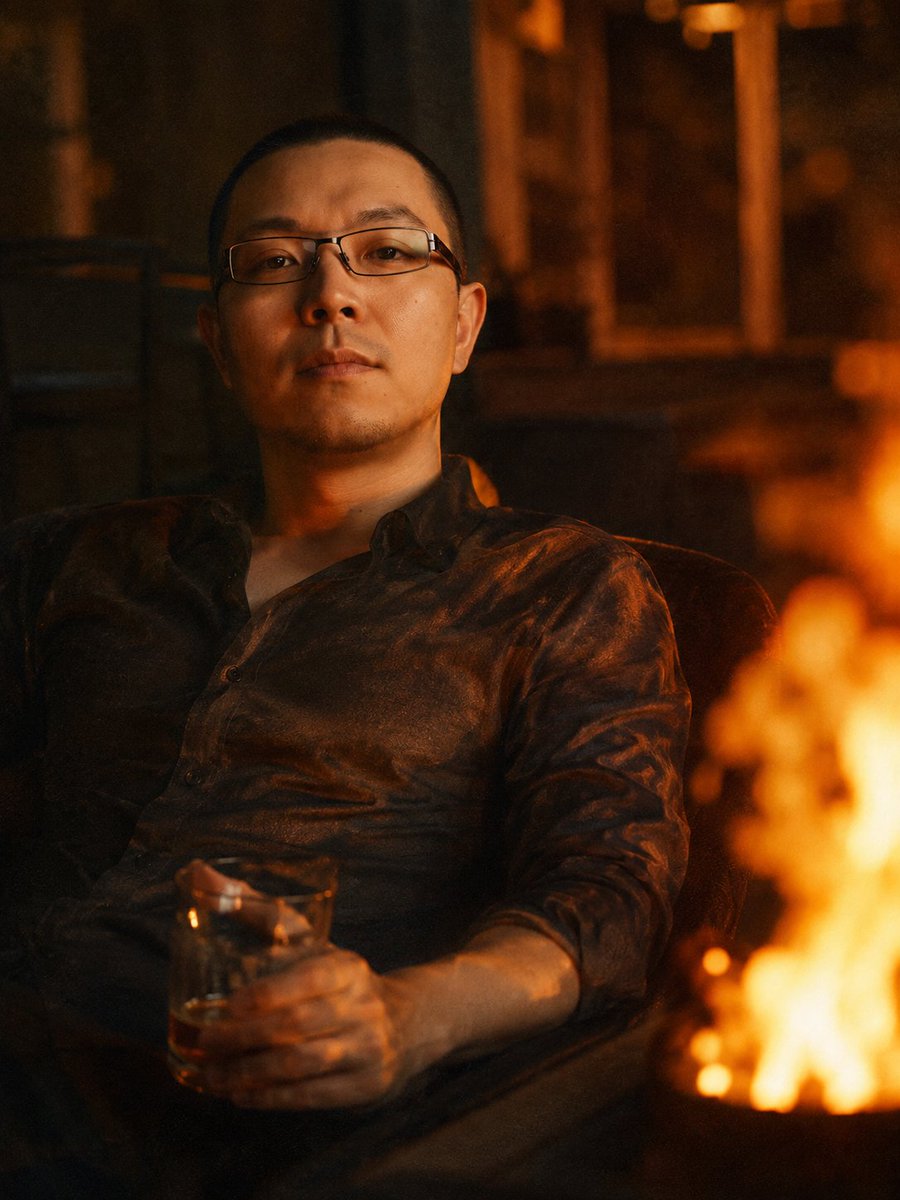
Transform a reference photo into a warm, low-angle cinematic night portrait with drink, flickering light, film grain, and deep emotional mood.
PROMPT · EN
使用提供的参考图像作为身份来源,重新生成与参考图像面部特征尽可能一致的男性形象。将肖像转换为一张温暖的低角度电影感夜景照片:该男子以放松的姿势靠在椅子上,身穿一件轻薄、略带褶皱的深色衬衫,而非正式西装,一只手拿着一杯 argdrink: 琥珀色饮品。在画面右侧添加一团巨大的柔和模糊橙色火焰,占据前景,并将闪烁的暖色高光投射到他的脸部和衬衫上。将摄影棚背景替换为昏暗、略微失焦的室内或夜间环境,色调以琥珀色和棕色为主,营造出一种 argmood: 忧郁、私密、略带怀旧 的氛围。使其看起来像是一张使用现代数码相机或智能手机在高 ISO 下拍摄的照片:具有可见的胶片感颗粒、低对比度、浅景深,并带有微妙的色差以增强氛围。
Informazioni su questo prompt
Transform a reference photo into a warm, low-angle cinematic night portrait with drink, flickering light, film grain, and deep emotional mood. Use it as a Concept Art starting point for GPT Image 2: keep the visual structure and style constraints intact, then swap in your own subject, brand, or scene.
Start by replacing drink and mood, then keep the camera, composition, and material cues in the same order. This makes the output easier to compare across variations.
Come usare questo prompt
- Copy the prompt and paste it into your Sora 2 or compatible AI video/image generator.
- Choose a model that excels in photorealism and cinematic lighting (e.g., Sora 2, Runway Gen-3).
- Upload your reference portrait as the identity source for consistent facial features.
- Customize the variables like
{drink}(e.g., whiskey, coffee) and{mood}(e.g., melancholic, serene) to match your vision. - Generate and refine. Adjust lighting or grain settings if the output needs tweaking.


