
GPT Image 2Prompt AI
Photorealistic Fried Chicken Sandwich — Sora 2 Prompt
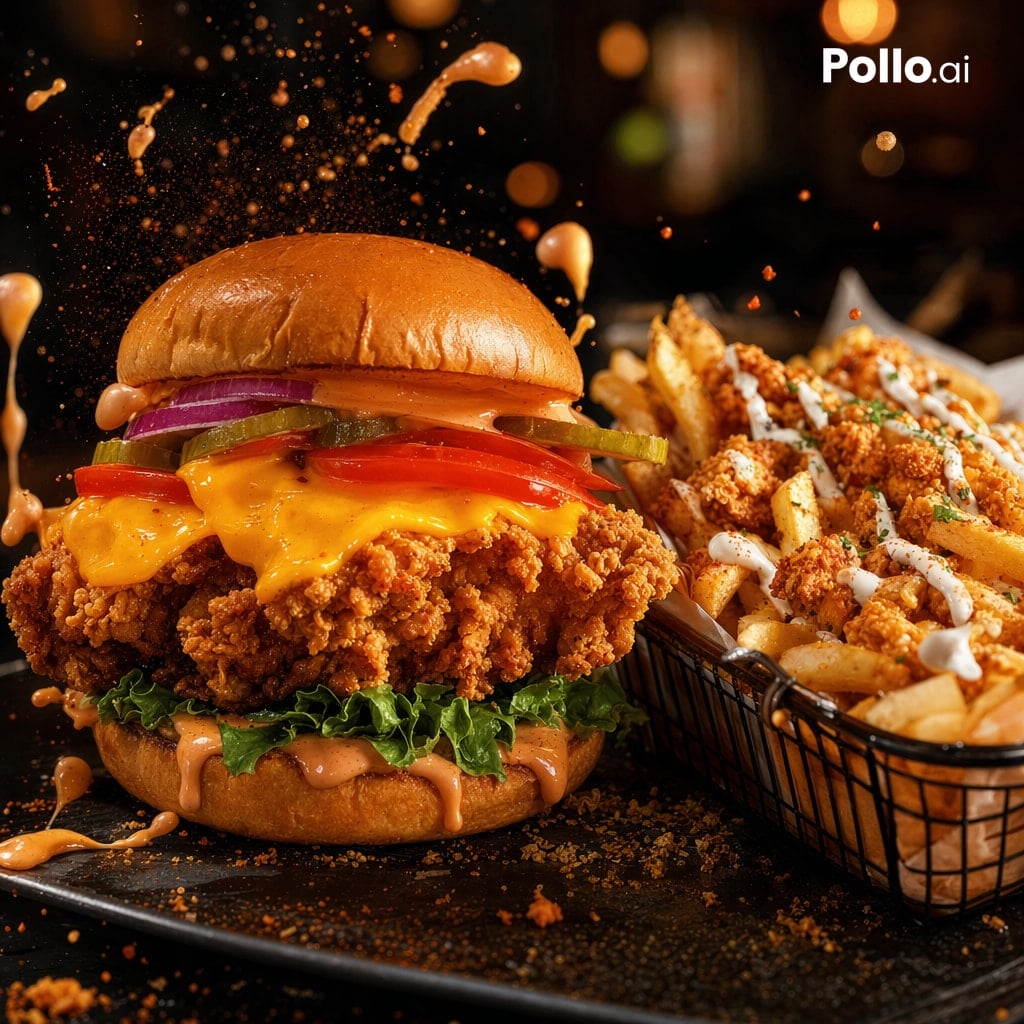
Generate a mouthwatering, photorealistic fried chicken sandwich with loaded fries, perfect for fast food branding and social media.
PROMPT · EN
一张极具视觉冲击力的照片级快餐主打产品特写,展示了一个巨大的脆皮炸鸡三明治和一篮配料丰富的薯条,放置在深色的餐厅餐桌上。三明治位于画面中左侧,堆叠得很高,配有光亮的布里欧修面包,顶部面包涂有辛辣的橙色酱汁,放有 2 片紫红色洋葱圈、3 片酸黄瓜、2 片番茄,融化的切达干酪淋在超脆的炸鸡排上,配有卷曲的绿叶生菜,底部面包也淋有更多奶油状的橙色酱汁。右侧放置一个黑色金属丝篮,里面装满厚切薯条,顶部撒有脆炸鸡块、白色淋酱和少量绿色香草装饰。采用定格拍摄效果,橙色酱汁飞溅出水滴,向上方及汉堡周围迸发,空气中漂浮着面包屑和调味料颗粒。使用温暖的电影级灯光、深邃的阴影、高对比度、浅景深,呈现丰富的金棕色质感,面包和酱汁带有光泽感,背景为高档休闲餐厅中模糊的虚化效果。相机角度低且近,呈 3/4 正面视角,焦点清晰地对准汉堡,薯条略微次要但细节依然丰富。深色石板餐盘,表面散落着面包屑和酱汁滴。在右上角添加一个简洁的白色 argbrand text: Pollo.ai 标志。
Informazioni su questo prompt
Generate a mouthwatering, photorealistic fried chicken sandwich with loaded fries, perfect for fast food branding and social media. Use it as a Concept Art starting point for GPT Image 2: keep the visual structure and style constraints intact, then swap in your own subject, brand, or scene.
Start by replacing brand text, then keep the camera, composition, and material cues in the same order. This makes the output easier to compare across variations.
Come usare questo prompt
- Copy the prompt text from this page.
- Open your preferred AI image generator (e.g., Sora 2, Midjourney, DALL-E).
- Paste the prompt into the text input field.
- Adjust any optional variables like the brand text in the prompt (default "Pollo.ai").
- Generate the image and iterate with slight tweaks to composition or details as needed.


