
GPT Image 2Prompt AI
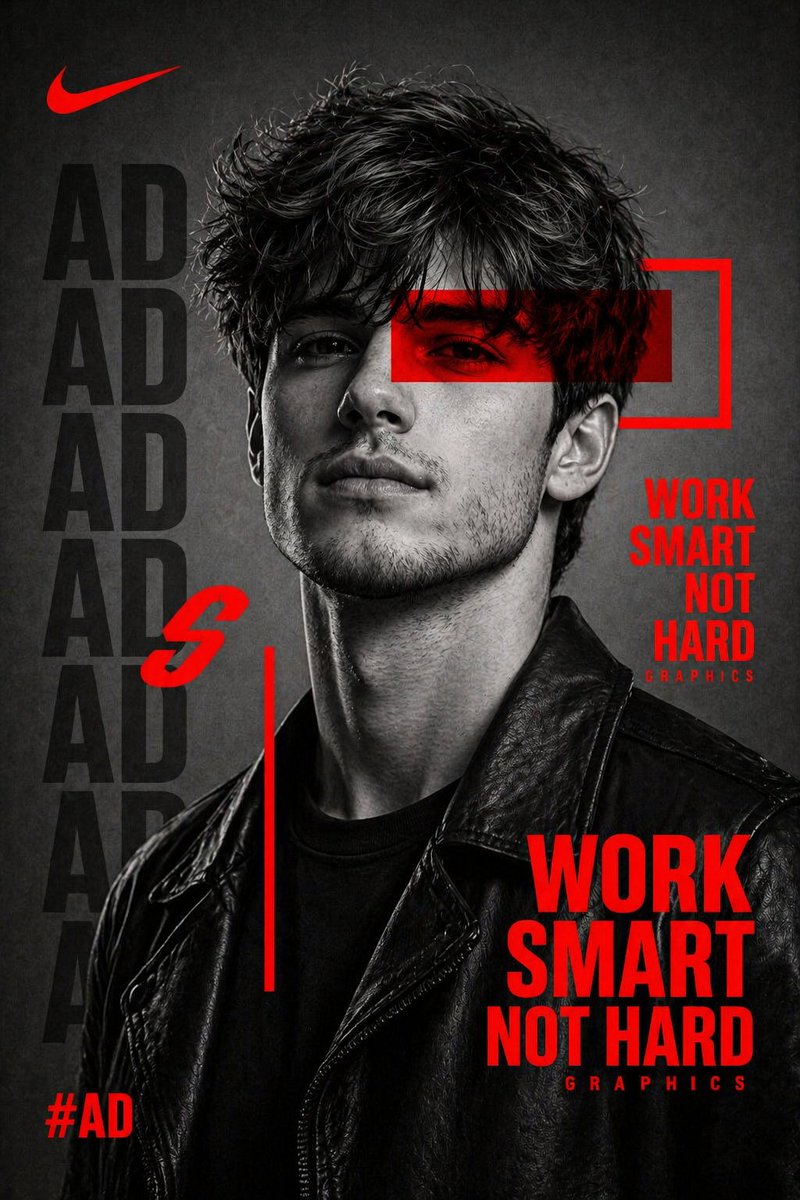
Streetwear Poster Prompt — High Contrast B&W & Red Graphics
Create striking streetwear posters with dramatic B&W portraits, bold red graphics, and modern typography—ideal for editorial or brand campaigns.
PROMPT · EN
创作一张高对比度的黑白肖像,主体为 argsubject: 一位身穿黑色皮夹克、神情自信的年轻人,侧身面对镜头,表情强烈。使用戏剧性的摄影棚灯光,营造出锐利的阴影和细腻的皮肤纹理,呈现电影般的质感。在图像上叠加 arggraphic element: 强烈的红色图形元素,包括横跨双眼的红色横条、几何形状、细线条以及边框。在背景和前景中加入醒目的大号字体。使用现代无衬线字体,并在主体后方添加重复的淡化文字(如姓名图案),以及一句鲜红色的强力励志标题,例如:“argheadline: WORK SMART NOT HARD”。整体布局应具有高端运动或街头服饰宣传海报的质感。背景保持简洁且带有灰色纹理。添加微妙的品牌风格元素,如标签(#AD)和小字“GRAPHICS”。调色板:仅限黑色、白色、灰色和鲜红色。风格:简洁、现代、张扬、编辑风格,类似 Nike 的宣传海报。重点在于锐利的细节、对比度以及构图的平衡。
Informazioni su questo prompt
Create striking streetwear posters with dramatic B&W portraits, bold red graphics, and modern typography—ideal for editorial or brand campaigns. Use it as a Concept Art starting point for GPT Image 2: keep the visual structure and style constraints intact, then swap in your own subject, brand, or scene.
Start by replacing subject, graphic element, and headline, then keep the camera, composition, and material cues in the same order. This makes the output easier to compare across variations.
Come usare questo prompt
- Copy the prompt template above, which includes customizable variables like
{subject},{graphic element}, and{headline}. - Paste it into Sora 2 or any text-to-image model that supports detailed prompts (e.g., Midjourney, DALL·E 3).
- Modify the variables to fit your vision: choose a subject (e.g., "a stern model with sunglasses"), a graphic overlay (e.g., "neon red geometric lines"), and a headline (e.g., "NO LIMITS").
- Set the output to high resolution and enable cinematic/sharp settings for crisp textures and deep contrast.
- Generate and adjust lighting terms or graphic density as needed until you achieve the desired poster aesthetic.


