
GPT Image 2Prompt AI
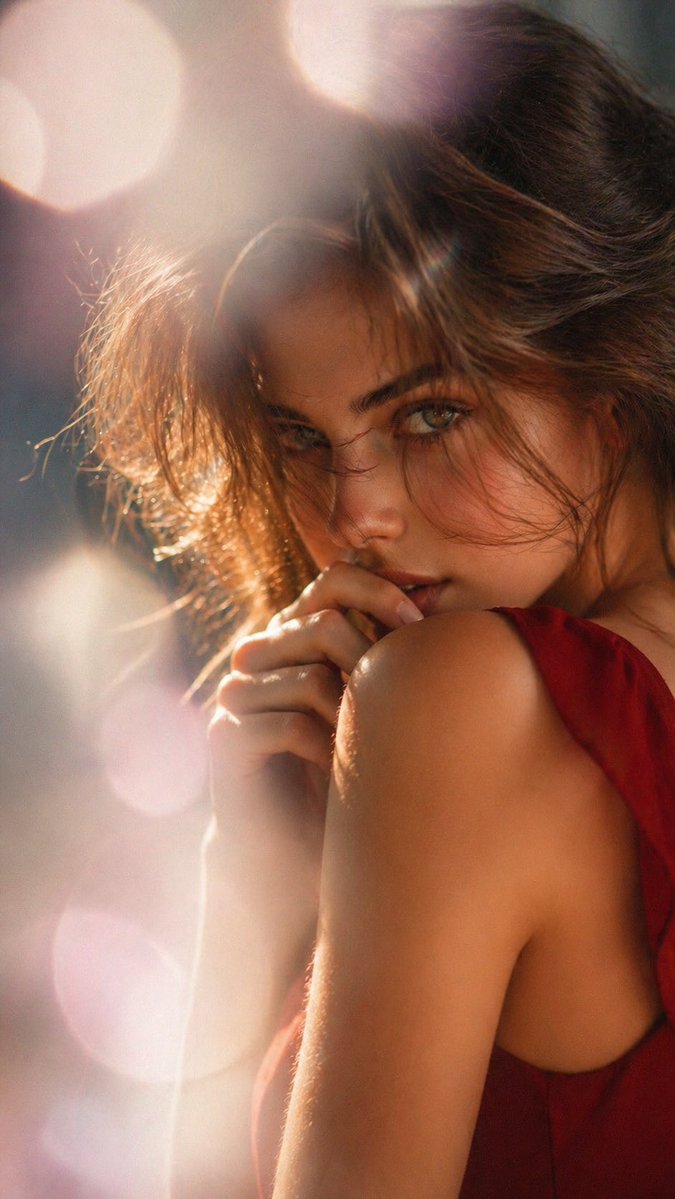
Dreamy Backlit Fashion Portrait — Sora 2 Prompt
Generate cinematic soft-focus fashion portraits with warm backlight, golden bokeh, and elegant poses for editorial beauty and film-inspired art.
PROMPT · EN
一张电影质感的柔焦人像,拍摄对象为一名女性,视角从后方及侧面切入,采用竖构图,取景范围为上半身。她留着 arghair color: 深棕色 的头发,梳成随性凌乱的盘发,细碎的发丝捕捉着光线。她的面部大部分被姿势和头发遮挡,仅露出部分脸颊。她身着一件 argdress color: 深红色 无袖连衣裙,露背或侧面低剪裁设计,突显出裸露的肩膀和上背部。一只手轻柔地抬起靠近颈部或肩部,手指自然放松。运用强烈的暖色背光和轮廓光,头发和皮肤周围环绕着金色的光晕,伴有梦幻的镜头光斑,背景虚化呈现出巨大的圆形光斑。画面应营造出亲密、优雅且略带感性的氛围,如同高端时尚或美妆社论,具有浅景深、奶油般顺滑的虚化效果,色调为温暖的琥珀色与玫瑰色,并带有柔和的电影感光泽。
Informazioni su questo prompt
Generate cinematic soft-focus fashion portraits with warm backlight, golden bokeh, and elegant poses for editorial beauty and film-inspired art. Use it as a Concept Art starting point for GPT Image 2: keep the visual structure and style constraints intact, then swap in your own subject, brand, or scene.
Start by replacing hair color and dress color, then keep the camera, composition, and material cues in the same order. This makes the output easier to compare across variations.
Come usare questo prompt
- Copy the prompt and paste it into your Sora 2 or compatible AI video/image generator.
- Choose a model optimized for photorealistic or cinematic portraits (e.g., Sora 2, Runway Gen-3).
- Customize the hair color and dress color variables to match your creative vision.
- Generate the image and adjust prompt wording if needed for tighter framing or different lighting moods.
- Use the output for fashion editorials, beauty campaigns, portfolio art, or social media visuals.


