
GPT Image 2AI 프롬프트
Early 2000s Flash Party Photo UI — Sora 2 Prompt
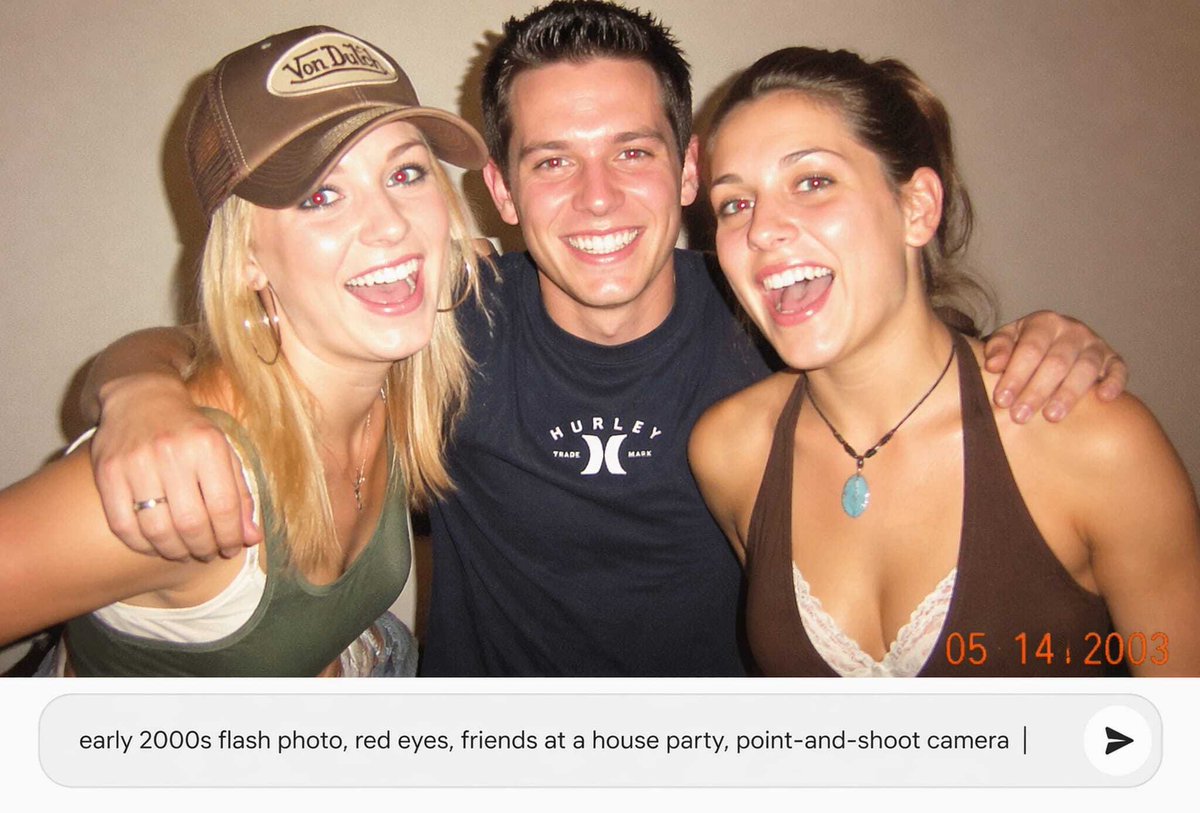
Create a nostalgic, low-resolution party snapshot with face obstructions and a modern AI prompt input bar, perfect for social media or app demo visuals.
프롬프트 · EN
创作一张怀旧的 21 世纪初抓拍风格闪光灯照片,画面中 argnumber of friends: 三位好友 在随意的家庭派对上紧靠在一起,背景是一面素色米色墙壁。照片应呈现出低分辨率一次性相机的快照质感,带有强烈的直射闪光、温暖的室内色调、轻微噪点、柔焦、皮肤轻微过曝以及暗角效果。左侧是一位金发女性,戴着带有复古小标志贴片的棕色卡车司机帽,身穿白色内搭和绿色背心,佩戴首饰;中间是一位留着黑色短刺猬头的男性,身穿黑色 Hurley 风格 T 恤,双臂搂着两位好友;右侧是一位深棕色头发的女性,身穿白色蕾丝内搭和棕色挂脖上衣,佩戴绿松石吊坠项链。用扁平的矩形肤色遮挡块遮住每张脸,总共 3 个遮挡矩形。在右下角添加一个橙色的数码相机日期戳,显示为 argdate stamp: 05 14 2003。在照片下方,包含一个现代圆角白色提示词输入栏,看起来就像 AI 图像应用中的界面,其中包含文本 arginput prompt text: early 2000s flash photo, red eyes, friends at a house party, point-and-shoot camera,末尾有一个垂直光标,右侧有一个包含黑色箭头图标的圆形发送按钮。采用 16:9 横向构图,照片占据上方区域,UI 提示词输入栏占据下方区域。
프롬프트 소개
Create a nostalgic, low-resolution party snapshot with face obstructions and a modern AI prompt input bar, perfect for social media or app demo visuals. Use it as a 컨셉 아트 starting point for GPT Image 2: keep the visual structure and style constraints intact, then swap in your own subject, brand, or scene.
Start by replacing number of friends, date stamp, and input prompt text, then keep the camera, composition, and material cues in the same order. This makes the output easier to compare across variations.
이 프롬프트 사용법
- Copy the prompt and its variables into your chosen AI model.
- Select a model that excels at photorealistic and UI generation, like Sora 2.
- Customize the variables
{number of friends}and{date stamp}to match your vision. - Generate the image to get a 16:9 composition with the retro photo above and the clean UI element below.


