
GPT Image 2AI 프롬프트
3D Exploded Product View — Technical Spec Breakdown Prompt
Generate a studio-lit, spec-accurate exploded 3D product rendering with detailed material callouts and a clean, minimalist backdrop.
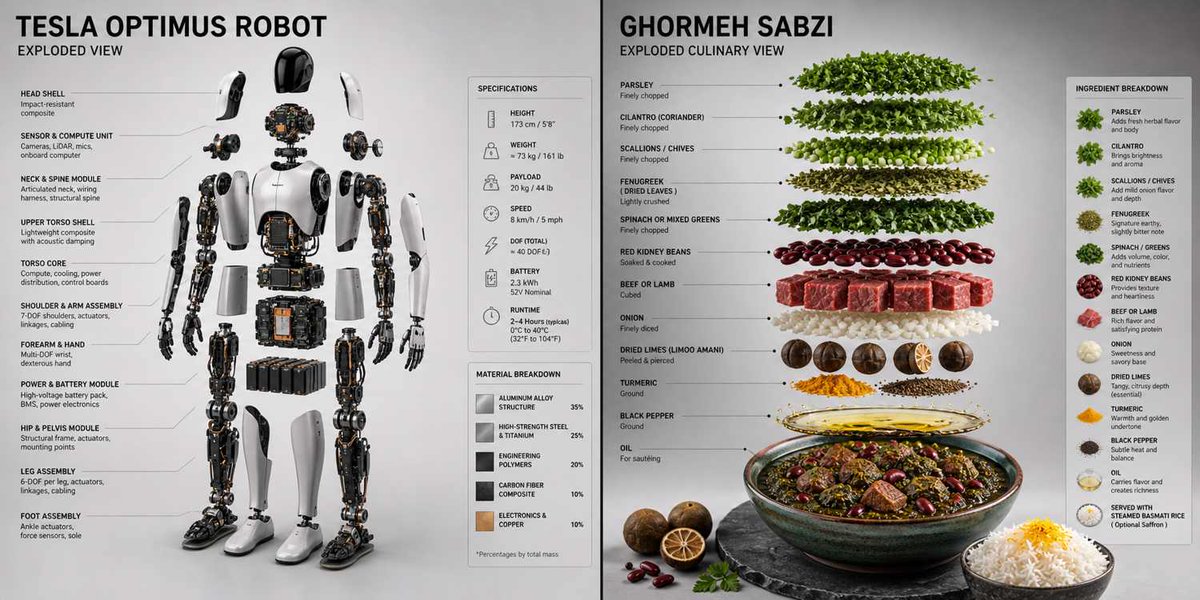
프롬프트 · EN
Render_Target = ( 3D_Accurate_Exploded_View_Of_argproduct: [product] * 1.3 ) + ( Minimal__Extremely_Accurate_Spec_Callout_And_Material_Breakdown_Panel * 1.4 ) + ( Soft_Gradient_Studio_Backdrop * 1.0 ) + ( Directional_Rim_Light_With_Soft_Fill * 1.0 ) - ( Floating_Neon_Rings_Or_Glowing_Orbs / 3.0 ) - ( Generic_Innovation_Sparks_Or_Circuit_Overlays / 2.5 ) - ( Cluttered_Desk_Props_Or_Watermarks / 2.0 )
프롬프트 소개
Generate a studio-lit, spec-accurate exploded 3D product rendering with detailed material callouts and a clean, minimalist backdrop. Use it as a 컨셉 아트 starting point for GPT Image 2: keep the visual structure and style constraints intact, then swap in your own subject, brand, or scene.
Start by replacing product, then keep the camera, composition, and material cues in the same order. This makes the output easier to compare across variations.
이 프롬프트 사용법
- Copy the full prompt text below. 2. Replace the
[product]placeholder with your specific item (e.g., "smartwatch", "gaming mouse"). 3. Paste the prompt into your preferred AI video or image generation model like Sora 2. 4. Adjust the weight multipliers (the* 1.3or/ 2.0values) to fine-tune emphasis on lighting or remove unwanted elements. 5. Generate the image to receive a precise, exploded-view render with professional studio lighting.


