
GPT Image 2AI 프롬프트
3D Social Media Profile Card — Sora 2 Prompt
Create a hyper-realistic 3D social media cover image with a character sitting on a glowing platform logo and a floating profile card, perfect for standout personal branding.
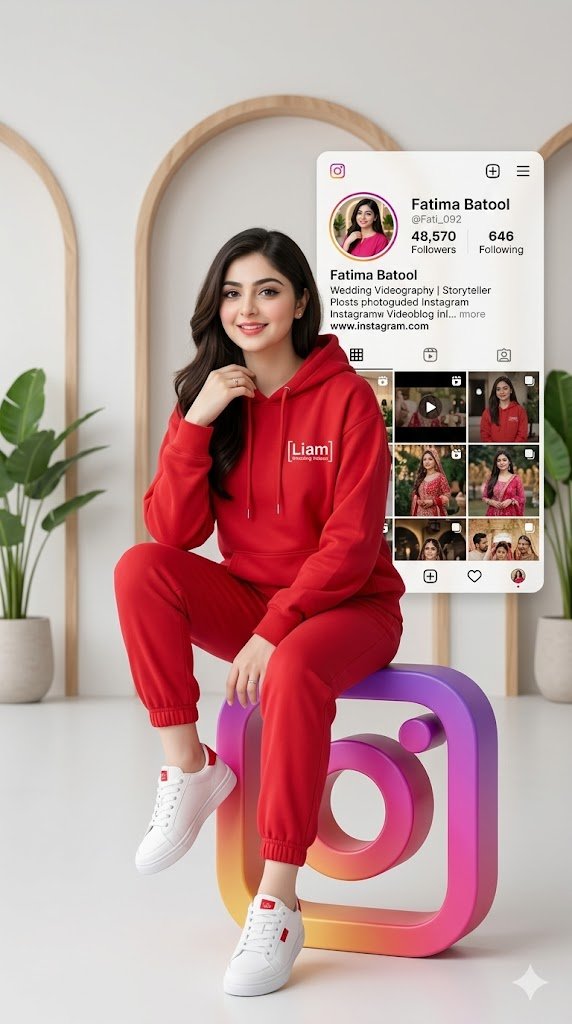
프롬프트 · EN
创作一张 9:16 竖屏格式的超写实图像。展示一位年轻女孩,外貌特征为 argphysical description: [你的面部或外貌描述],身着特定服饰。她以放松的姿态坐在一个巨大的 3D argsocial platform: Instagram Logo 上,色彩鲜艳。穿着现代都市风格服装:带有“argcustom logo: [liam wedding videos]”Logo 的彩色连帽衫 [红色],搭配慢跑裤 [裤子颜色] 和运动鞋 [鞋子颜色]。背景中出现一张与真实社交网络完全一致的大型个人资料卡,细节逼真:名称“[Fatima Batool]”、用户名“@[Fati_092]”、[48570] 位粉丝、[646] 个关注以及 [其他数据]。背景应简洁,采用极简主义风格,光线柔和,呈现专业、清新且年轻的视觉效果,非常适合作为社交网络封面。
프롬프트 소개
Create a hyper-realistic 3D social media cover image with a character sitting on a glowing platform logo and a floating profile card, perfect for standout personal branding. Use it as a 컨셉 아트 starting point for GPT Image 2: keep the visual structure and style constraints intact, then swap in your own subject, brand, or scene.
Start by replacing physical description, social platform, and custom logo, then keep the camera, composition, and material cues in the same order. This makes the output easier to compare across variations.
이 프롬프트 사용법
- Copy the prompt and paste it into your preferred AI image generator like Sora 2.
- Choose your model — Sora 2 or a similar text-to-image AI that supports photorealistic outputs.
- Customize the variables inside the curly braces: physical description, social platform, custom logo text, clothing colors, and profile data.
- Generate the image and review the result. Adjust details like background lighting or outfit colors if needed.
- Download and use the final 9:16 vertical image as your social media cover or banner.


