
Surreal 3D Red Bird with Human Ear — AI Prompt
Create a unique 3D CGI character perfect for humorous reaction images with a surreal twist. Customizable features for endless creative variations.
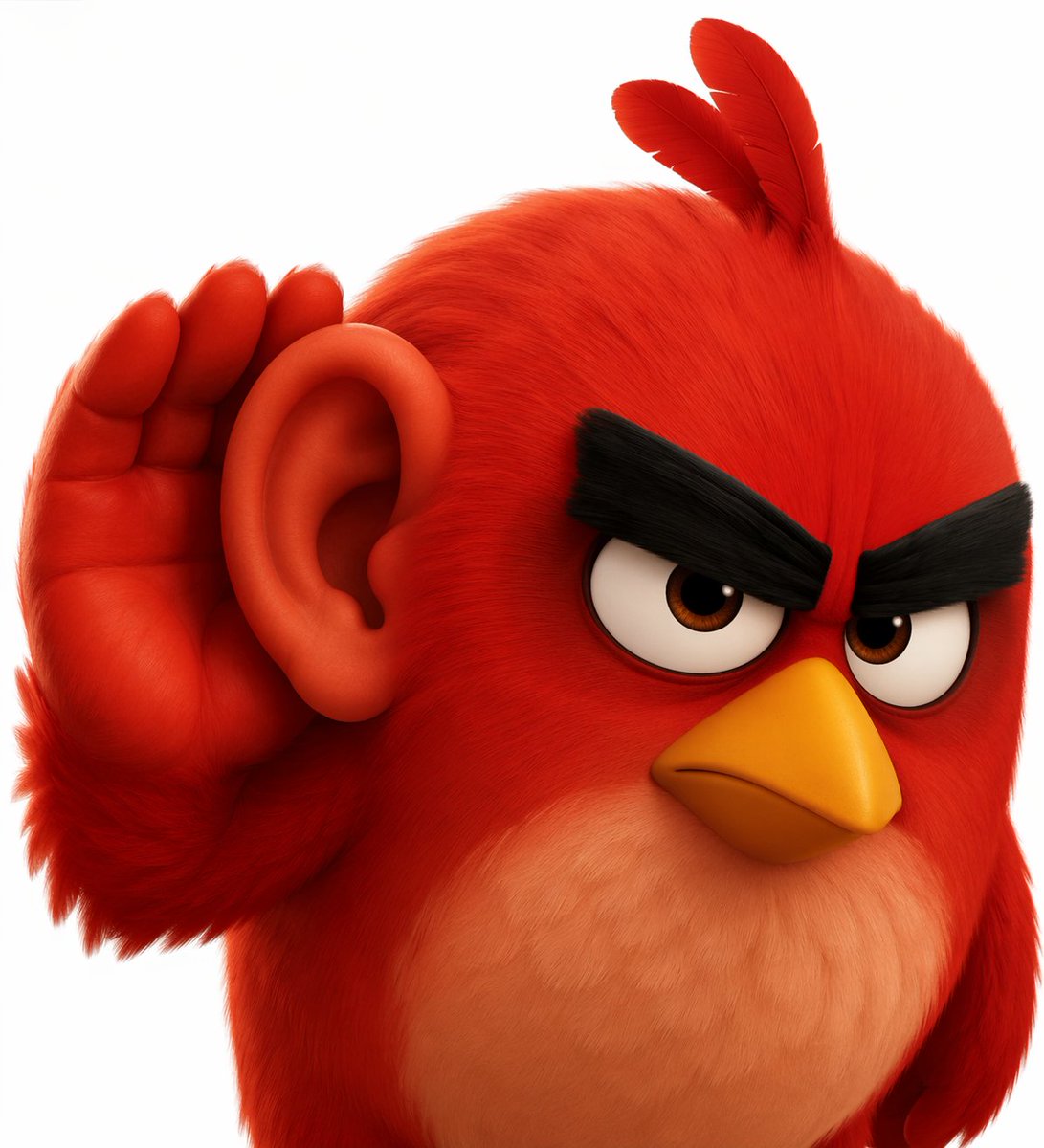
A high-quality 3D CGI render of a argcharacter type: round, fluffy red bird character resembling Red from Angry Birds with thick black angry eyebrows, large eyes, a yellow beak, and a lighter belly. The character features a surreal addition of a argsurreal feature 1: large, fleshy human-like ear on the side of its head, and a argsurreal feature 2: red, human-like hand cupping the ear in a gesture of listening intently. The lighting is soft and cinematic, highlighting the detailed fur and skin textures against a argbackground color: pure white background.
프롬프트 소개
Create a unique 3D CGI character perfect for humorous reaction images with a surreal twist. Customizable features for endless creative variations. Use it as a 컨셉 아트 starting point for GPT Image 2: keep the visual structure and style constraints intact, then swap in your own subject, brand, or scene.
Common directions include gptimage2api prompts, gptimage2api, and en. Treat these tags as creative cues; the prompt structure and preview image are the more useful guide.
Start by replacing character type, surreal feature 1, surreal feature 2, and background color, then keep the camera, composition, and material cues in the same order. This makes the output easier to compare across variations.
이 프롬프트 사용법
- Copy the entire prompt text from the prompt box.
- Paste it into your preferred AI image or video model (e.g., Sora, Runway, Stable Diffusion).
- Replace the placeholder text within the curly braces
{}to customize the character type, surreal features, and background color. - Adjust the descriptive language to match your desired style (e.g., change 'soft and cinematic' lighting).
- Generate and refine the output until you achieve the perfect surreal character render.


