
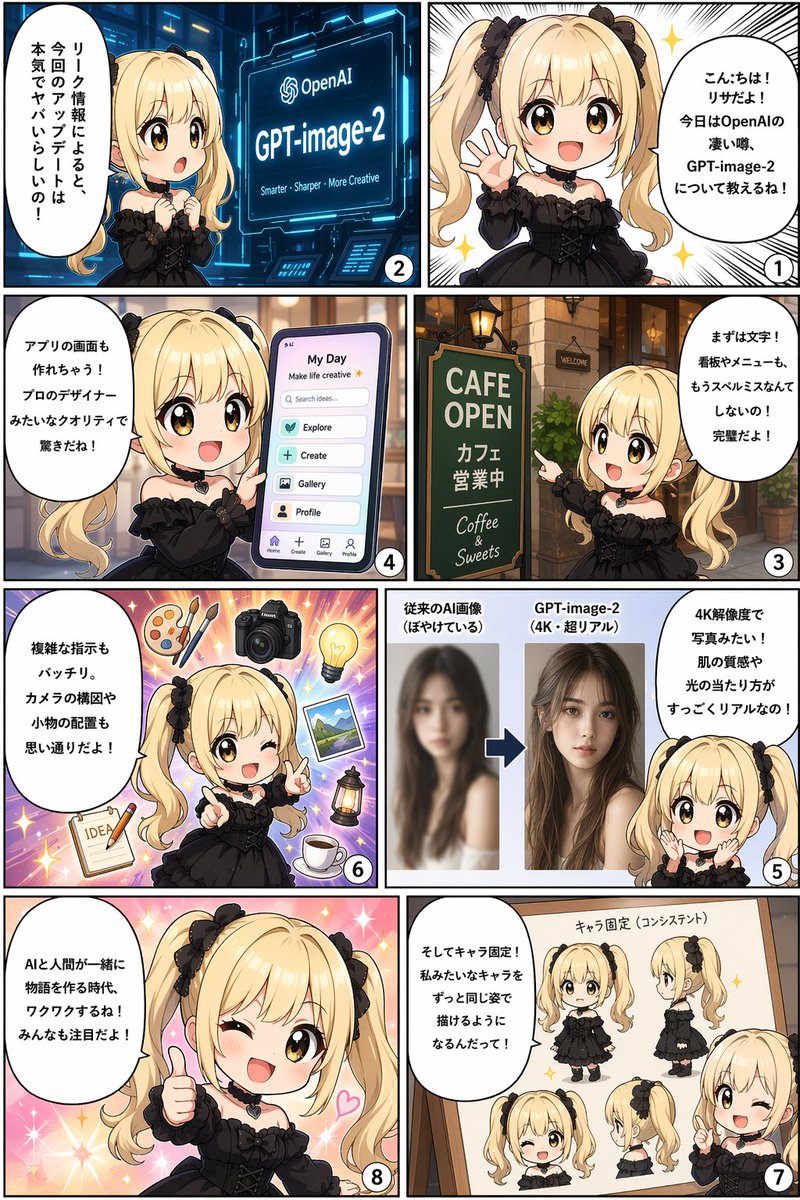
8-Panel Comic Infographic — GPT-image-2 Features Explained
Create an engaging 8-panel comic infographic where a mascot explains cutting-edge AI features like 4K resolution, UI design, and character consistency.
프롬프트 소개
Create an engaging 8-panel comic infographic where a mascot explains cutting-edge AI features like 4K resolution, UI design, and character consistency. Use it as a 컨셉 아트 starting point for GPT Image 2: keep the visual structure and style constraints intact, then swap in your own subject, brand, or scene.
This prompt is organized as structured JSON with fields such as type, reading order, character, and panels. Keeping that hierarchy helps the model separate the subject, layout, interface elements, and detail constraints.
Start with small changes to subject, scene, camera, and color, then generate a few variations to compare composition and detail without turning the page copy into keyword stuffing.
이 프롬프트 사용법
- Copy the full comic infographic prompt.
- Replace the placeholder variables (e.g., character name, product name) with your own details.
- Use a capable image generation model (like FLUX or Stable Diffusion 3) and paste the prompt.
- Generate the image. For best results, enable high-resolution and set a vertical aspect ratio.
- If the layout isn't perfect, try a second generation or use an inpainting tool to fix speech bubbles.


