
GPT Image 2AI 프롬프트
Product TVC Storyboard Generator — 9-Grid Vertical Ad
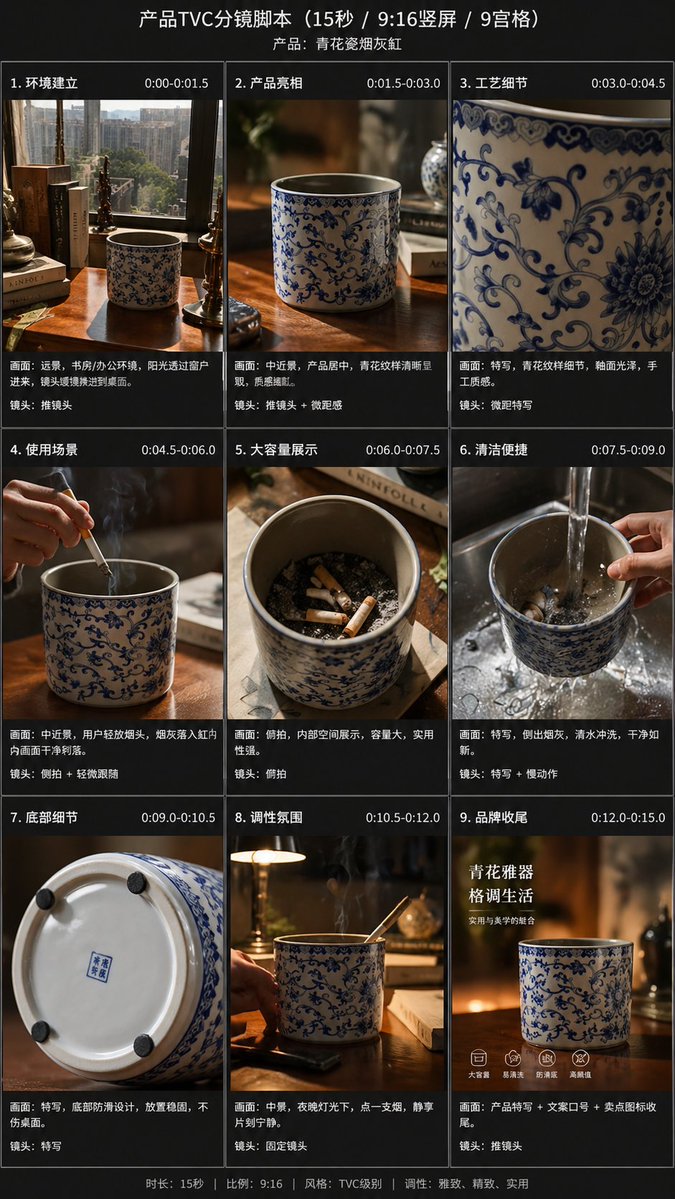
Transform a single product photo into a cinematic 9-frame TVC storyboard for vertical video ads, complete with professional lighting and scene descriptions.
프롬프트 · EN
使用提供的参考图,将单张随手拍摄的产品照片转化为精美的电商 TVC 分镜项目,用于 argvideo duration: 15 秒 的广告,格式为 argaspect ratio: 9:16 竖屏,并以 9 宫格形式呈现。保持蓝白瓷烟灰缸作为产品主体,但在电影感广告镜头中重新布景,采用温暖的高级感光效、浅景深以及精致的生活化桌面环境。添加深色分镜布局,并为每个面板标注中文标题和时间轴。包含 9 个场景:1)环境全景镜头,展示书桌、书籍、窗户及产品摆放环境;2)桌面上的产品中景镜头;3)青花瓷工艺图案的极近特写;4)使用场景,展示手将香烟放入烟灰缸,伴有可见烟雾;5)俯视容量展示,显示内部多个烟蒂;6)清洗场景,在水槽中流水冲洗,手持产品;7)底部细节特写,展示底部及防滑垫;8)夜间氛围/生活化场景,产品置于书桌,烟雾缭绕,配有环境台灯光;9)品牌结尾帧,以产品为核心,配有中文营销文案。添加整体标题“产品 TVC 分镜脚本(15 秒 / 9:16 竖屏 / 9 宫格)”以及产品副标题 argproduct name: 青花瓷烟灰缸。为 9 个面板中的每一个添加中文场景标题和时间戳,并在每张图片下方添加简短的中文描述文案,风格参照专业的商业拍摄清单。全程采用高级、写实的商业摄影风格,保持产品标识一致性、优雅的中国风美学以及简洁高端的分镜呈现。
프롬프트 소개
Transform a single product photo into a cinematic 9-frame TVC storyboard for vertical video ads, complete with professional lighting and scene descriptions. Use it as a 컨셉 아트 starting point for GPT Image 2: keep the visual structure and style constraints intact, then swap in your own subject, brand, or scene.
Start by replacing video duration, aspect ratio, and product name, then keep the camera, composition, and material cues in the same order. This makes the output easier to compare across variations.
이 프롬프트 사용법
- Copy the full prompt template into your preferred AI image generator.
- Upload your product reference image when prompted.
- Customize the video duration, aspect ratio, and product name arguments as needed.
- Generate the storyboard and review the 9-panel grid layout.
- Refine individual scenes by re-prompting with specific adjustments.


