
GPT Image 2AI 프롬프트
Aesthetic Doodle Portrait — Sora 2 Prompt
Blend ultra-realistic photos with playful sky doodles and custom typography for a dreamy Gen Z social media look.
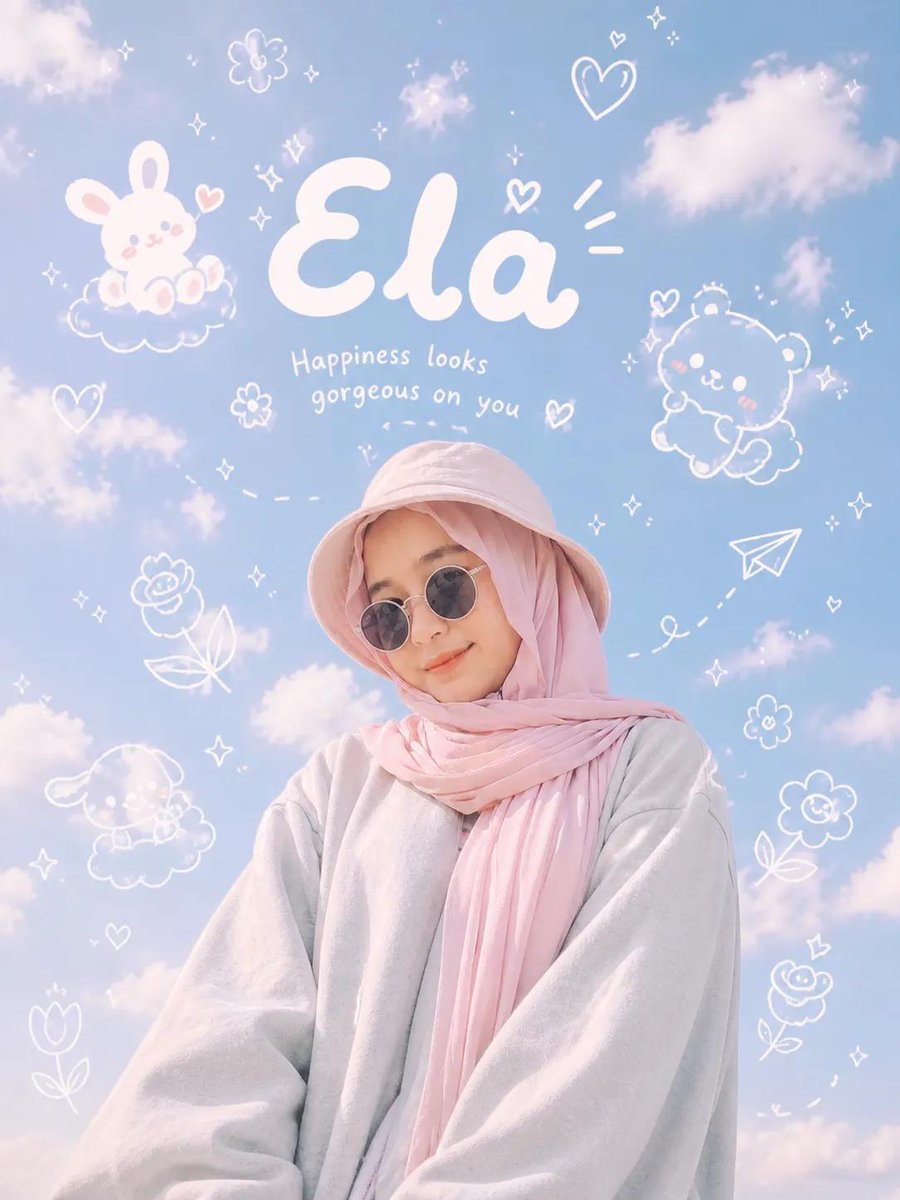
프롬프트 · EN
Low-angle aesthetic portrait of argsubject: subject from reference image, standing under a bright blue sky filled with soft, fluffy clouds. The subject is wearing a pastel bucket hat, oversized gray sweatshirt, and round sunglasses, styled in minimal fashion. Relaxed and calm expression, natural pose. Above and surrounding the subject are playful white doodle illustrations seamlessly integrated into the sky: cute cartoon characters, rocket, robot, skull, stars, paper airplane, sparkles, and whimsical abstract shapes. Handwritten typography floating in the sky with the text “argfirst name: custom name 1” and “argsecond name: custom name 2”, drawn in soft white ink, bubbly, dreamy, and slightly imperfect hand-drawn style. Clean composition, airy spacing, pastel tones, soft natural lighting, minimal shadows, crisp details. Kawaii doodle overlay combined with ultra-realistic photography style. Instagram-style edit with subtle film grain and soft glow. Modern Gen Z aesthetic, light blue dominant palette, dreamy and playful mood, high dynamic range, editorial photography, 4K resolution. Aspect ratio 3:4
프롬프트 소개
Blend ultra-realistic photos with playful sky doodles and custom typography for a dreamy Gen Z social media look. Use it as a 컨셉 아트 starting point for GPT Image 2: keep the visual structure and style constraints intact, then swap in your own subject, brand, or scene.
Start by replacing subject, first name, and second name, then keep the camera, composition, and material cues in the same order. This makes the output easier to compare across variations.
이 프롬프트 사용법
- Copy the prompt and paste it into your Sora 2 or preferred AI image generator.
- Select your desired model and set the aspect ratio to 3:4.
- Replace the
subjectargument with a description or reference of your portrait subject. - Customize the
first nameandsecond namefields with your preferred names or words. - Generate and iterate by adjusting lighting or doodle details for the perfect result.


